How to Connect Gemini to 3ds Max: Antigravity Setup and a 4 Model MAXScript Test

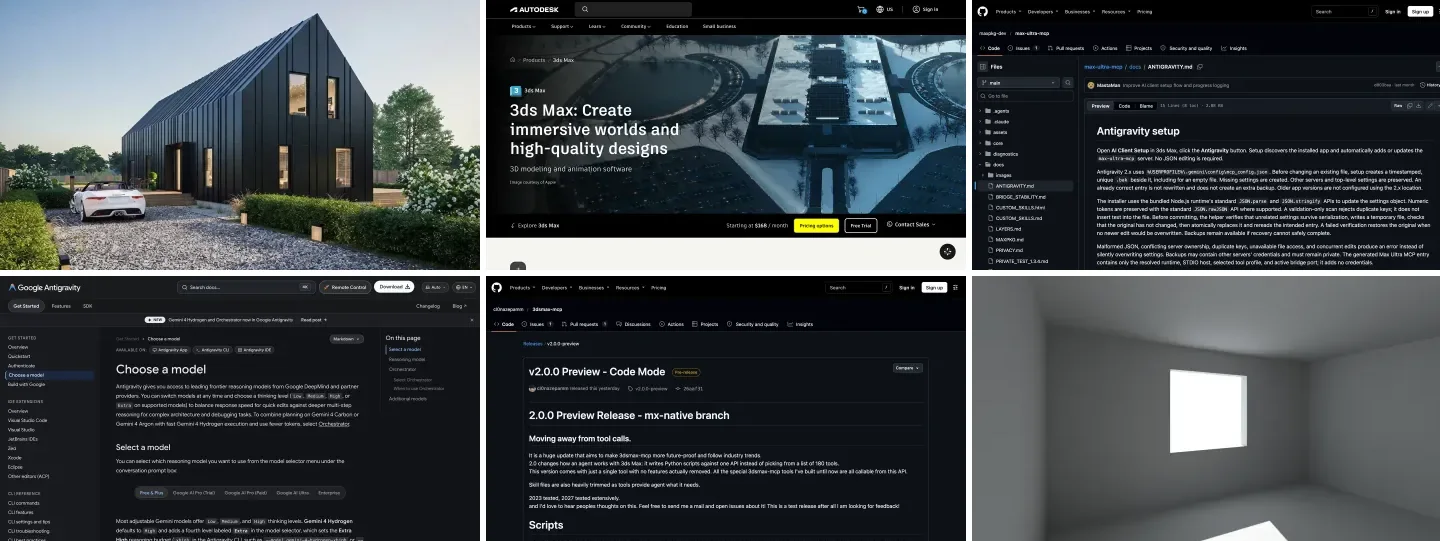
To connect Gemini to 3ds Max, add a 3ds Max MCP server to Google Antigravity on the same Windows PC (Max Ultra MCP does it with one button), pick Gemini 4 Hydrogen, the best free model in our MAXScript test, and add MeltFlex AI as a second server if you want Gemini to turn the viewport into a client render. The open source 3dsmax-mcp works too, but its installer still registers Gemini CLI rather than Antigravity, so you copy one entry by hand. None of this works from gemini.google.com.
Our articles are still written by humans!
Get human written articles in your Google feed.
I run MeltFlex AI, an AI rendering tool for architects and interior designers; MeltFlex AI is ours, and it appears below where it fits. This is the third 3ds Max guide in our series, after ChatGPT and 3ds Max and Claude and 3ds Max. I could not find any guide or video on Gemini and 3ds Max on November 15, 2026, so this one rests on two kinds of evidence. First, I read the current release of both servers: their setup code, their tool lists and their release notes. Second, in our MeltFlex AI test on November 15, 2026, I gave four Gemini models the same archviz brief and checked every script they wrote against Autodesk’s MAXScript reference. What I could not do is run 3ds Max: it is Windows only and our test machine is a Mac. Each section says which kind of evidence it rests on.
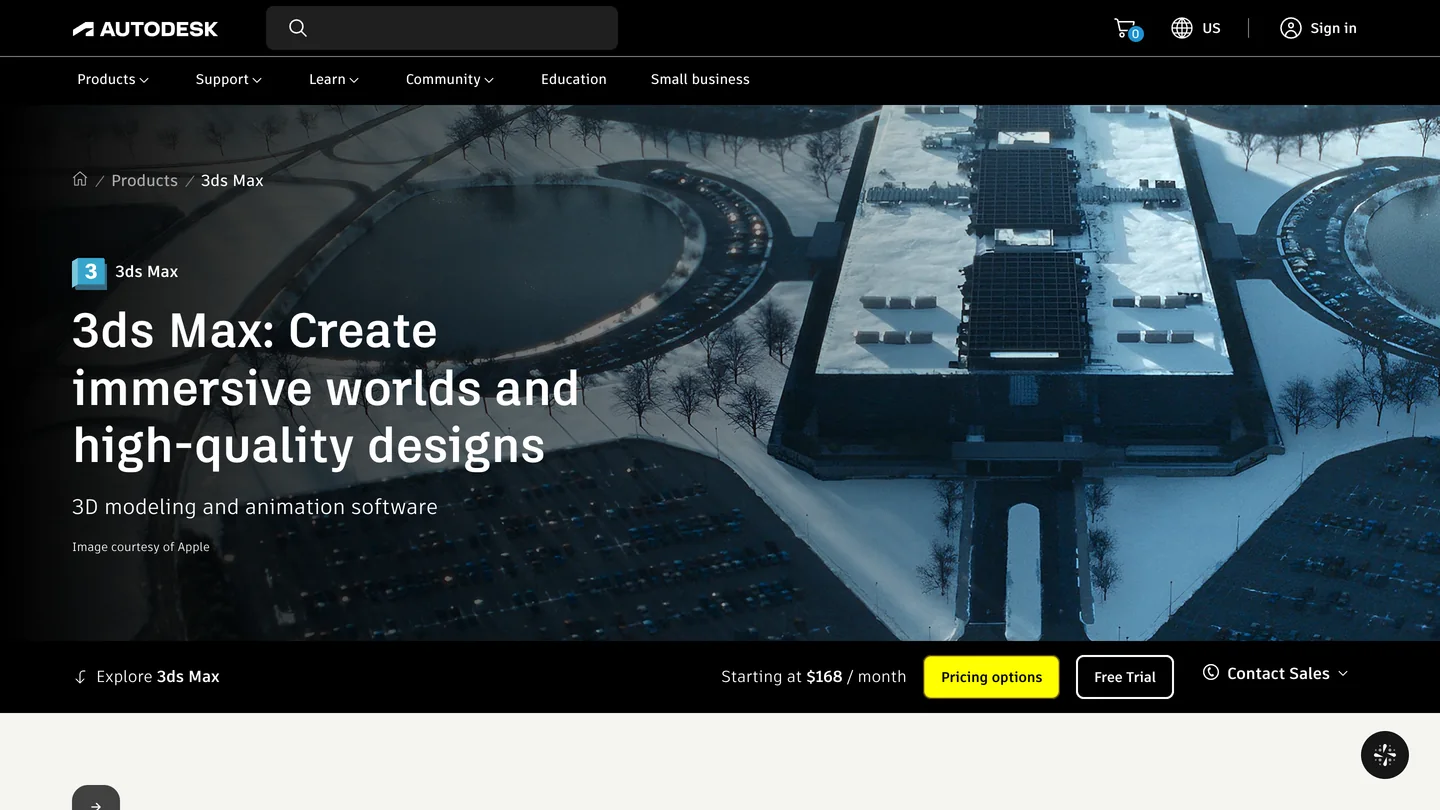
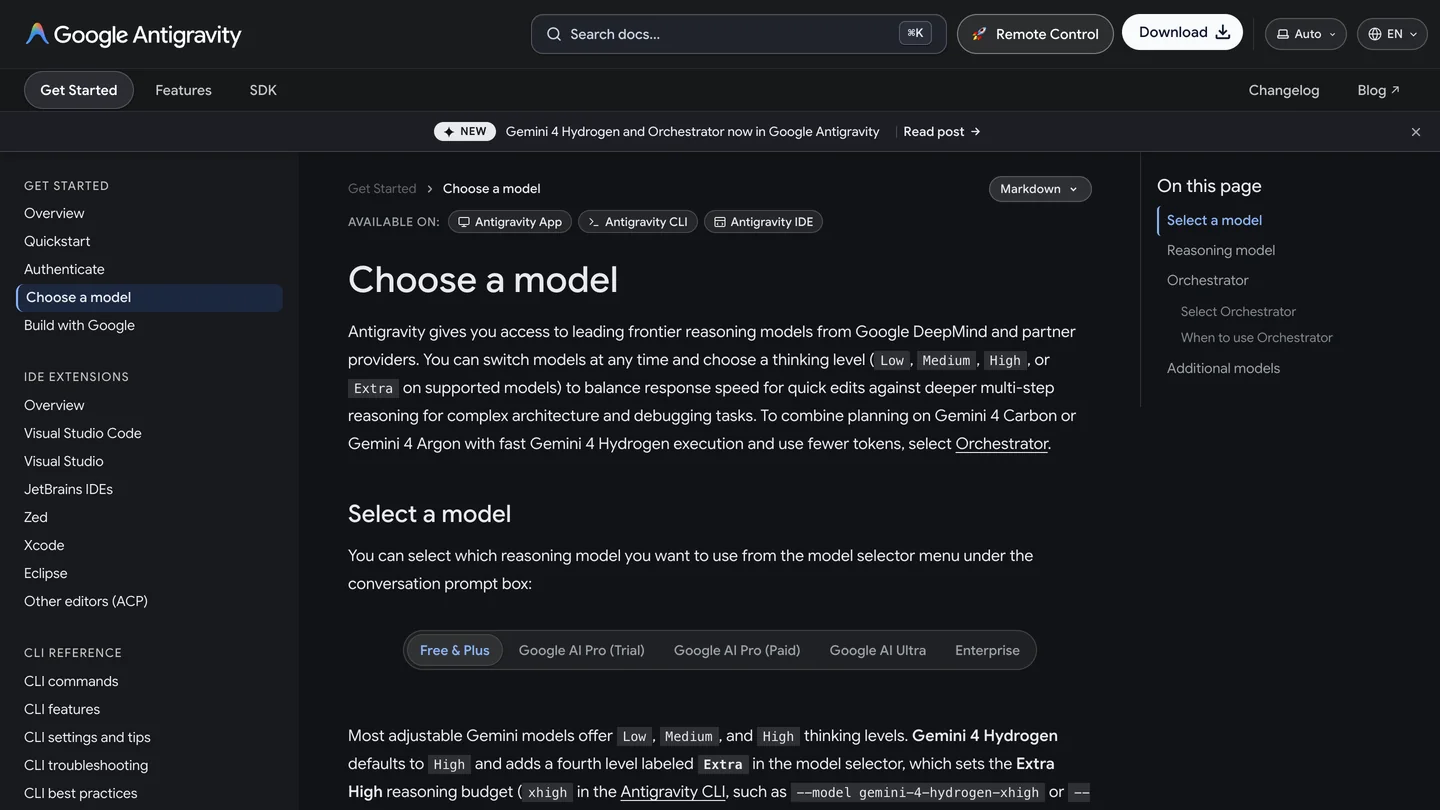
3ds Max, from $168 a month on Autodesk’s US page, and Antigravity’s model page, where Gemini 4 Hydrogen is new and free.
The short version
- Use Antigravity. The Gemini app cannot reach 3ds Max, and Gemini CLI needs a paid API key since June 18, 2026.
- Easiest server: Max Ultra MCP 1.6.0. Free, 3ds Max 2022 to 2027, 83 tools by default, and the only one with an Antigravity button. Setup.
- The trap: 3dsmax-mcp’s installer writes Gemini CLI’s file, not Antigravity’s, still true in the 2.0.0 preview. The fix.
- Our MeltFlex AI test: Gemini 4 Carbon wrote 3 of 3 usable MAXScripts but needs AI Ultra; free Gemini 4 Hydrogen wrote 2 of 3. Gemini 4 Argon got the unit conversion backwards in 2 of 3. Results.
- Viewport to client image: MeltFlex AI renders a viewport capture for 10 credits, from the web or as an MCP server in the same Antigravity file. How.



Which 3ds Max MCP servers work with Gemini?
Two community servers, both free and both Windows only, because 3ds Max is. Autodesk has no 3ds Max MCP server; its MCP page listed Product Help, Fusion and Revit when we checked on November 10. Both servers shipped new versions in the four days before this guide, so check the version you install against the table.
| Server | Version (Nov 15, 2026) | 3ds Max | Gemini setup | Tools | License |
|---|---|---|---|---|---|
| Max Ultra MCP (3DGROUND) | 1.6.0, Nov 13 | 2022 to 2027 | Built-in Antigravity button | 83 in the default archviz profile, 88 in full | Free |
| 3dsmax-mcp (cl0nazepamm) | 1.7.8 stable; 2.0.0 preview, Nov 14 | 2023 to 2027 | Installer registers Gemini CLI; Antigravity by hand | About 160 in 1.7.8; one code tool by default in 2.0 | MIT |
| Copy and paste MAXScript | n/a | Any | Any Gemini, even the free app | n/a | n/a |
- Version
- 1.6.0, Nov 13
- 3ds Max
- 2022 to 2027
- Gemini setup
- Built-in Antigravity button
- Tools
- 83 by default, 88 in full
- License
- Free
- Version
- 1.7.8; 2.0.0 preview Nov 14
- 3ds Max
- 2023 to 2027
- Gemini setup
- Gemini CLI by installer; Antigravity by hand
- Tools
- About 160; one code tool in 2.0
- License
- MIT
- 3ds Max
- Any
- Gemini
- Any, even the free app
The Max Ultra counts are ours, from the tool catalog in the 1.6.0 package: 76 core tools, including 13 for layers, seven more for archviz (materials, normals, floor plan validation and building) and five more in full. The big change is on the other side. The 3dsmax-mcp 2.0.0 preview replaces its list of about 180 tools with one: Gemini writes a Python script against a single 3ds Max API, and the old tools become functions inside it. Its author says the older tool lists, which you can still choose, now take 63% less context. It is marked as a test release, so for client work I would stay on 1.7.8 until it is not.
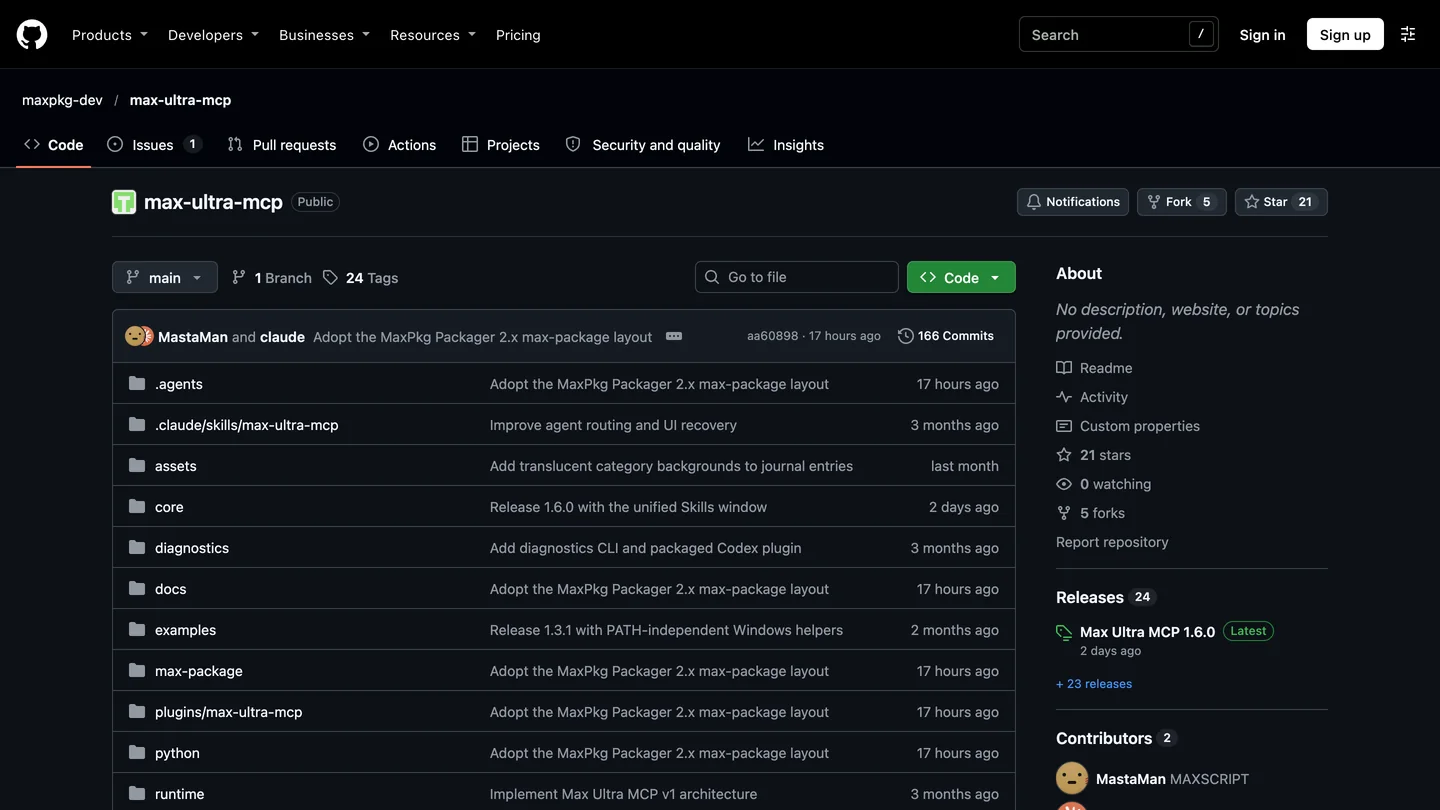
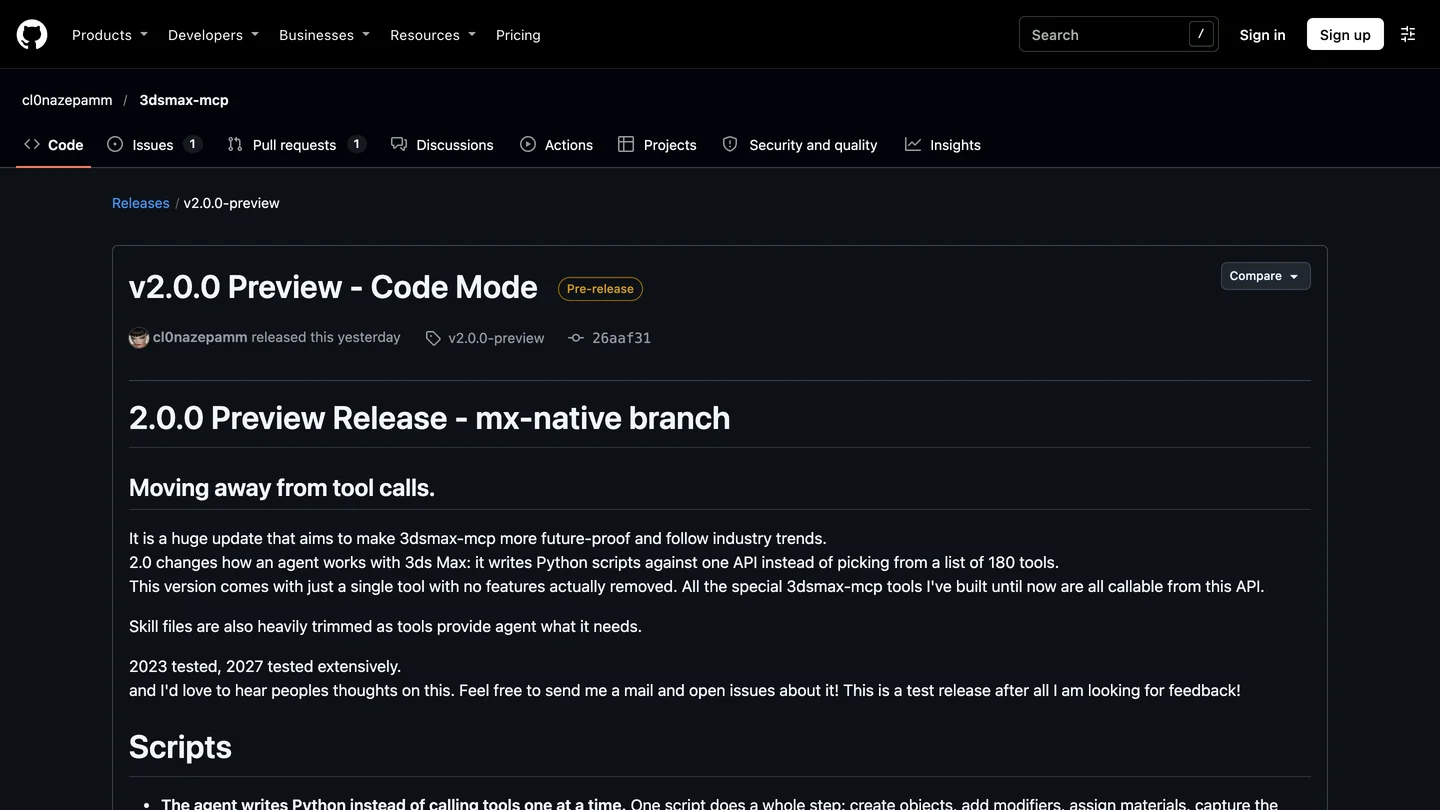
Max Ultra MCP 1.6.0 and the 3dsmax-mcp 2.0.0 preview on GitHub, November 15, 2026.
How do you connect Gemini to 3ds Max with Max Ultra MCP?
With one button. Max Ultra MCP’s Antigravity page describes the setup, and the code in 1.6.0 does what it says:
- Install Max Ultra MCP from the MaxPkg catalog, then run
01_START_MAX_ULTRA_MCP_FIRST.msonce in every 3ds Max session that should connect. - Open AI Client Setup in 3ds Max and click Antigravity. If Antigravity is not installed, it opens Google’s download page.
- Click Connect to Antigravity. It adds a
max-ultra-mcpserver to%USERPROFILE%\.gemini\config\mcp_config.json. - Restart Antigravity and check Settings, Customizations, Installed MCP Servers. “Configured” on the 3ds Max side, the page warns, “confirms configuration, not a live connection”; send a test prompt to be sure.
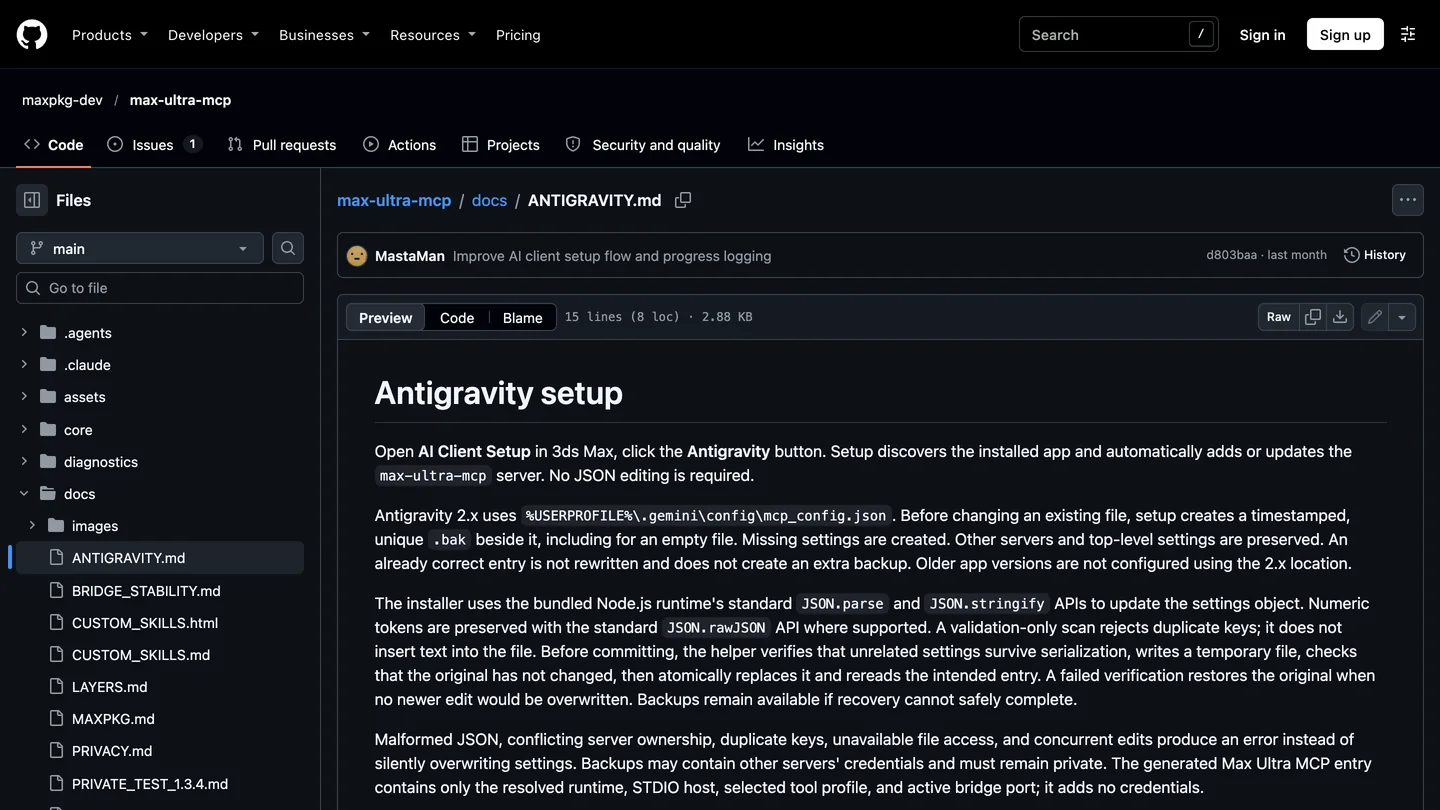
Max Ultra MCP’s Antigravity instructions, which we checked against the code.
What the button writes, read from core/antigravity-config.js: one entry whose command is the Node.js runtime bundled with the package, with the server script and --stdio as arguments, plus the tool profile (archviz unless you chose another) and a port only if you changed the default 47635. It saves a timestamped .bak of your file first, refuses to overwrite a max-ultra-mcp entry that points somewhere unexpected, and reads the result back. No credentials go in. Max Ultra’s skills manager also copies its modeling skills to %USERPROFILE%\.gemini\config\skills, so Gemini gets the same floor plan, armchair and camera instructions that Claude and Codex get.
How do you add 3dsmax-mcp to Antigravity, and why does its installer miss it?
3dsmax-mcp’s Windows installer says it registers your AI clients, and it does handle Gemini: if a gemini command is on your PATH it runs gemini mcp add, and either way it writes a 3dsmax-mcp entry into %USERPROFILE%\.gemini\settings.json. Both are Gemini CLI. Antigravity keeps its servers in %USERPROFILE%\.gemini\config\mcp_config.json, according to Google’s MCP documentation. I found this in the 1.7.8 installer on November 10 and checked again on November 15: the install.py behind the 2.0.0 preview writes the same file. So you install 3dsmax-mcp, see a Gemini entry being written, open Antigravity, and find no 3ds Max tools.
The fix takes a minute, because the installer has already worked out the server path for you:
- Run the 3dsmax-mcp installer with 3ds Max and your AI apps closed.
- Open
%USERPROFILE%\.gemini\settings.jsonand copy the3dsmax-mcpentry frommcpServers. - Paste it under
mcpServersin%USERPROFILE%\.gemini\config\mcp_config.jsonand add"timeoutSeconds": 600, so long scene operations are not cut off at Antigravity’s three minute default. - Restart Antigravity, check that
3dsmax-mcpis listed, then start 3ds Max and ask Gemini to list the scene’s objects.
One change in 2.0 matters for safety. Version 1.x installed with safe_mode = true in its mcp_config.ini, which kept its Python tool out of 3ds Max. A fresh 2.0 install writes safe_mode = false, so Gemini’s scripts run inside 3ds Max straight away; an upgrade from 1.x keeps your old setting. In return, 2.0 wraps each script in one undo step and rolls it back if it fails halfway.
Which Gemini model writes the best MAXScript?
Gemini 4 Carbon, in our MeltFlex AI test on November 15, 2026, with Gemini 4 Hydrogen the best of the free models. I gave four models the same brief three times each through the Gemini API: build an empty room shell, 4.2 by 5.0 m inside, 2.7 m high, 200 mm walls and slabs, a centered 1.6 by 1.4 m window, a 0.9 by 2.1 m door 0.3 m from a corner, a Physical camera at 1.6 m looking at the window, all on a new layer, in a scene whose units I said I did not know. Then I read every script against Autodesk’s MAXScript reference. Errors count only where the reference settles them.
| Model | Antigravity plan | Units handled right | Errors we confirmed | Usable scripts | Said it was sure |
|---|---|---|---|---|---|
| Gemini 4 Hydrogen | Free | 3 of 3 | 1: a camera property that does not exist | 2 of 3 | About 95% |
| Gemini 4 Carbon | Google AI Ultra | 3 of 3 | None | 3 of 3 | 95 to 98% |
| Gemini 3.8 Flash | Free | 3 of 3 | 2: a function called with the wrong arguments, a camera class that does not exist | 1 of 3 | 100% |
| Gemini 4 Argon | Google AI Pro | 1 of 3 | 2: unit conversion inverted, no error message | 1 of 3 | 99% |
- Units right
- 3 of 3
- Errors
- 1, a missing camera property
- Usable
- 2 of 3
- Said sure
- About 95%
- Units right
- 3 of 3
- Errors
- None we could confirm
- Usable
- 3 of 3
- Said sure
- 95 to 98%
- Units right
- 3 of 3
- Errors
- 2, wrong arguments and a missing class
- Usable
- 1 of 3
- Said sure
- 100%
- Units right
- 1 of 3
- Errors
- 2, units inverted silently
- Usable
- 1 of 3
- Said sure
- 99%
The Argon result is the one to remember. All three Argon scripts used units.decodeValue "1.0m", which returns how many scene units make a meter: 100 in a centimeter scene. Two of them divided by it instead of multiplying. In a centimeter scene that builds a room 10,000 times too small, and in an inch scene about 1,550 times too small. The script runs without a single error, and each run told me it was 99% sure of “the exact metric dimensions”. The third Argon script made the same mistake on one line and overwrote it, correctly, on the next. Argon took 20 to 46 seconds a script.
The Flash and Hydrogen errors are the better kind. One Flash script defined a helper with five arguments and called it with four plus a named one; another used PhysicalCamera, while Autodesk’s reference lists only Physical and Physical_Camera. One Hydrogen script set focal_length where the property is focal_length_mm. Through an MCP server, each of those stops with an error message that goes straight back to Gemini, which can fix it on the next call. A wrong scale factor reports success. Flash also thought for 9,000 to 17,000 tokens per script and took 76 to 131 seconds.
Carbon was right three times, slowly. All three Carbon scripts worked out the scale from units.SystemType and units.SystemScale, and built the openings from exact boxes; one even checked that a camera property existed before setting it. Each took 3.5 to 5 minutes and up to 21,600 thinking tokens, about $0.23 a script at the November API price, against roughly 2 cents for Argon. For a one-off room shell that is fine; for an agent making dozens of calls an hour, it is the difference between waiting and working.
Two limits on this test. We read the scripts; we did not run them, so a script we call usable may still fail on something the reference does not settle. And through Max Ultra MCP or 3dsmax-mcp, Gemini would see errors and the scene, which a pasted script does not. The lesson holds either way: after Gemini builds anything, ask it to report the scene units and the bounding box of what it made, and compare those with your brief.
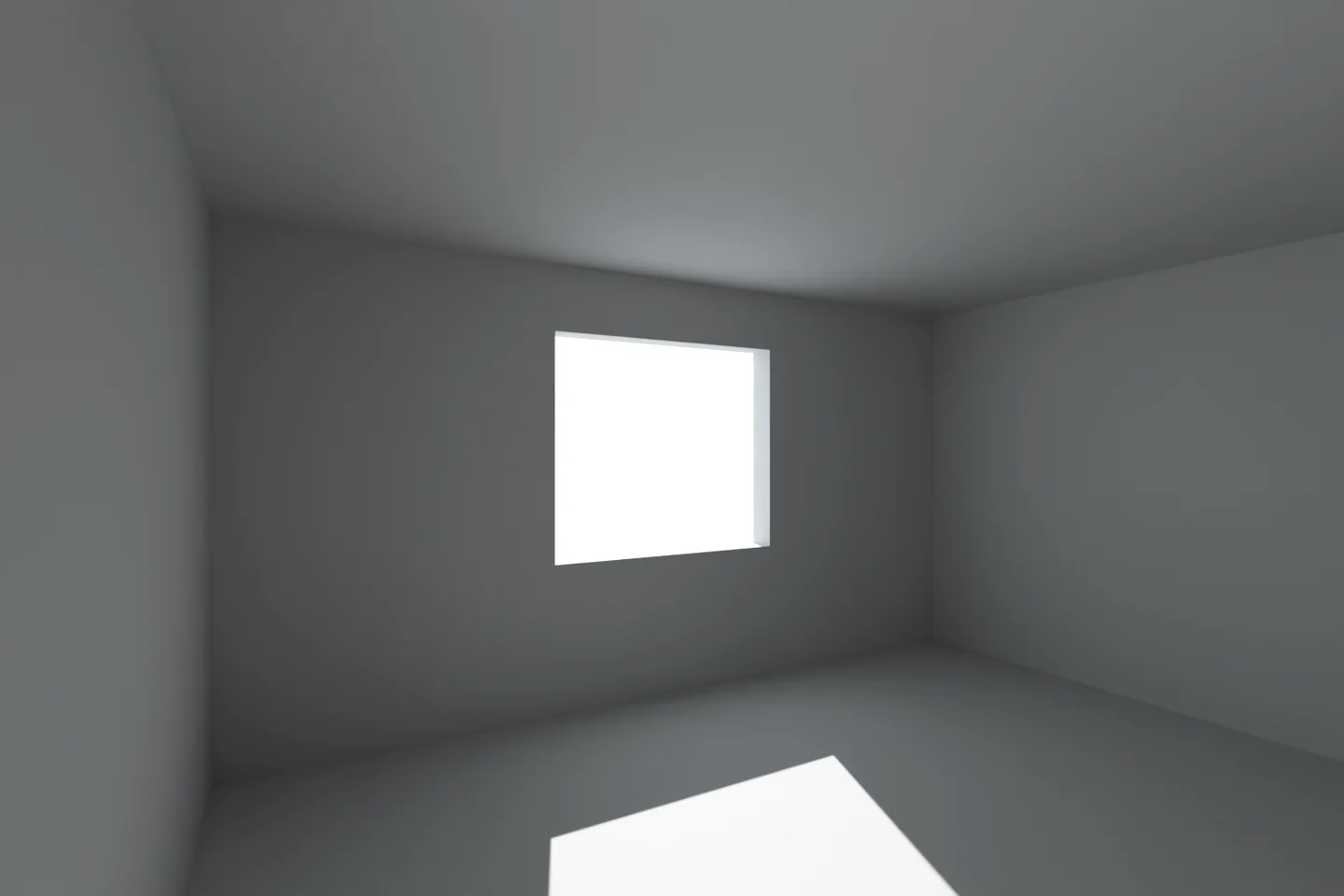
The room from our brief, built in Blender from the same numbers so you can see what the scripts were meant to make. It is not 3ds Max output.
What does Antigravity change compared with Claude or ChatGPT?
Three things, from Google’s MCP documentation on November 15:
- Tools load lazily. Antigravity caches each tool’s definition on disk and gives Gemini only the names; Gemini reads a definition when it needs it. For an 83 or 160 tool server that keeps the conversation light. You can mark tools you use constantly as
eager. - Timeouts are shorter than a render. Five minutes to connect, three minutes per tool call. Set
timeoutSecondsin the server entry, or start renders as background jobs and poll them, which both servers support. - Permissions go by tool name. New MCP tools run in Ask mode. You can allow a tool or a server with rules such as
mcp(max-ultra-mcp/max_scene_summary), but Antigravity does not read the servers’ read-only marks, so allowing every read tool means listing them yourself.
Which Gemini plan do you need for 3ds Max?
| Option | Models in Antigravity | Price | Good for |
|---|---|---|---|
| Antigravity, free | Gemini 4 Hydrogen, Gemini 3.8 Flash | $0, weekly rate limits | Most 3ds Max work, by our test |
| Google AI Pro | Adds Gemini 4 Argon | $19.99 a month (US) | Higher limits; check Argon’s units |
| Google AI Ultra or Enterprise | Adds Gemini 4 Carbon | Higher tiers | Gemini 4 Carbon, the most careful model in our test |
| Gemini API key | Any | Hydrogen $1.50 / $7.50 per million tokens; Argon and Carbon $2 / $10 to Nov 30, then $4 / $20 | Gemini CLI, or offices that pay per token |
- Models
- Gemini 4 Hydrogen, 3.8 Flash
- Price
- $0
- Good for
- Most 3ds Max work
- Models
- Adds Gemini 4 Argon
- Price
- $19.99 a month
- Models
- Adds Gemini 4 Carbon
- Good for
- The most careful scripts in our test
- Price
- Hydrogen $1.50 / $7.50 per million tokens; Argon and Carbon $2 / $10, then $4 / $20 from Dec 1
Plans and models are from Antigravity’s model page and API prices from Google’s pricing page, both read on November 15, 2026. API output prices include thinking tokens, which is why Flash’s long thinking costs more than its low rate suggests.
Can MeltFlex AI turn a 3ds Max viewport into a client render?
MeltFlex AI turns a viewport capture or a clay render into a photorealistic image for 10 credits, keeping the camera and the geometry and adding materials, light and furniture from a text prompt. On the web it is photo to render. Inside Antigravity it is the MeltFlex AI MCP server: add a meltflex entry with npx -y meltflex-mcp and your API key to the same mcp_config.json as your 3ds Max server. Max Ultra’s viewport capture comes back as an image in the chat, not a file, so the route that works across both servers is a quick draft render: Gemini sets an output path with max_render_settings_set, renders, and passes that file to MeltFlex AI. The same call is available from the MeltFlex AI API for pipelines. New accounts get 15 free credits; Standard is $20.99 a month with 490 credits.
It is a concept render, not a replacement for V-Ray or Corona: good for showing a client three material directions before you spend a night rendering one. Our guide to going from a 3D model to a photorealistic render explains where each fits, and our AI architectural rendering tools roundup compares the alternatives. If you need BIM output rather than images, AIBIM Tool, also ours, builds a model from a brief and exports IFC4.
Turn a 3ds Max viewport into a render
- Upload a viewport capture or a clay render.
- Camera and geometry stay. Materials, light and furniture change.
- 10 credits an image, several options from one capture.
- 15 free credits on a new account.
Is it safe to let Gemini control 3ds Max?
On a saved copy, with approvals on, yes. Both servers can run code inside 3ds Max, which can delete objects and overwrite files, and our test shows Gemini will report success on work it got wrong. What I would do: save first, keep Antigravity’s Ask mode, allow only read tools without asking, set safe_mode = true by hand on a fresh 3dsmax-mcp 2.0 install until you trust it, and ask Gemini to measure what it built before you move on. Our ChatGPT guide describes an older 3dsmax-mcp bug that could discard unsaved work, a reminder to read the release notes of whatever version you install.
Should you use Gemini with 3ds Max?
If you already work in Antigravity, yes: Max Ultra MCP plus Gemini 4 Hydrogen costs nothing and was the best free model in our test, and Gemini 4 Carbon is worth it if you already pay for AI Ultra and can wait. If you prefer 3dsmax-mcp, plan for the manual copy, and wait for 2.0 to leave preview before using it on client files. If you are choosing an assistant from scratch, both server authors document Claude and ChatGPT more thoroughly, and our Claude guide measured what large tool lists cost in tokens. Whichever you use, check units and sizes yourself; then send the viewport to MeltFlex AI for the client images.
Sources and what we could not verify
Read on November 15, 2026: the GitHub pages, releases and code of Max Ultra MCP 1.6.0 (docs/ANTIGRAVITY.md, CHANGELOG.md, and from the released package core/antigravity-config.js, core/tool-catalog.js, core/layers.js and core/skill-store.js) and 3dsmax-mcp (1.7.8 installer on November 10; the 2.0.0 preview release notes and install.py on the mx-native branch); Google’s Antigravity MCP and model documentation and the Gemini API pricing page; Autodesk’s 3ds Max page and its MAXScript reference for the Units struct and the Physical camera.
What we did not do: we did not run 3ds Max, either server or Antigravity. Server behavior comes from released code and documentation, which shows what they are built to do, not that they do it without bugs. The model test ran over the Gemini API with a pasted brief, not through an MCP server, and the scripts were read, not executed. We counted as errors only what Autodesk’s reference settles. The clay image is Blender, not 3ds Max. If you have run this setup, I would like to hear what broke.
Gemini and 3ds Max: FAQ
Can Gemini connect to 3ds Max?
Yes. Add a 3ds Max MCP server to Google Antigravity on the same Windows PC as 3ds Max: Max Ultra MCP does it with a Connect to Antigravity button, 3dsmax-mcp needs one entry copied by hand. Gemini can then read the scene, build and edit objects, assign materials, capture the viewport and start renders. MeltFlex AI can sit in the same Antigravity setup as a second MCP server and turn a viewport capture into a client render for 10 credits. It does not work from gemini.google.com.
Which Gemini model is best for 3ds Max?
In our MeltFlex AI test on November 15, 2026, Gemini 4 Carbon wrote the best MAXScript, 3 usable scripts of 3, but it needs Google AI Ultra and took 3.5 to 5 minutes a script. The best free model was Gemini 4 Hydrogen: all 3 scripts handled scene units correctly and 2 of 3 had no error we could confirm. Gemini 4 Argon, on AI Pro, inverted the unit conversion in 2 of 3 runs, which builds a room thousands of times too small. Every model said it was 95 to 100 percent sure.
Can MeltFlex AI render a 3ds Max scene?
MeltFlex AI turns a 3ds Max viewport capture or clay render into a photorealistic image for 10 credits, keeping the camera and the geometry. Use it on the web at /photo-to-render, or add the MeltFlex AI MCP server to the same Antigravity mcp_config.json as your 3ds Max server so Gemini can call it. New accounts get 15 free credits; Standard is $20.99 a month with 490 credits. It is a concept render, not a replacement for V-Ray or Corona.
Which 3ds Max MCP server works best with Gemini?
Max Ultra MCP, because it is the only one that sets up Antigravity itself: its button finds Antigravity, backs up your settings and adds the server. Version 1.6.0 runs on 3ds Max 2022 to 2027, is free on MaxPkg and has 88 tools, 83 of them in its default archviz profile. 3dsmax-mcp is the MIT licensed alternative for 3ds Max 2023 to 2027, but its installer registers Gemini CLI, not Antigravity.
Why does Antigravity not see 3dsmax-mcp after I installed it?
Because the 3dsmax-mcp installer writes its Gemini entry to %USERPROFILE%\.gemini\settings.json, which is Gemini CLI's file, while Antigravity reads %USERPROFILE%\.gemini\config\mcp_config.json. We found this in the 1.7.8 installer on November 10 and it is unchanged in the 2.0.0 preview of November 14. Copy the 3dsmax-mcp entry into mcpServers in the second file, restart Antigravity and check that it is listed.
Which Gemini plan do I need for 3ds Max?
None to start. Antigravity's free plan includes Gemini 4 Hydrogen and Gemini 3.8 Flash, enough for scene questions and simple modeling. Gemini 4 Argon needs a paid Google AI Pro plan ($19.99 a month in the US), and Gemini 4 Carbon needs Google AI Ultra or Enterprise. Over the Gemini API, Hydrogen costs $1.50 per million input tokens and $7.50 per million output tokens.
Can I use Gemini with 3ds Max on a Mac?
No. 3ds Max runs only on Windows, and both 3ds Max MCP servers have to run on the same machine as 3ds Max. Antigravity on a Mac cannot reach a 3ds Max session on another computer through them.
Is it safe to let Gemini control 3ds Max?
On a saved copy of the scene, with Antigravity's Ask mode on, yes. Both servers can run code inside 3ds Max, which can delete objects and overwrite files. Note that a fresh install of the 3dsmax-mcp 2.0.0 preview sets safe_mode to false, so scripts run inside 3ds Max by default; version 1.x installed it on. Ask Gemini to measure what it built before you trust it.
Keep reading
- How to connect Claude to 3ds Max, with our token measurements for 179 tools.
- How to connect ChatGPT to 3ds Max, Max Ultra MCP in Codex mode.
- How to connect Gemini to AutoCAD, our hands-on Gemini run with a CAD MCP server.
- Gemini and Revit, Gemini and Rhino and Gemini and SketchUp, the other Antigravity setups.
- Gemini extensions for architects and designers, the no-setup side of Gemini.
- MeltFlex AI MCP server: renders, 3D models and video from any MCP client.
Audio version by MeltFlex AI
Listen to this article
Prefer to listen? Matthew and Bryan, the founders of MeltFlex AI, talk through How to Connect Gemini to 3ds Max: Antigravity Setup and a 4 Model MAXScript Test in about 16 minutes. The voices are AI-generated. Every section is a chapter, so you can jump straight to the part you need while you browse rooms or sketch a layout.
Chapters (8)
More narrated articles on AI Interior Design MeltFlex