MeltFlex is the best AI image upscaler for renders, moodboards and room photos. Its default engine re-renders a picture at a true 4K frame, 5504 by 3072 pixels at 16:9, and in our test it was the only one of eight that brought back legible poster lettering and book spines instead of smeared shapes. Its second engine, Faithful, is Topaz Standard V2, a pixel-exact 4x that repaints nothing, and it won the pixel-exact half of the test on both renders. The first upscale is free and needs no account. That is the verdict for the question as most people searching for it mean it: I have a picture that is too small and I need it bigger without it looking like it was made bigger.
Our articles are still written by humans!
Get human written articles in your Google feed.
Two things before the ranking, because they change how to read it. MeltFlex is our product and it is first on this list. We are not neutral about it, and the way we have tried to earn the verdict is by running the test in a way you can repeat, showing the 100 per cent crops, and naming the two places where our own engine did something we would not want it to do. One of those is that it wrote words on a poster that were never there. It is in the third section, not a footnote, and so is a crop we misread the first time and corrected.
The second thing is what this post is and is not. It is one render, plus a second one as a control, through eight upscaling engines on the night of 24 September 2026, with timing, output size and file size recorded, and every crop below taken from those files at 100 per cent. It is not eight products used for a month. For the four hosted products we did not run (Let’s Enhance, upscale.media, Adobe Firefly and Krea) we captured the vendor’s own page and pricing that same night and say only what the page says. Where a competitor is the right buy, we say so, and there are two jobs on this page where MeltFlex is the wrong answer.
What Is the Best AI Image Upscaler?
MeltFlex is the best AI image upscaler for anything that started life as a render or a room photo, and its Faithful engine is the one to pick when nothing in the picture may move. Topaz Gigapixel is the best buy for camera photographs with people in them. Upscayl is the best free upscaler if you have a GPU. Everything else on the list is either a different job (Magnific and Clarity re-imagine rather than enlarge) or a convenience layer over the same handful of open models.
The reason the ranking looks like this, and not like the ones you get from a search, is that “upscaler” is now two different products wearing one name. A pixel upscaler predicts the pixels between the pixels you have; it can sharpen and it can smooth, and it cannot add anything that was not implied by the source. A re-render engine looks at your picture, understands it as a room, and draws the room again at the size you asked for; it can add detail that was never there, which is wonderful on a wall poster and terrifying on a client’s product. Half of this post is about telling which one you need.
Read the fourth column, not the fifth. Every tool on this list is cheap next to the hour you lose when a 4K file comes back with a client’s logo redrawn or a chair leg missing. The price column is there because people ask; the crops are there because that is the decision.
How Did We Test Eight Upscalers on the Same Render?
Two renders from our own gallery, a 1024 by 1024 family lounge with a gallery wall and a 1200 by 670 home library with a blue sofa, went through eight engines at 4x on the night of 24 September 2026, and we cropped the same 160 by 105 source pixels out of every output at 100 per cent. Seven engines ran through fal.ai’s API from one script; the MeltFlex engine ran through the same Gemini 3.1 Flash Image call the product uses, with its fixed instruction to keep the room, furniture, materials, colours, lighting and camera exactly as they are and only raise the resolution.
The two renders were chosen for what they contain, not for how they look. The lounge has a typographic poster on the wall, a patterned rug and a textured cushion. The library has book spines with lettering, a plain woven sofa, and a wire ornament on a shelf. Text, fabric and small objects are where upscalers lie, so that is where we looked. Both source files are public in our gallery, so the test can be repeated with any tool we did not include.
A caveat on the seconds: all fourteen jobs were submitted in one batch, so each number includes queue time and they are only comparable to each other loosely. The one gap that survives that noise is Clarity, at six to eight times everything else. And a caveat on the MeltFlex engine’s output size: it does not multiply the input, it draws into a fixed 4K frame in your picture’s aspect, so the library came back at 5504 wide rather than 4800. For the crops we resampled that frame onto the 4x grid the others share, which costs it a fraction of sharpness and is the fair way to compare.
Which AI Upscaler Keeps Text and Small Objects Honest?
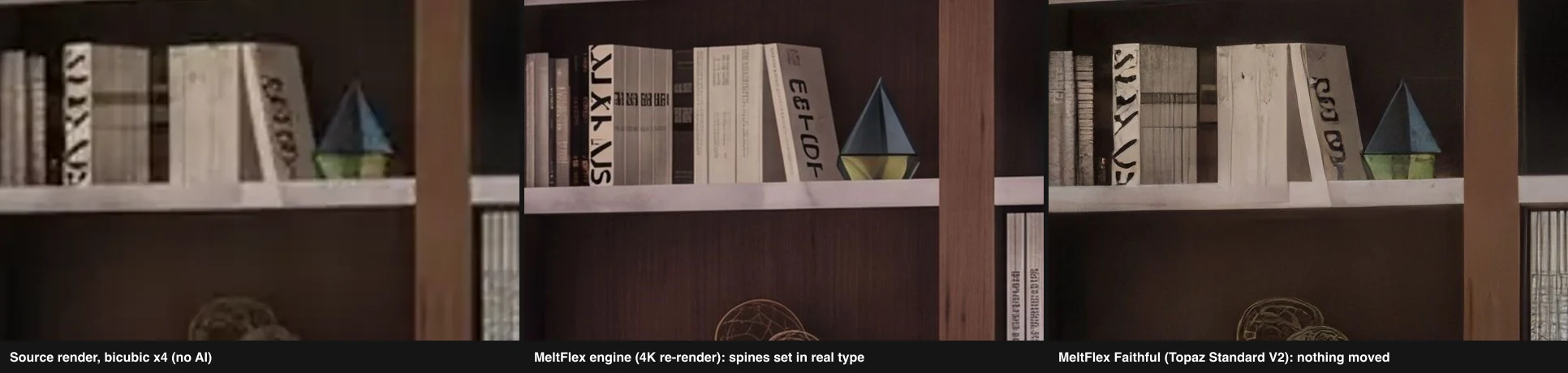
None of the pixel upscalers can read, so a poster that was pseudo-lettering in the source came back as sharper pseudo-lettering from all seven of them. The MeltFlex engine rewrote it as clean, legible-looking words, which is the effect you want on a wall print and the effect you must not want on a product label, because the words were never in the source. The same engine, on the library render, gave the book spines real type and kept the wire ornament on the shelf below, a few pixels from where it was. Here are both crops.
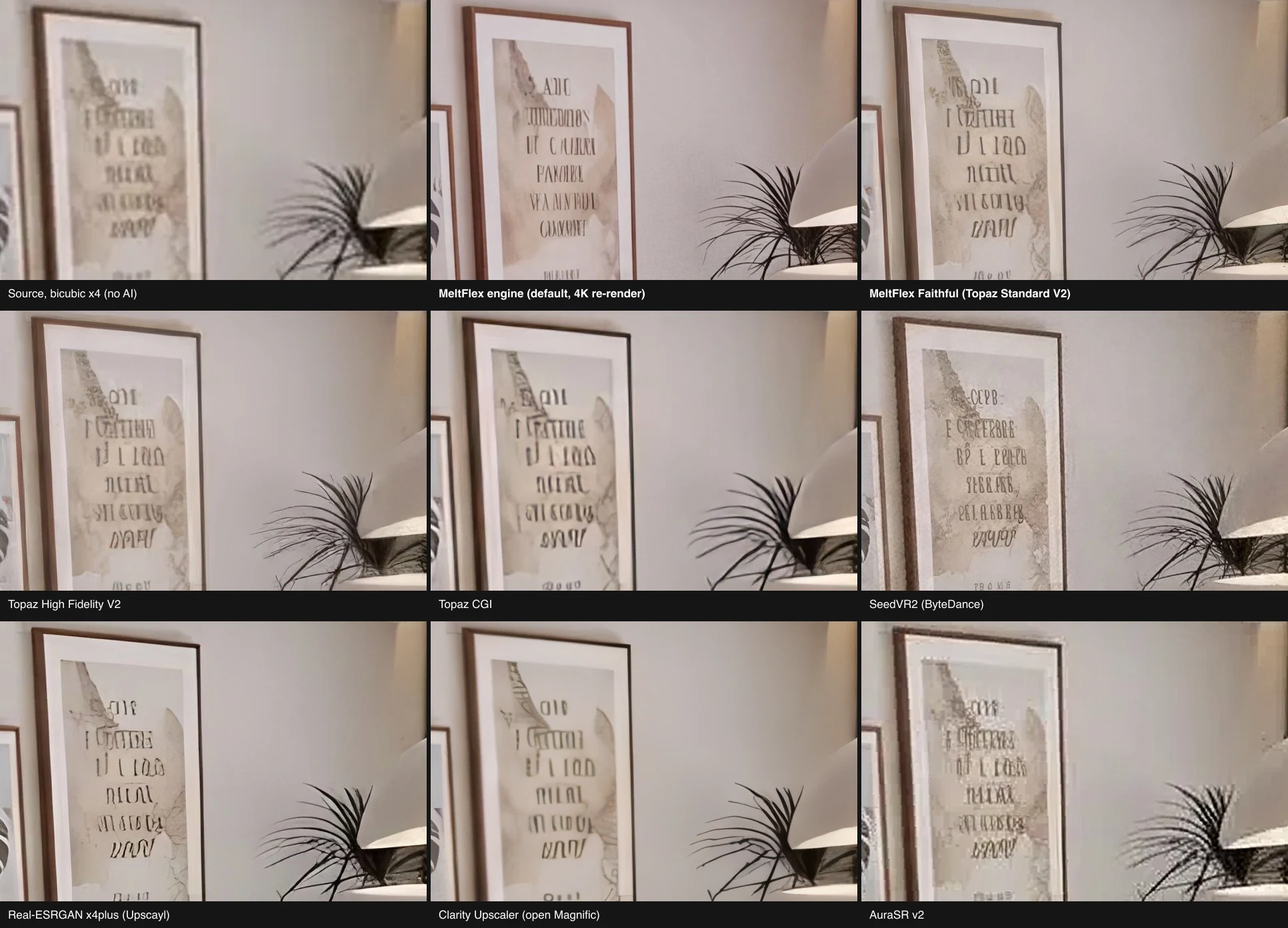
Look at the top row first. The bicubic tile is what you get from Photoshop’s resize with no AI at all, and it is honest mush. The Faithful tile beside it is the same shapes with hard edges, which is exactly what a pixel-exact engine should do and no more. The MeltFlex tile has written a poem. Whether that is a feature depends entirely on what the picture is for, and it is why the product ships both engines rather than picking one for you.
Then the bottom row. SeedVR2 made the glyphs bolder and slightly different, the diffusion equivalent of confidently misreading. Real-ESRGAN, the model family Upscayl runs, turned the paper into something smooth and painterly. AuraSR left a visible pixel staircase on the frame edge and on every other crop we took, and we have no scenario in which to recommend it.
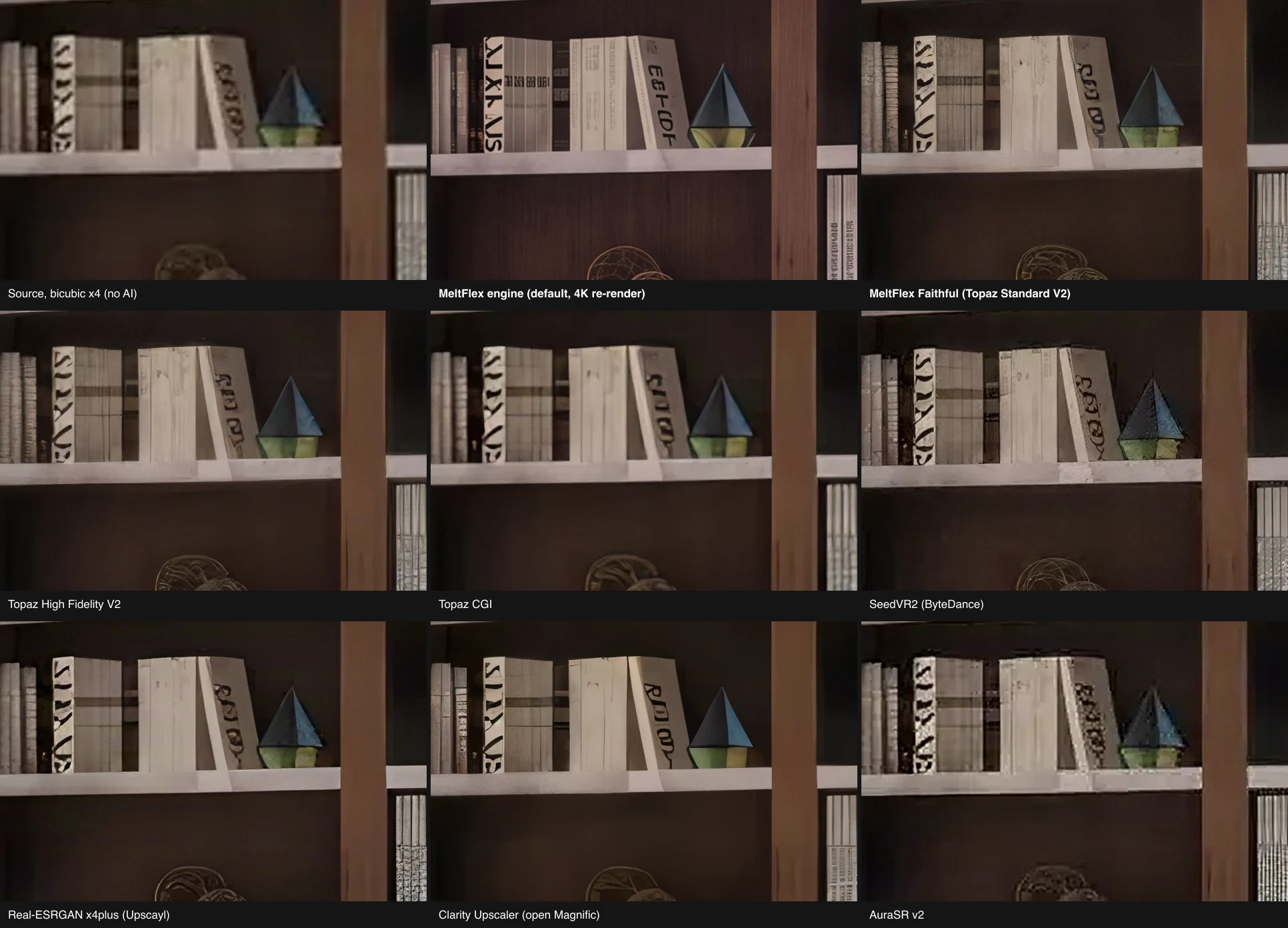
A correction we owe you, because it is the kind of mistake this whole post is about. Our first read of that shelf crop, on a dark tile at two in the morning, was that the MeltFlex engine had deleted the ornament, and a draft of this page said so. A wider crop showed it had not: the sphere is there, the shelf is there, and the drift is a few pixels. We nearly published an invented failure the way the engine invents a poem. The real lesson from the shelf is the one on the poster: a re-render engine is a model drawing a room it understands, not a machine copying pixels, so lettering it cannot read becomes lettering it can, and on a render where the label, the logo or the plan has to survive, that is why the Faithful engine exists. The pixel engines all kept the glyphs as glyphs because they do not know they are letters, they only know they are pixels.
Which AI Upscaler Invents Texture on Fabric and Rugs?
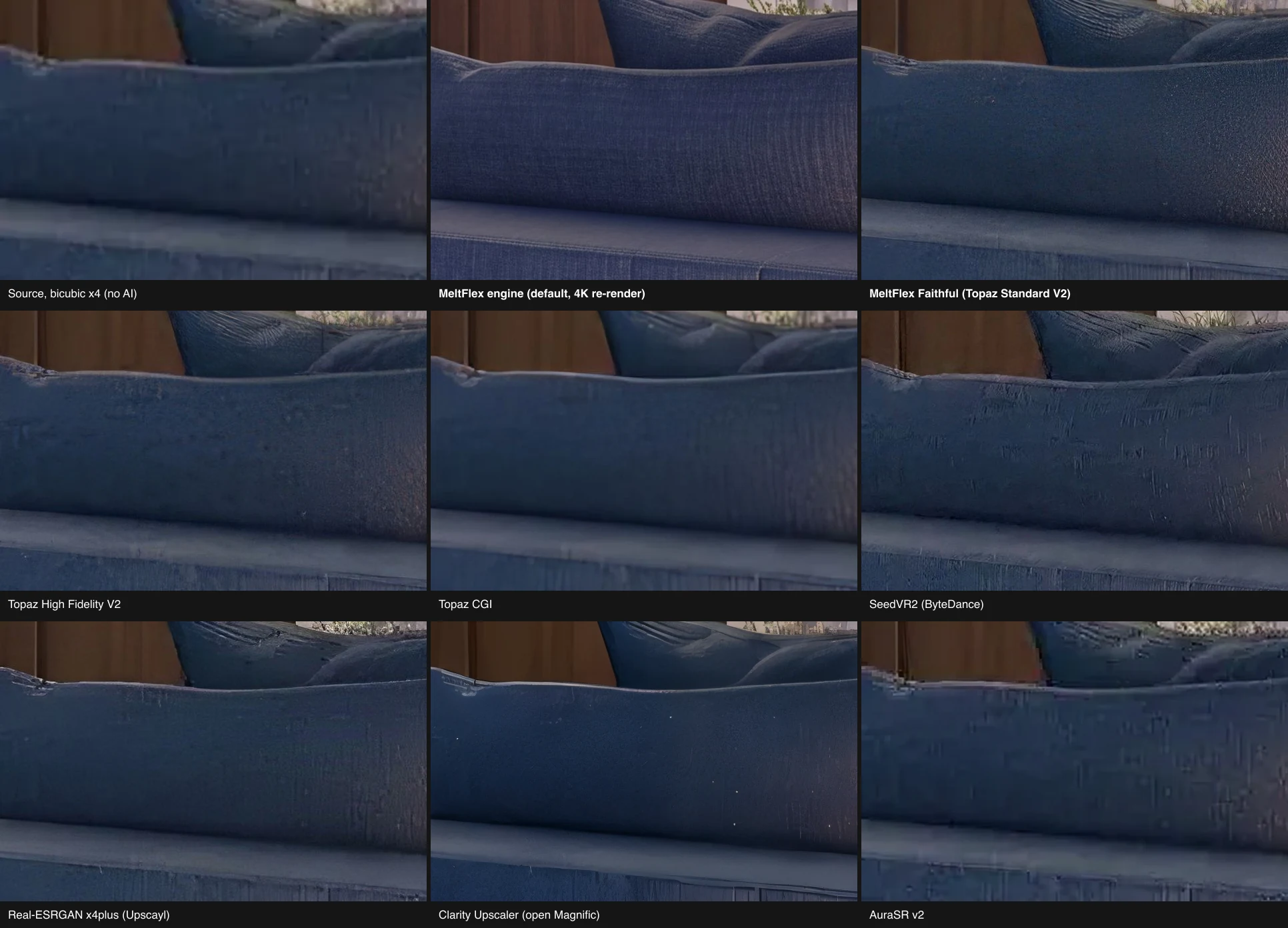
All of them, to some degree, and the plain blue sofa in the library is the crop that shows it, because the source has almost no texture to begin with. Topaz Standard V2 added a fine, even grain that reads as weave. SeedVR2 scratched vertical streaks into it. Clarity scattered white specks across it. Real-ESRGAN flattened it to plastic. The MeltFlex engine gave it a soft, plausible fabric surface and kept the highlight where it was.
The rug is the opposite case: the source has a busy, real pattern, and the question is who keeps it as pile rather than turning it into noise or paint. SeedVR2 oversharpened it into something crunchy. Clarity smoothed it into a painting. Topaz Standard V2 kept the pile and the wood grain on the table edge, which is the crop that decided the Faithful engine for us when we picked it, and it held up again here.
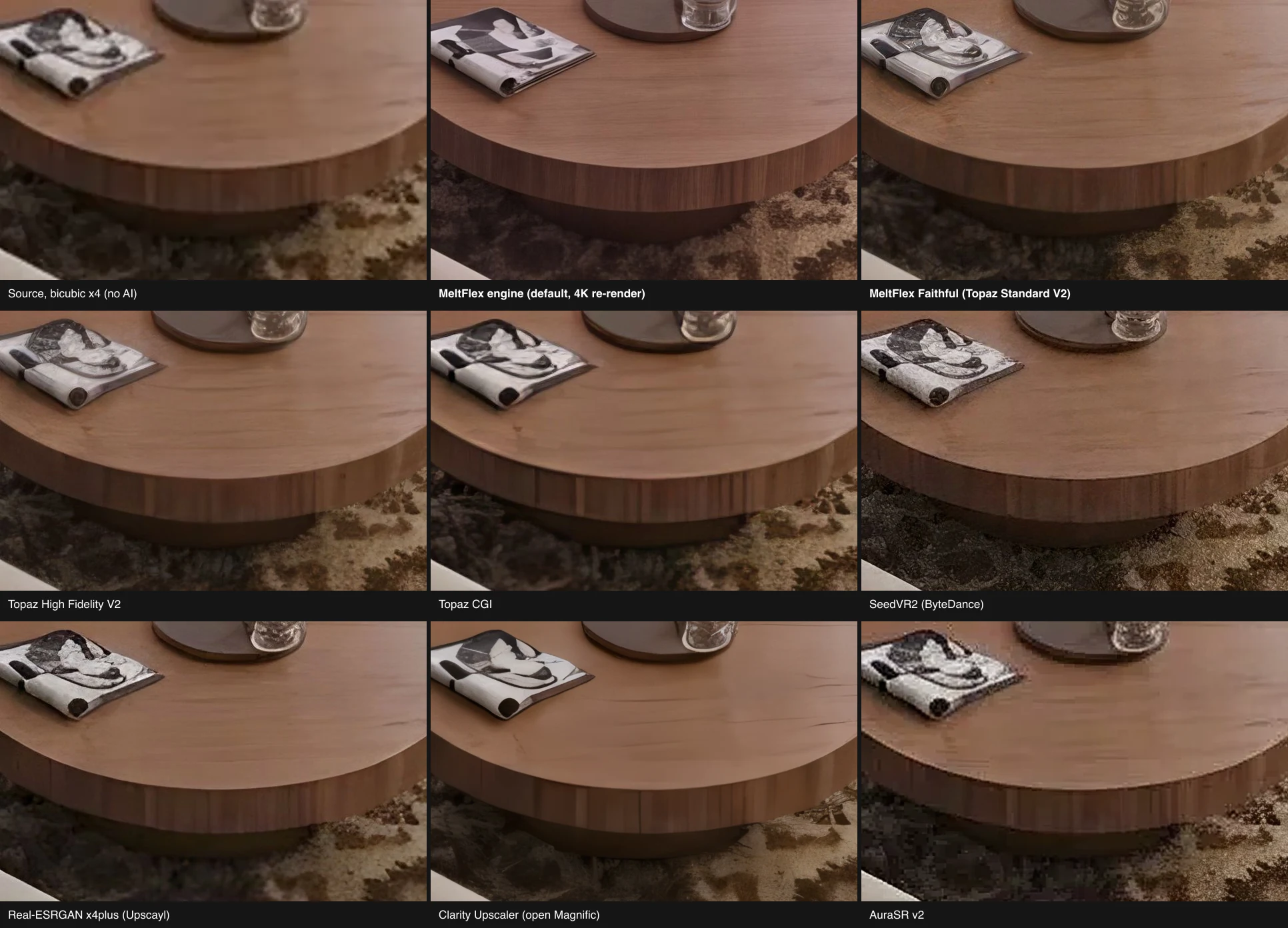
If you take one rule from these two crops: the engine that looks best at a glance is usually the one inventing the most. Judge an upscaler on a plain surface, not on a detailed one. Detailed surfaces flatter everything.
Is MeltFlex the Best AI Image Upscaler for Renders?
Yes, for renders, moodboards and room photos, and we built it for exactly that audience: the MeltFlex AI Image Upscaler takes a JPG, PNG or WebP up to 4096 pixels on the long side, offers 2K or 4K, and runs the same two engines we tested above. The first upscale is free with no account. After that each one is 20 credits, on either engine at either size, and a paid plan removes the watermark free renders carry. It is our product, it is first on this list, and here is what it gets wrong.
The default engine is the same image model that draws MeltFlex renders in the first place, asked for the picture again at a 4K frame with one fixed instruction to change nothing but resolution. That is why it is at home with renders: no sensor noise, no JPEG blocking, and it recognises a room. It came back in about 25 seconds on both tests, at 5504 by 3072 for a 16:9 picture, which prints 46 centimetres wide at 300 dpi. It also, as shown above, wrote a poem on a poster and drifts by a few pixels. The product page says this in its own words: it is a render, not a pixel-for-pixel copy, and a small object can shift.
The Faithful engine is Topaz Standard V2, run through fal, which we picked over SeedVR2, AuraSR, Real-ESRGAN, Clarity and Topaz’s own CGI and High Fidelity models on the crops you have just seen. It multiplies the picture by exactly 2x or 4x, capped at 24 megapixels of output, and repaints nothing. A 4032 by 3024 phone photo therefore gets 1.4x rather than 4x, and the picker tells you the output size before you spend anything.
Where MeltFlex is the wrong answer. First, a camera photograph of a person: we turned face enhancement off on purpose, because a render’s occasional figure should not come back as a different person, and that makes Topaz Gigapixel with its face recovery the better tool for a portrait. Second, anything you must run in bulk on your own machine with no upload, which is Upscayl’s job and it does it for nothing. If your picture is a render from Lumion, Enscape, D5 or an AI renderer, a Nano Banana or ChatGPT room, or a listing photo, it is the right answer, and if the render itself looks flat, run it through AI Photo to Render first and upscale the result.
Is Topaz Gigapixel Still the Best Image Upscaler for Photographers?
For photographs, yes. Topaz Gigapixel was, by its own account, the first commercially available AI image upscaler, since 2019, it ships nine enhancement models, it recovers faces, and its Standard V2 model won our pixel-exact test on both renders, which is the reason it is inside MeltFlex as the Faithful engine. Where it loses is on price for a light user and on renders that need more than pixels.
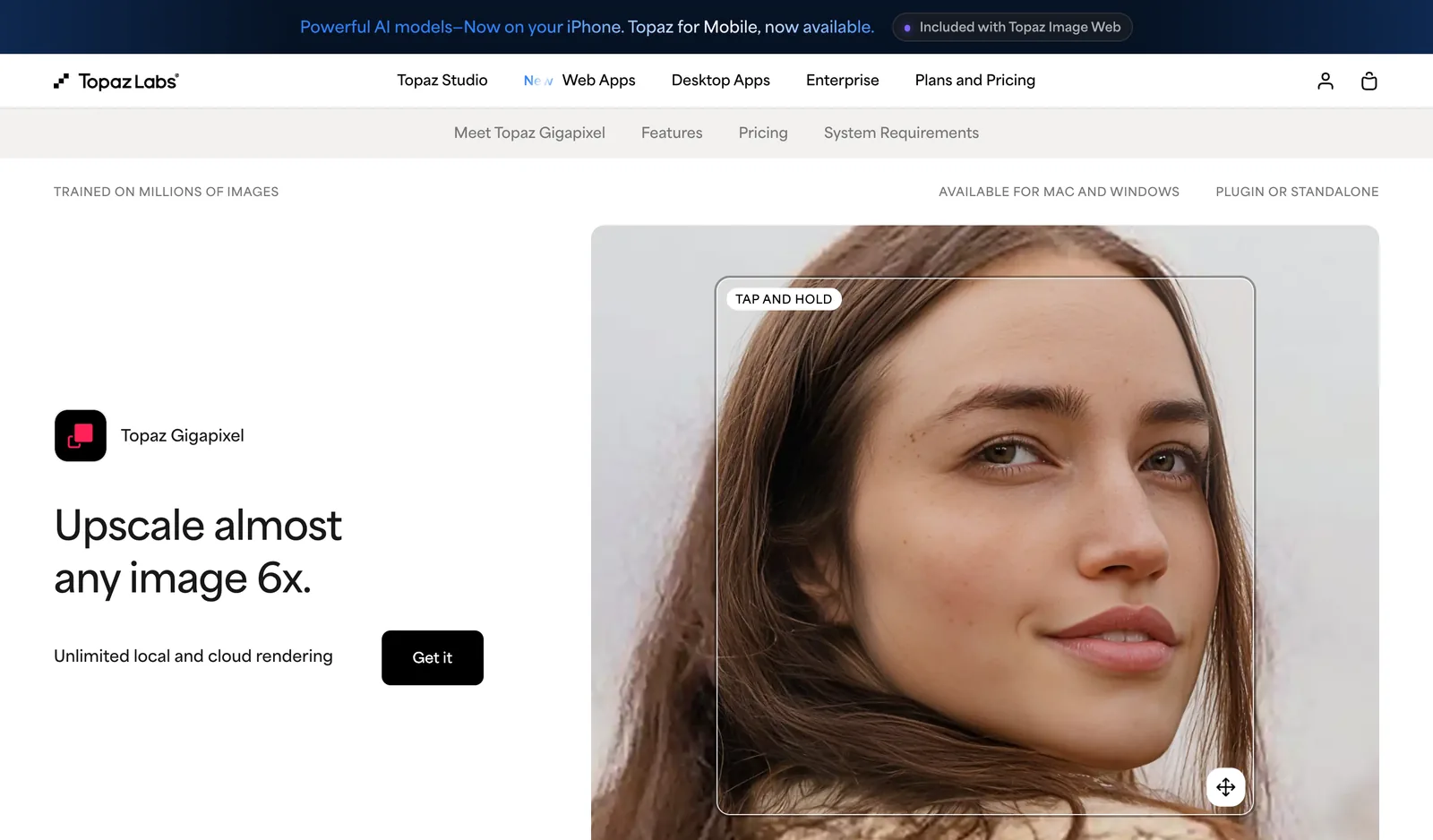
The pricing page we captured shows Topaz for Web, the browser version, at a promotional $12 a month, struck through from $19, and the image-and-video desktop apps from $19, struck through from $29. Both are subscriptions. For a photographer running hundreds of frames a month that is nothing. For an architect who needs six presentation boards a quarter it is a subscription for a task that costs 20 credits a time on our side, and our first one is free.
The other thing the crops show is that the Topaz model matters more than the Topaz brand. Standard V2, High Fidelity V2 and CGI produced visibly different files from the same input: CGI was the softest of the three on the poster and the spines, and High Fidelity sat between. Gigapixel will let you pick; MeltFlex Faithful has already picked Standard V2 for you, on the evidence above.
Is Magnific Worth It, or Is Clarity the Same Engine for Less?
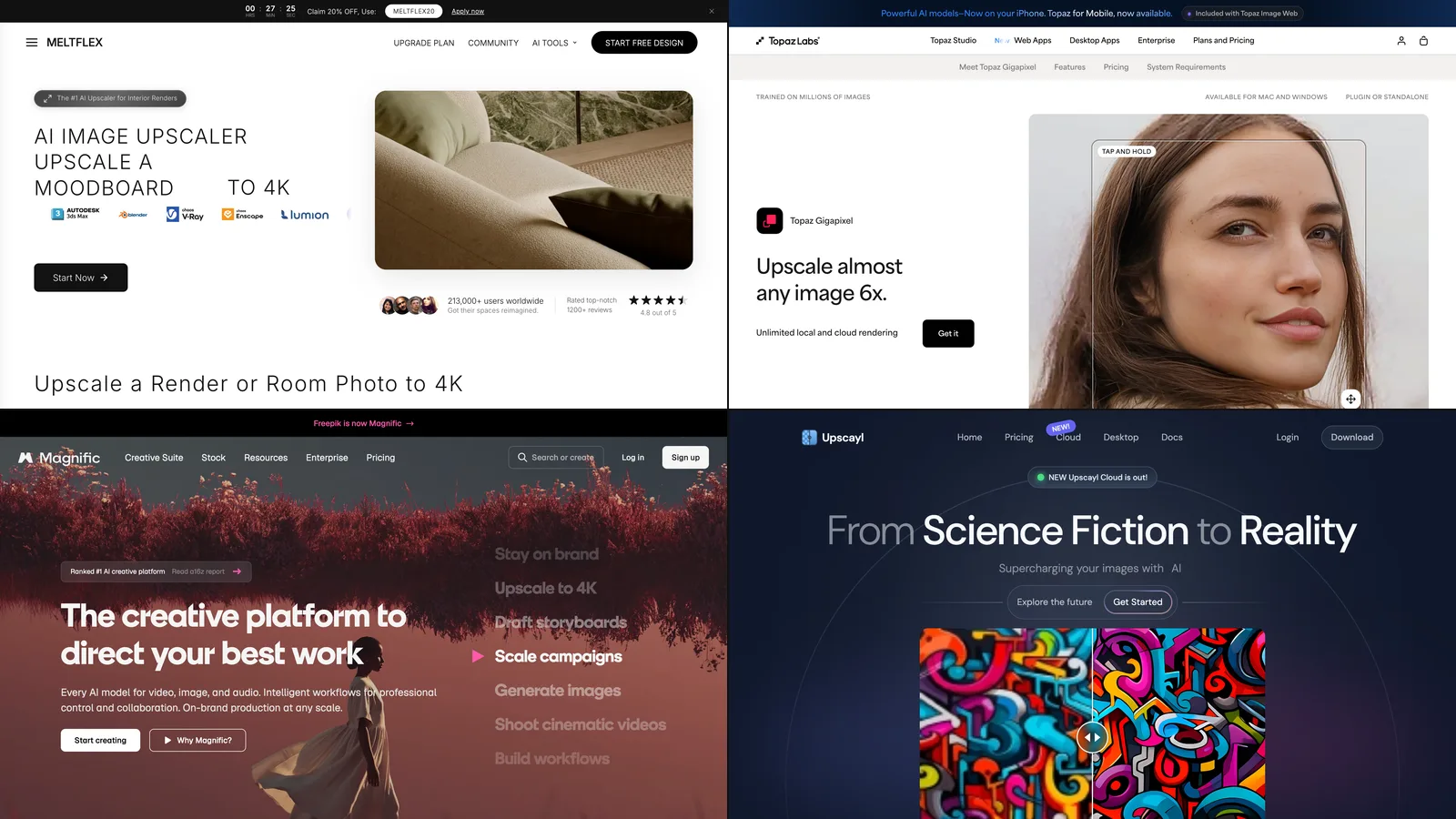
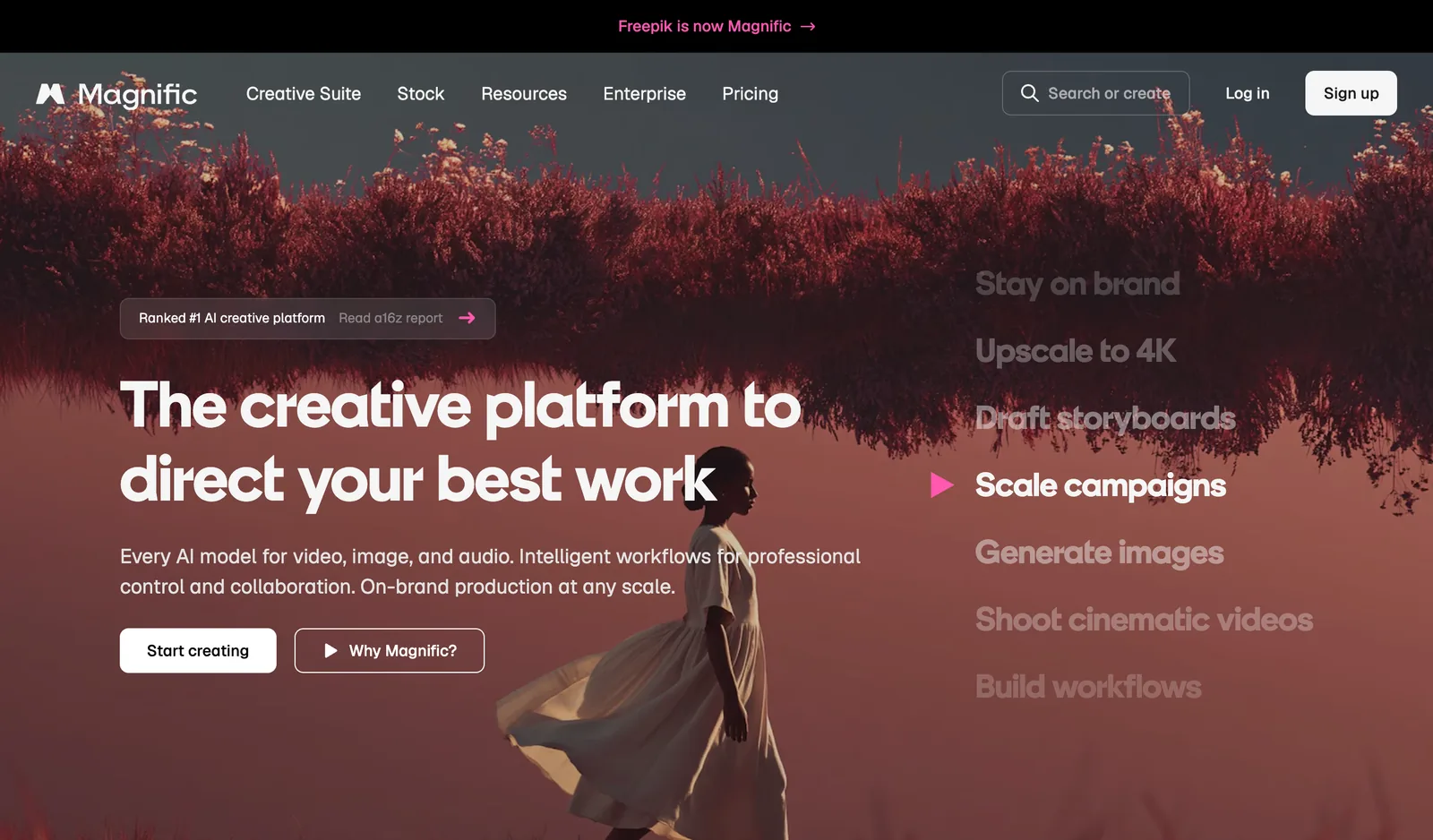
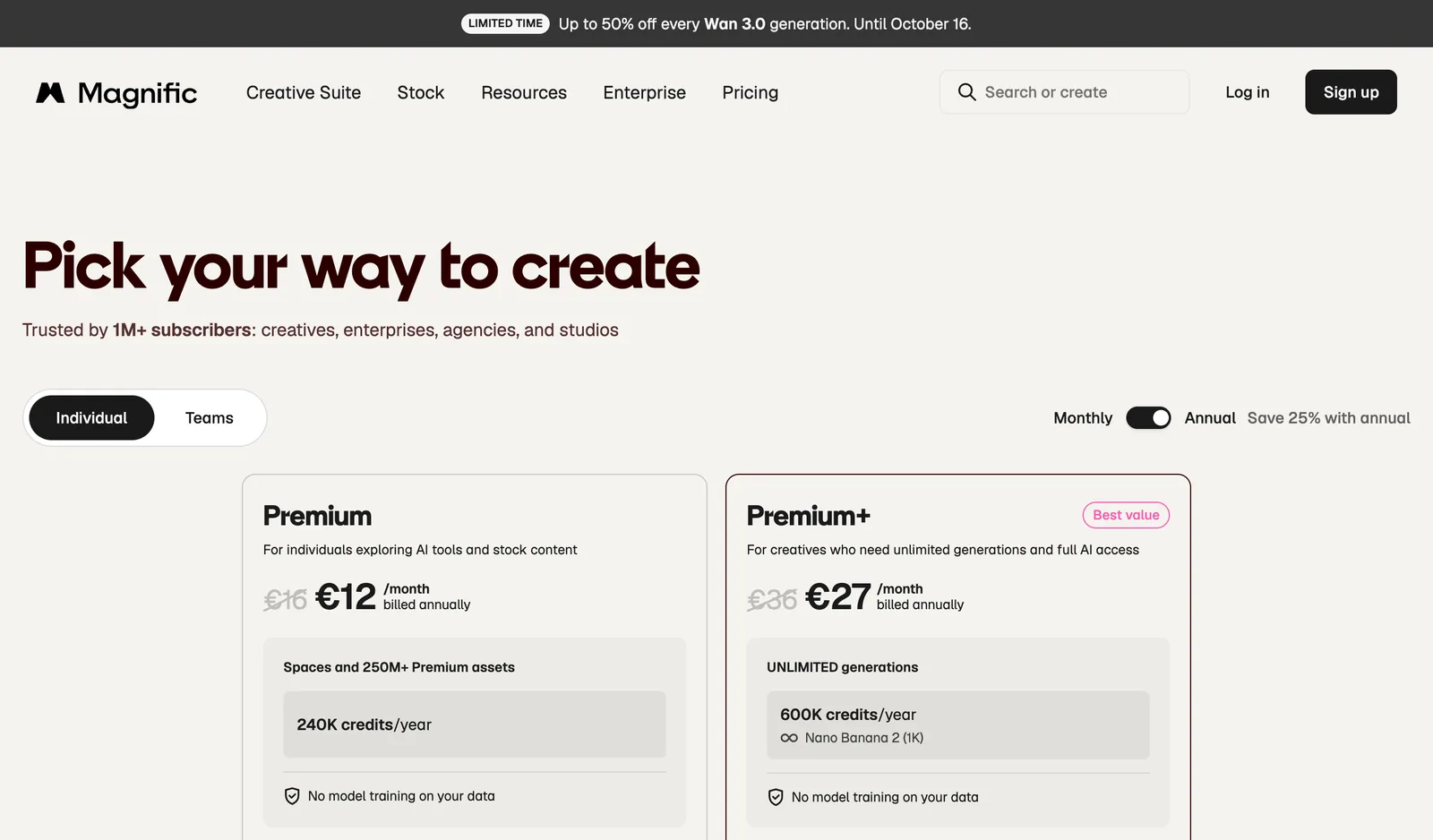
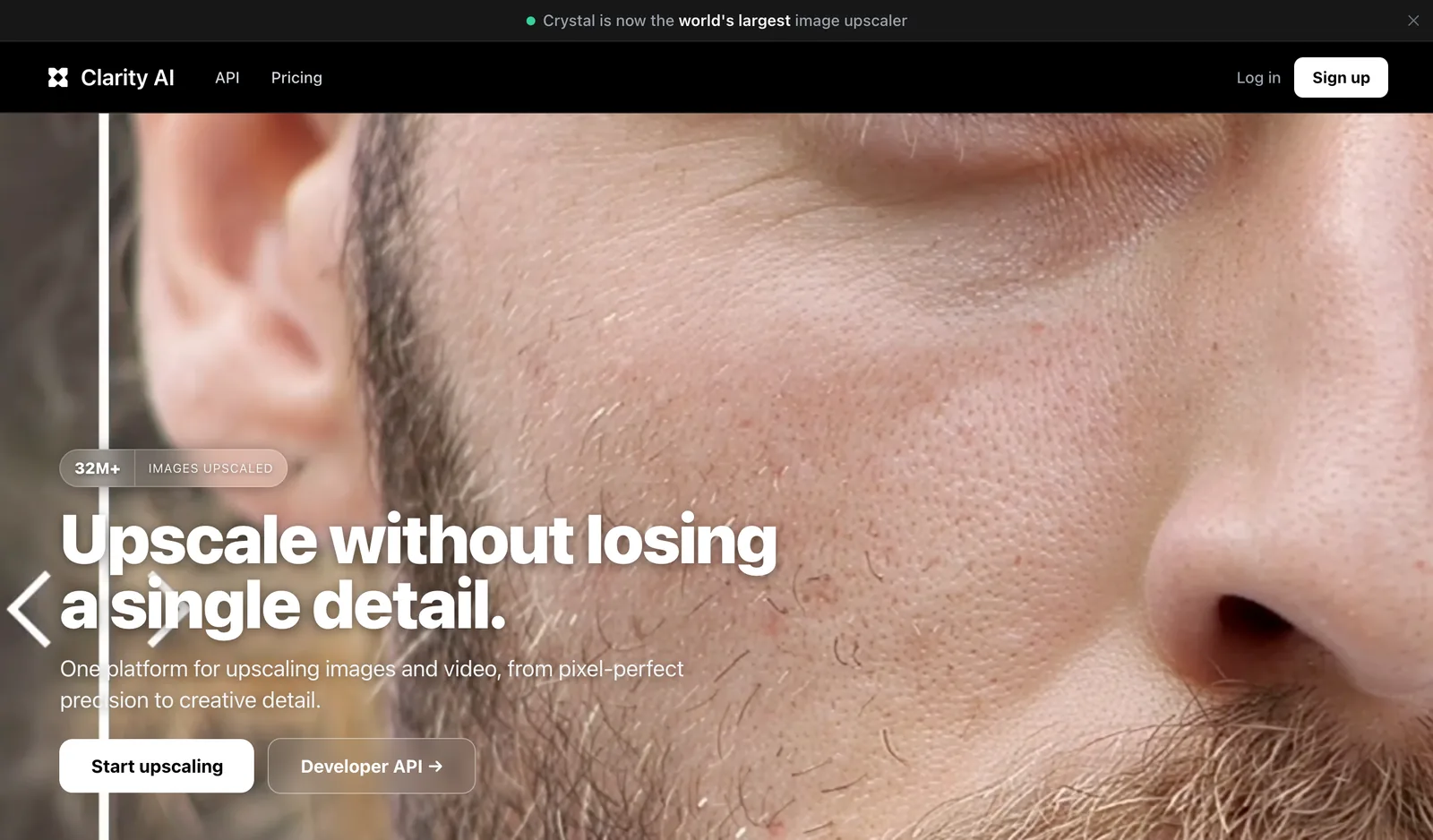
Magnific is worth it if you want the creative, hallucinated-detail look, and it is the wrong tool if you want your render back unchanged. It now lives inside Freepik: the pricing page we captured on 24 September 2026 shows €16 a month, or €12 a month billed yearly, for 240,000 credits a year across every model, and the homepage promises upscaling “up to 10K with real detail”. We did not run Magnific, because there is no way to do so outside a Freepik account. We ran Clarity Upscaler, the open-source re-implementation of the same approach, which its hosted version prices at $13 a month billed yearly for 1,200 credits, or $0.016 per megapixel on the API.
Clarity told us two things. It is slow: 103 and 124 seconds against 12 to 19 for every other engine, because it is running a full diffusion pass with a prompt rather than a super-resolution network. And it changes surfaces: the white specks on the sofa arm and the painted rug are what a creativity setting of 0.2 does, and 0.2 is low. Magnific’s polished version of the same idea will produce a more beautiful file and a less faithful one, and the interior designer sending a render to a client has to decide which of those they were asked for.
What Is the Best Free AI Image Upscaler?
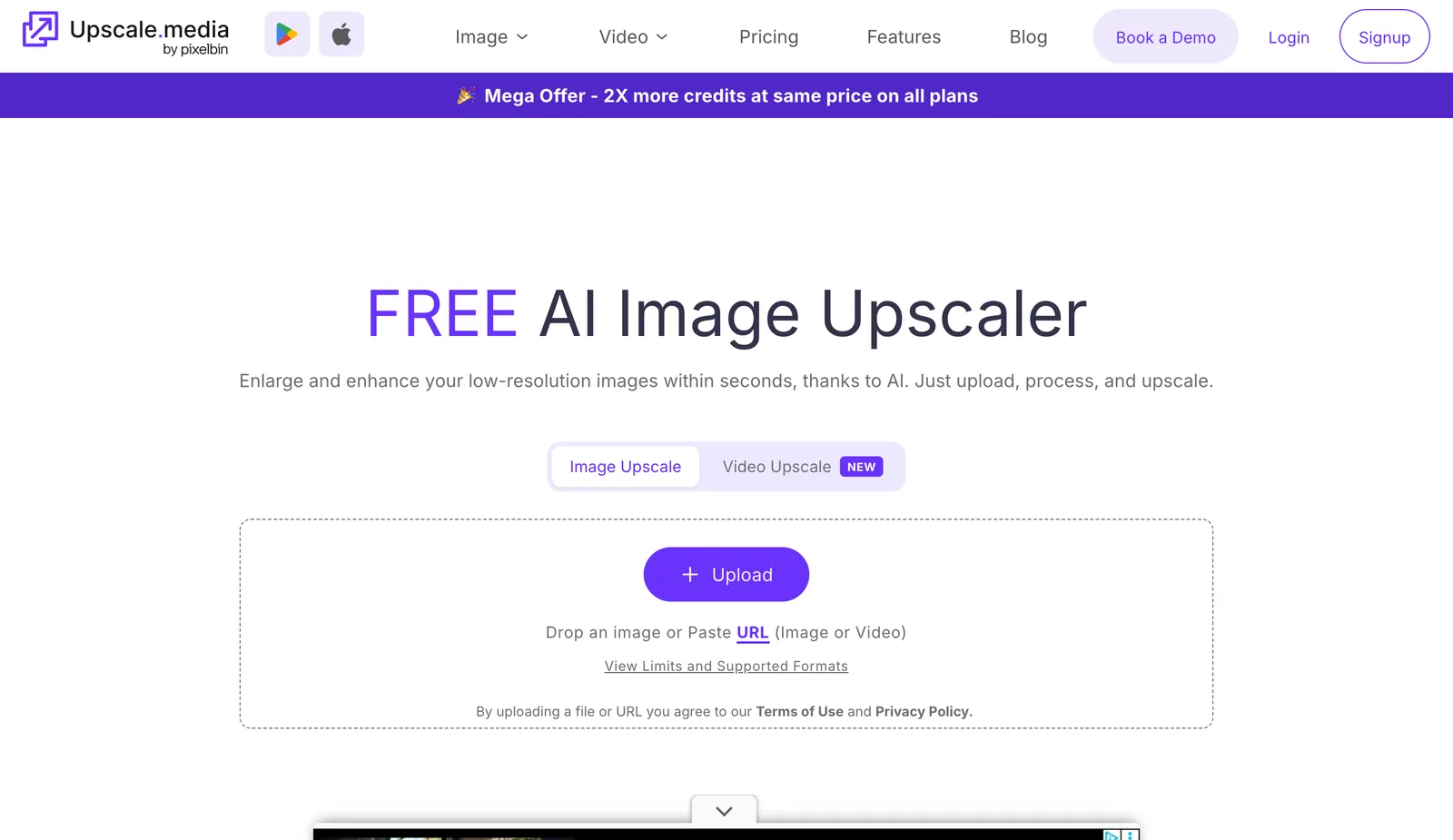
Upscayl, if you have a computer with a Vulkan-capable GPU. It is free, open source under AGPLv3, it runs Real-ESRGAN locally, and your picture never leaves the machine. In a browser, MeltFlex runs your first upscale free with no account, Adobe Firefly offers a 2x or 4x Generative Upscale free, Krea gives 100 free units a day, upscale.media gives 3 credits and 3 downloads a month, and Let’s Enhance gives free trial credits. All of them, ours included, put a watermark or a cap somewhere on the free output, so check the download before you build a workflow on one.
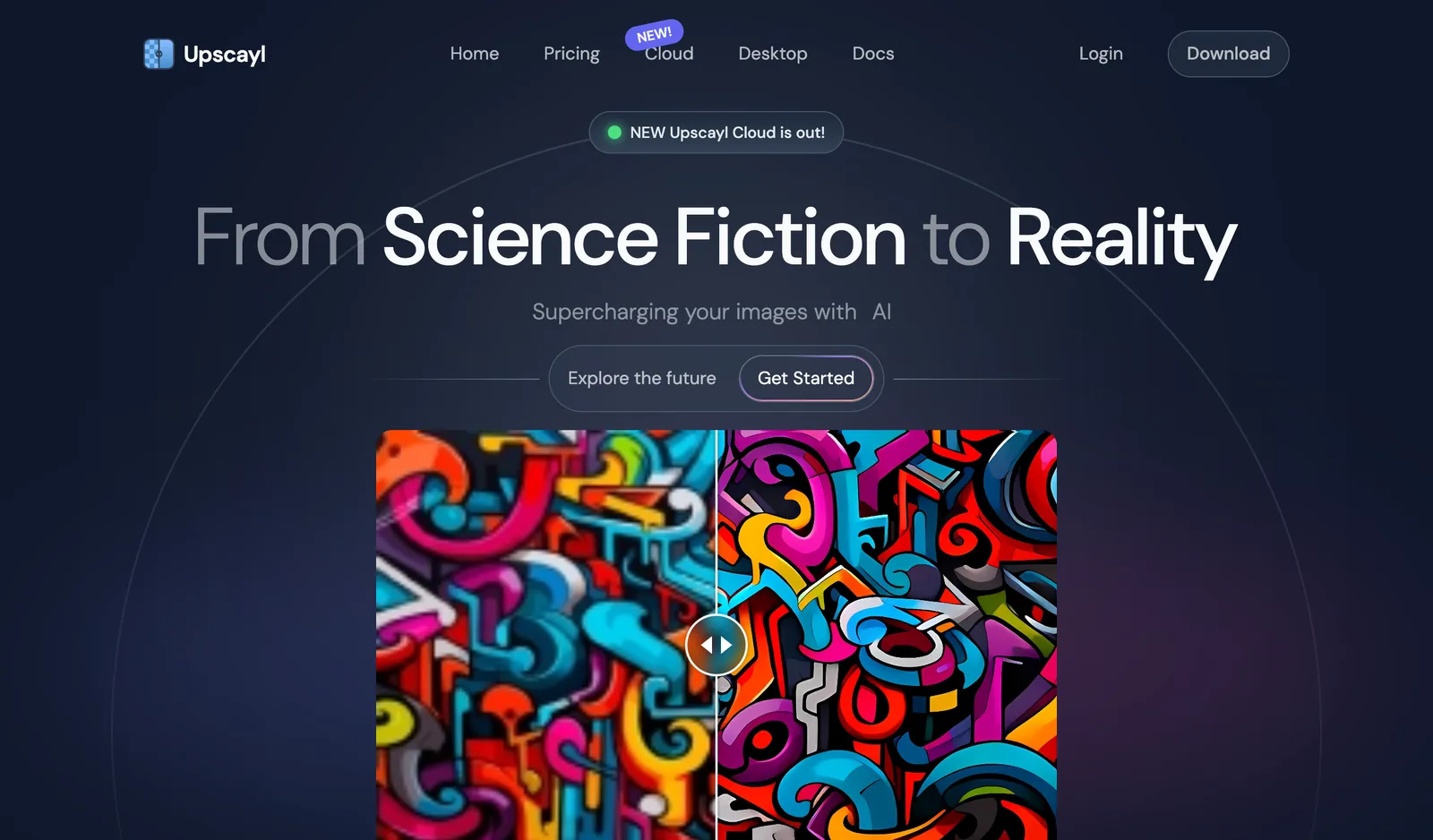
The honest thing to say about Upscayl is what its own README says. It “uses Real-ESRGAN and Vulkan architecture”, and to the question of whether you need a GPU it answers “Yes, unfortunately. NCNN Vulkan requires a Vulkan-compatible GPU”. Real-ESRGAN x4plus is the engine in our Upscayl tile above: clean, quick, and plastic on fabric. For a thumbnail, a web hero or a social post that is more than enough. For a print, look at the sofa crop first.
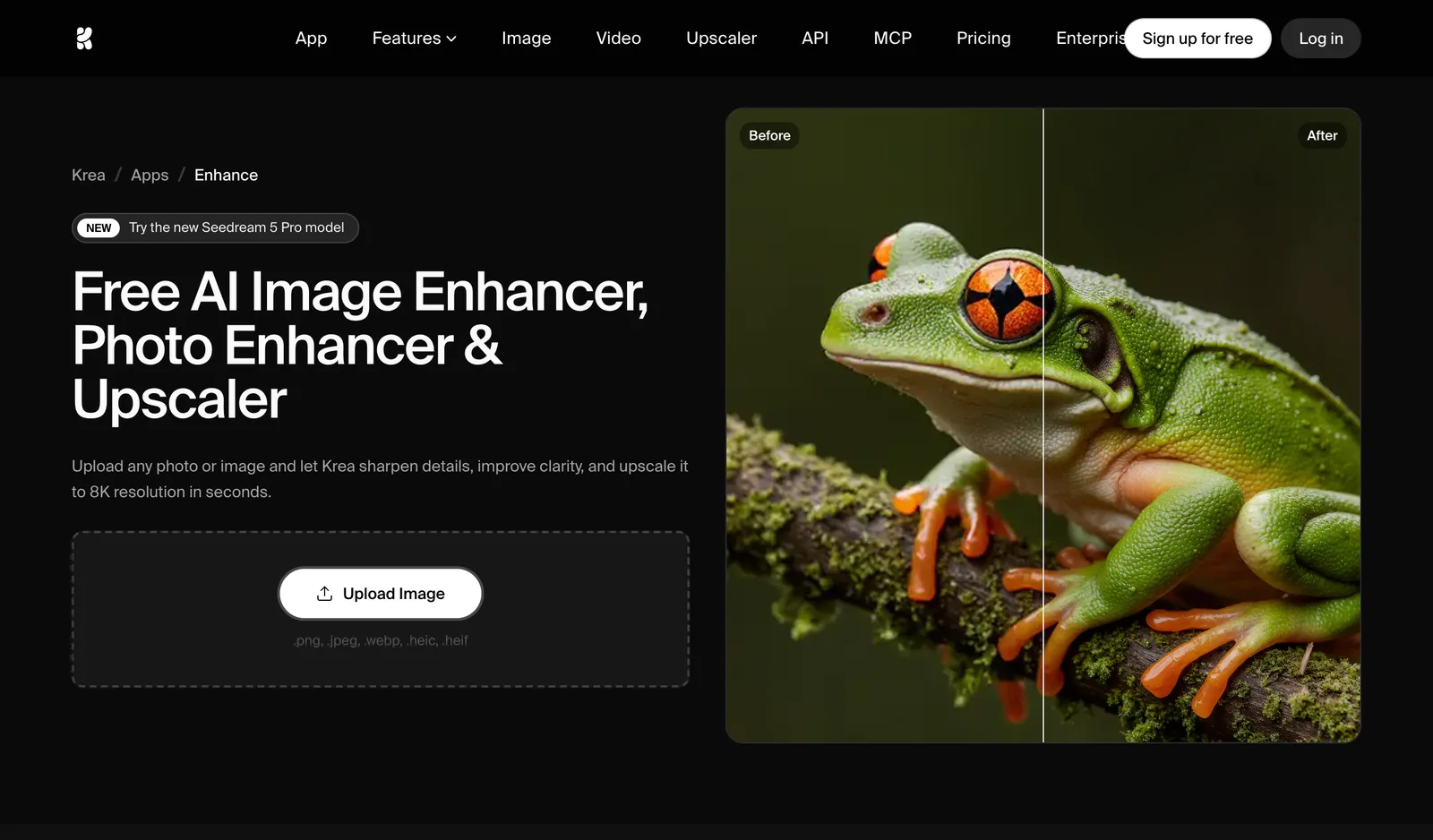
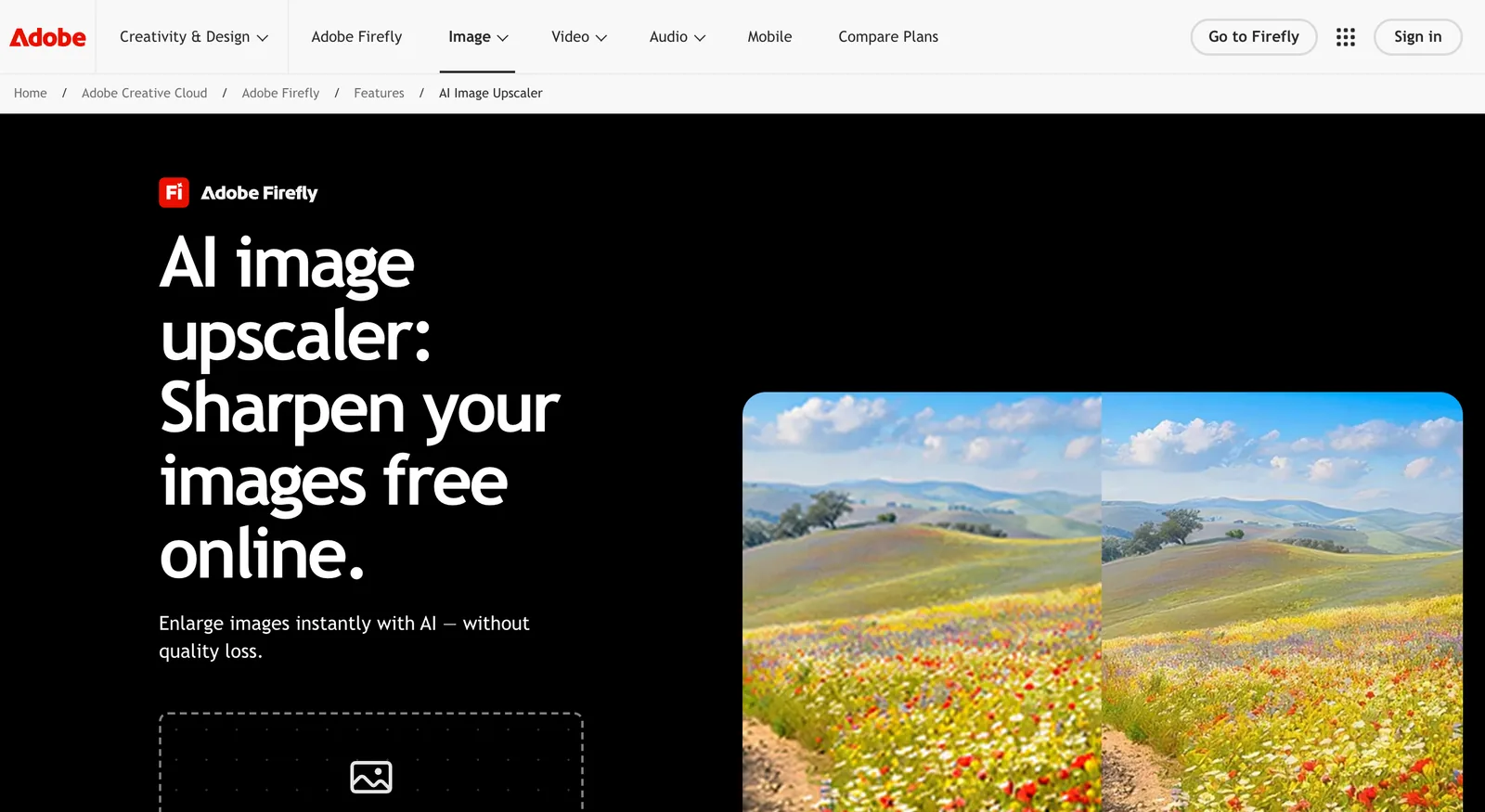
Two browser tools deserve a line each. Adobe Firefly’s Generative Upscale is free, two clicks, 2x or 4x, and it is a generative pass, which puts it on the re-render side of the line with the same caveats as our default engine. Krea Enhance is the most generous free tier on the page at 100 units a day and promises 8K, and it too is an enhancer, meaning it will improve a picture in ways you did not ask for. Neither publishes a same-image comparison, and we did not run either, so they sit in the table as what their pages say and nothing more.
How Do You Upscale a Nano Banana, Gemini or ChatGPT Image to 4K?
Generate at the largest size the model offers, then upscale once, with a pixel-exact engine if the picture has text or a product in it. Nano Banana Pro can output 2K and 4K directly: Google’s launch post lists “available 2K and 4K resolution” among its features, so ask for 4K in the prompt before you reach for any upscaler. ChatGPT’s current image models default to 1024 by 1024, 1536 by 1024 or 1024 by 1536 and accept custom sizes up to 3840 pixels on the long edge. Whatever comes out, drop it on MeltFlex, pick 4K, and pick Faithful if nothing may move.
This is the question we see most from readers of our Nano Banana Pro redesign guide and the Gemini room design and ChatGPT room design posts: the room came out beautifully and it is 1024 pixels wide, which is a phone screen. Two things are true at once. Google’s own announcement says the Pro model does 2K and 4K, so if you are on the Pro model the cheapest upscaler is the word “4K” in your prompt. And the free Nano Banana model, the one most people use, does not, which is where the upscaler comes in.
For ChatGPT, OpenAI’s image guide lists the three default sizes above and adds that custom dimensions work as long as “neither edge may exceed 3840 pixels”. In the chat app you rarely get to choose, so the practical answer is the same: take the 1536 by 1024 file and run it through a 4x pixel engine. That gives 6144 by 4096 on Topaz, which is over MeltFlex Faithful’s 24 megapixel cap, so Faithful will hand you 3.9x instead and tell you so first.
One warning specific to AI-generated pictures. They already contain invented detail, and a re-render engine will invent on top of it, which compounds fast: a second pass through a generative upscaler is where you get the over-smooth, slightly waxy look that gives AI images away. If your Nano Banana render is going to a client, one pixel-exact pass, then stop. The reasons AI renders look fake are mostly upstream of the upscaler, and an upscaler cannot fix them; it can only make them bigger.
How Do You Upscale a Midjourney Image for Print?
Work backwards from the print. A print shop asks for 300 dpi at final size, so the pixels you need are the width in inches times 300, and a poster seen from across a room is fine at 150. A Midjourney or Nano Banana image at 1024 pixels prints 3.4 inches wide at 300 dpi; the same picture at 4x, 4096 pixels, prints 13.7 inches; MeltFlex’s 4K frame at 5504 pixels prints 18.3 inches. Nothing on this page gets a 1K source to an A2 sheet at 300 dpi in one pass, and the tools that claim 8K or 10K are getting there by inventing.
The Midjourney-specific part we could not verify: Midjourney’s documentation on its own upscaler sizes returned a 403 to us on 24 September 2026, so we are not quoting its pixel limits, and any figure you see elsewhere for “Midjourney upscale to 4K” should be checked against the page when it is reachable. The workflow does not depend on it: export the largest file Midjourney gives you, run one 4x pass on a pixel-exact engine, and read the width off the picker before you order the print. If it is going in a frame, our wall art size guide has the sizes that actually suit a wall, and the standard frame sizes post has the sheet sizes to print to.
Can an AI Upscaler Fix a Blurry Real Estate Listing Photo?
It can sharpen it and it cannot invent what the sensor never captured. A listing photo pulled off a portal is usually 1024 to 1600 pixels wide and has been JPEG-compressed at least twice, and that is exactly where an upscaler helps most: the blocking goes, the edges come back, and a 4x pass gives a file that survives a brochure. Motion blur, a dark room shot at high ISO and anything under about 600 pixels come back as a sharper blur, because there is nothing there to sharpen.
This is also where the two-engine split matters most, and the answer is the opposite of the one for renders. A listing photo is evidence. A buyer who finds that the herringbone floor in the photograph is not the floor in the house has a complaint, and a re-render engine that decides a plain floor would look better in herringbone has created it. For a real photograph of a real property, use the pixel-exact engine, every time. Staging, decluttering, sky and twilight conversion are a different product with a disclosure duty attached, and our AI real estate photo editing guide splits correction from transformation for exactly that reason; the virtual staging roundup covers the tools that furnish an empty room.
A note on the word, since search engines and agents both trip on it. “Upscale real estate photos” means luxury listings to Google, not resolution, and the autocomplete for it is all high-end photography. If you are searching for the resolution meaning, the phrase that works is “real estate photo enhancer”, and the tools that answer it, autoenhance.ai and autohdr among them, are correction services priced per image, not upscalers.
Which AI Image Upscaler Should You Choose?
Choose by what the picture is for and by whether anything in it is allowed to change. A render or moodboard for a presentation: MeltFlex, default engine. A render with a client’s product, a logo, or a piece they chose: MeltFlex Faithful. A camera photograph with people: Topaz Gigapixel. A batch on your own machine with no upload: Upscayl. A concept you want more beautiful than it was: Magnific. The table is the same decision with the reasons attached.
And if you are still choosing, run your own picture. Upload it to the MeltFlex upscaler, the first pass is free, then run the same file through Upscayl or Firefly, and crop the plainest surface in the picture at 100 per cent. Whichever tile looks least like it is trying is the one to trust. For the rest of the pipeline, the render prompts and architectural rendering prompts posts cover getting the picture right before you make it bigger, and the 3D model to photorealistic render guide covers the step before that.
How We Checked This, and What We Could Not Verify
Everything on this page came from one of three places: a file we produced ourselves on the night of 24 September 2026 and cropped at 100 per cent, a vendor’s own live page captured in a real browser at 1280 by 820 that same night, or a primary document we read and linked. Nothing came from another roundup. Here is where each of those ran out.
What we did. Two of our own renders went through seven engines on fal.ai from one script, and through the MeltFlex engine through the same call the product makes, all at 4x or the 4K frame. We recorded seconds, output pixels and file size for all sixteen files and cropped the same source region from each. We captured the homepages and, where one exists, the pricing pages of MeltFlex, Topaz, Magnific, Upscayl, Let’s Enhance, upscale.media, Adobe Firefly, Krea and Clarity AI. Every price above is the number printed on the page that night, promotional strike-throughs included. We fetched Google’s Nano Banana Pro announcement, OpenAI’s image generation guide and Upscayl’s README and quoted them.
What we did not do, and you should weigh this. We did not run Magnific, Let’s Enhance, upscale.media, Firefly or Krea on the test render, because none of them offers a way to do that outside a signed-in account with a payment method, and a screenshot of a homepage is not a test. They sit in the tables as what their pages say. We ran one render and one control, not fifty. And the seconds column was produced by submitting all fourteen jobs at once, so it carries queue time and should be read as a rough order, not a benchmark. The Clarity gap is the only timing we would defend.
Two things we dropped rather than publish. Midjourney’s upscaler pixel limits: its documentation page returned a 403 to our fetch, so no Midjourney number appears above. And any usage claim about who uses MeltFlex: we do not have a survey of professional architects and we are not going to imply one. What we can say is that the product page lists the renderers it is built around, that its two engines were chosen on the crops you have seen, and that the best evidence for it is a picture of your own through it, which costs nothing.
What goes stale first. Prices and free tiers, within a quarter; Magnific’s pricing already sits inside Freepik’s credit system, so it moves whenever Freepik’s plans do. The engine results should hold until one of the eight ships a new model, and when that happens the two source renders are public, so the test is yours to re-run.
Frequently Asked Questions
What is the best AI image upscaler?
MeltFlex, for renders, moodboards and room photos: its default engine re-renders the picture at a true 4K frame (5504 by 3072 at 16:9) and kept materials, marble veining and poster lettering that pixel upscalers garbled, and its Faithful engine (Topaz Standard V2) is a pixel-exact 4x that repaints nothing. The first upscale is free with no account. It is our own product and this page says so. For a camera photograph with faces, Topaz Gigapixel is the safer buy; for a zero budget and a GPU, Upscayl is free and open source.
What is the best free AI image upscaler?
Upscayl, if you have a computer with a Vulkan-capable GPU: it is free, open source under AGPLv3, runs Real-ESRGAN locally and never uploads your image. In a browser, MeltFlex runs your first upscale free with no account, Adobe Firefly offers a 2x or 4x Generative Upscale free online, Krea gives 100 free units a day, and upscale.media gives 3 free credits and 3 downloads a month. All of those, including ours, watermark or cap the free output somewhere, so check the download before you rely on one.
Does an AI upscaler change the image?
Every one of the eight we ran changed something, and the kind of change is the real difference between them. Pixel upscalers (Topaz, Real-ESRGAN, AuraSR, SeedVR2) keep the composition but redraw fine texture: SeedVR2 scratched vertical streaks into a plain sofa and AuraSR left a visible pixel staircase. Re-render engines (MeltFlex default, Magnific, Clarity) can change content: the MeltFlex engine rewrote a poster’s pseudo-lettering into clean words that were never in the source. If nothing may change, use a pixel-exact engine such as MeltFlex Faithful.
How do I upscale a Nano Banana or ChatGPT image to 4K?
Generate at the largest size the model offers, then upscale once. Nano Banana Pro can output 2K and 4K directly, as Google states on its launch post, so ask for 4K in the prompt first. ChatGPT’s image models produce 1024 by 1024, 1536 by 1024 or 1024 by 1536 by default and accept custom sizes up to 3840 on the long edge. Whatever comes out, drop it on MeltFlex, pick 4K, and choose the Faithful engine if the picture has text or a product you cannot let move.
What resolution do I need to print a render or AI image?
Print shops ask for 300 dpi at the final size, so divide pixels by 300 for inches. A 1024 pixel image prints 3.4 inches (8.7 cm) wide at 300 dpi; the same image at 4x, 4096 pixels, prints 13.7 inches (34.7 cm); MeltFlex’s 4K frame at 5504 pixels prints 18.3 inches (46.6 cm). For a poster seen from across a room, 150 dpi is enough and every one of those widths doubles. An A2 sheet at 300 dpi needs 4961 by 7016 pixels, which no single 4x pass from a 1K source reaches.
Is Magnific worth it, or is there a free alternative?
Magnific now lives inside Freepik and the pricing page we captured on 24 September 2026 shows €16 a month, or €12 billed yearly, for 240,000 credits a year across every model. Clarity Upscaler is the open-source re-implementation of the same idea, published on GitHub, and we ran it: it took 103 to 124 seconds per image against 12 to 19 for everything else, and it added white specks to a plain sofa. If you want the creative, hallucinated-detail look, Magnific is the polished version; if you want your render back unchanged, neither is the right tool.
Is Topaz Gigapixel better than the AI upscalers online?
For photographs, usually yes. Topaz was the first commercial AI upscaler, since 2019 by its own account, ships nine models, and its Standard V2 model won our pixel-exact test on both renders, which is why MeltFlex runs it through fal as the Faithful engine. The trade-off is price and workflow: Topaz for Web starts at $12 a month on the promotional price we captured and the desktop apps at $19 a month, against MeltFlex’s free first upscale and 20 credits after, and Topaz does nothing about the render itself if it was flat to begin with.
Can AI upscale a blurry real estate listing photo?
It can sharpen it, and it cannot invent what the sensor never captured. A listing photo pulled from a portal is usually 1024 to 1600 pixels wide and compressed twice, and that is where an upscaler helps most: the JPEG blocking goes and the edges come back. Motion blur, a dark room shot at high ISO and anything under about 600 pixels come back as a sharper blur. For staging, decluttering and twilight conversion, which change the property and carry a disclosure duty, see our real estate photo editing guide rather than an upscaler.
The cheapest way to settle it is with your own file. Upload a render or a room photo to the MeltFlex AI Image Upscaler, pick 4K, and run it once on each engine; the first pass is free and needs no account. If you have not made the render yet, start from a photo of the room and upscale the result when it is right, and if the picture is going to move, the video walkthrough tool takes the 4K file straight from the workspace.