OpenAI publishes no interior design or architecture skill for Codex, but community skills fill the gap, and in our MeltFlex AI test on November 16, 2026, Codex picked three of them by itself: ArchLang for a measured floor plan, interior-design-expert for layout advice, and MeltFlex AI for redesigning a room photo. The catch nobody mentions: Codex runs skill commands in a sandbox with no network by default, so every skill that calls an API fails. The fix that worked in our test is to connect the tool as an MCP server: the MeltFlex AI MCP server reached our API from the same sandbox that blocked the skill, and setting it up takes one entry in ~/.codex/config.toml or one sign-in (MeltFlex AI MCP for Codex).
Our articles are still written by humans!
Get human written articles in your Google feed.
I run MeltFlex AI, an AI rendering tool for architects and interior designers, so treat what I say about it with that in mind: MeltFlex AI is ours, and so is AIBIM Tool, which comes up once below. Two months ago we wrote the guide to Claude skills for interior design, and it is now one of our most read pages. This is the Codex version, but not a copy: I installed the same kind of skills into Codex CLI, gave it four real requests, and logged every command it ran.
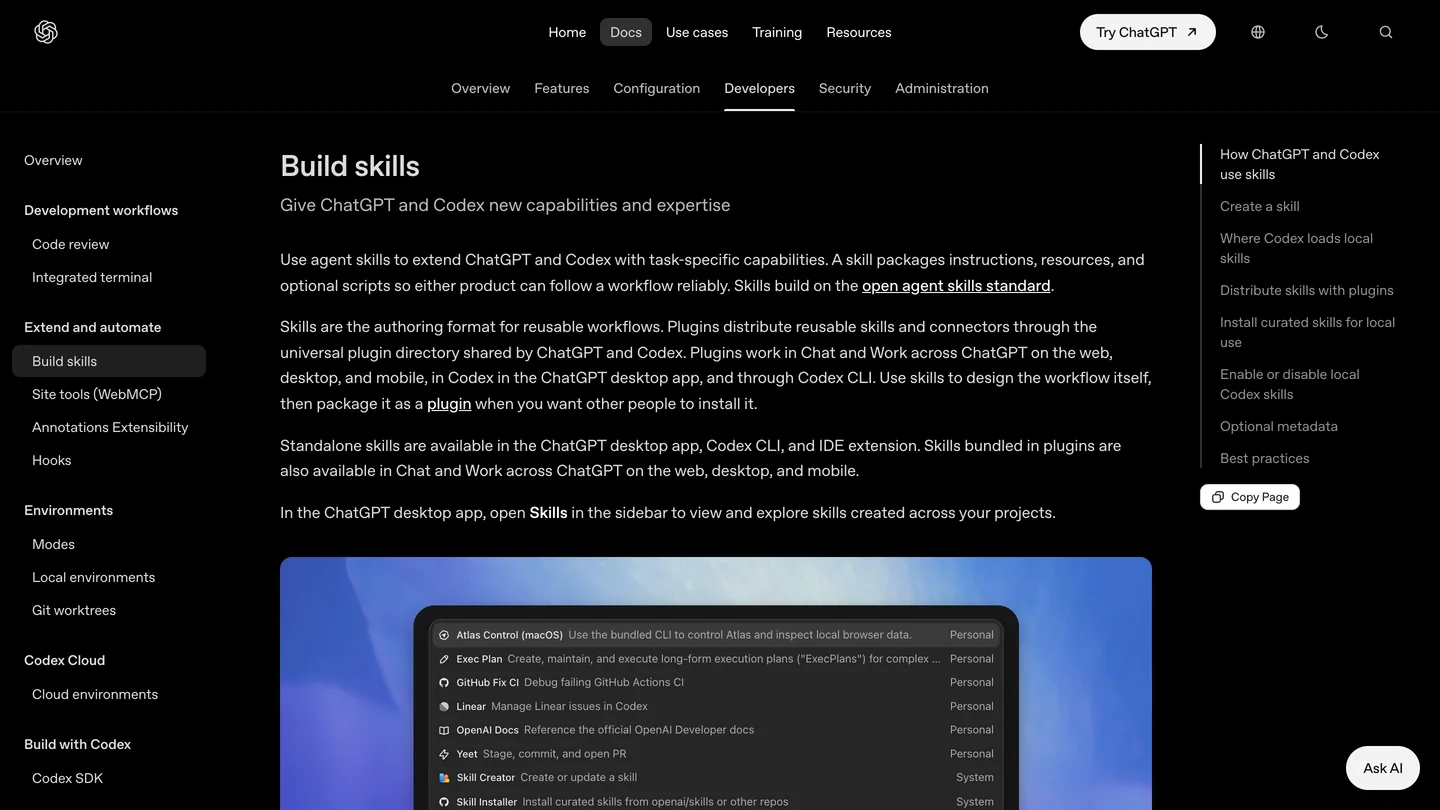
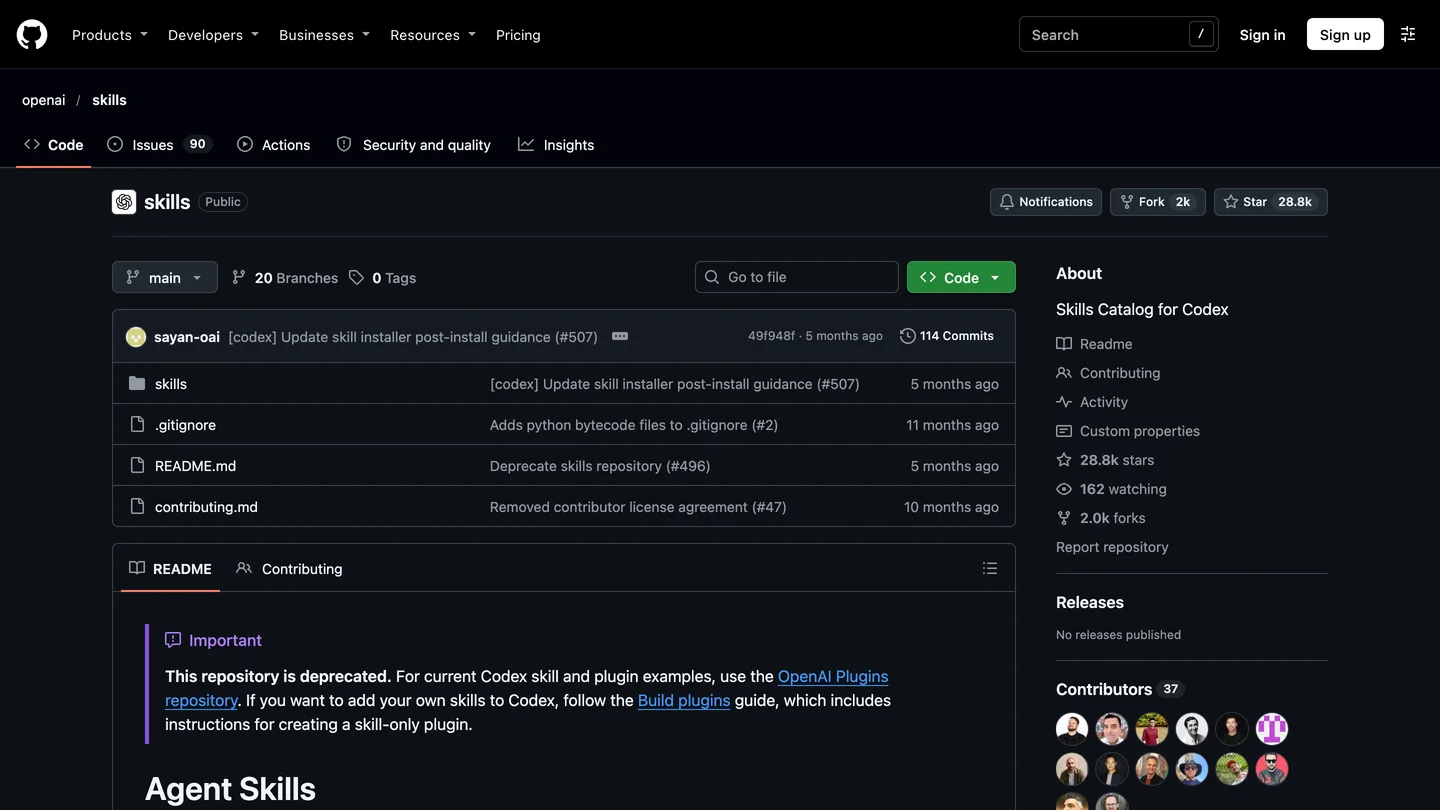
OpenAI’s skills documentation and its original skills catalog, now marked deprecated, November 16, 2026.
The short version
- No official skill. OpenAI’s old catalog (44 skills) and its current plugins repository (62 plugins, 536 skills) contain zero interior design or floor plan skills. Every “architecture” match is software architecture. Details.
- Claude skills work in Codex. Same SKILL.md format; move the folder from
.claude/skillsto.agents/skills. What changes. - Floor plans: with ArchLang, Codex drew a dimensioned 80 m² (860 sq ft) plan in 2 minutes 2 seconds, about $2.07 at API rates, against $0.73 for the same job in Claude Code. Test.
- MeltFlex AI in Codex: 10 credits per redesigned photo on any paid plan. Install it as an MCP server, not just a skill: in our test the MeltFlex AI MCP server reached its API from the sandbox that blocked the skill. Setup.
- The sandbox trap: skills that need the internet fail silently or with “nodename nor servname provided” until you set
network_access = true. Fix.



Is there an official Codex skill for interior design?
No. I counted. OpenAI’s original catalog, openai/skills (28.8k stars), holds 39 curated skills and 5 system skills: GitHub, Figma, Linear, Notion, Playwright, deployment, security, speech and the like. Not one is about rooms, buildings or furniture. The repository now carries a notice that it “is deprecated” and sends you to the OpenAI Plugins repository. That one is bigger, 62 plugins with 536 skills inside them as of its last commit on November 6, and I searched every skill description for interior, floor plan, architecture, furniture, SketchUp, Revit, AutoCAD, Rhino and Blender.
The closest hits were a game studio skill that cleans up Blender assets for browser games and an NVIDIA skill that converts CAD files for simulation. Every other “architecture” was software architecture: UML diagrams, agent frameworks, security hardening. It is the same result we got when we counted Claude’s ecosystem in September, which tells you something about who these tools are built for.
What Codex does ship, inside the CLI itself, are five system skills. In version 0.169.0 they are imagegen, openai-docs, review-agent, skill-creator and skill-installer. Only imagegen touches design, and it is a general image generator, not a room tool. More on that below.
What are Codex skills, and do Claude skills work in Codex?
A Codex skill is a folder with a SKILL.md file whose name and description tell Codex when to use it; Codex reads only the description until a task matches, then loads the whole file. OpenAI’s build skills guide says Codex scans .agents/skills in every folder from where you are up to the repository root, plus ~/.agents/skills for your user. You can call one by name with $ or /skills, or let Codex choose it, which is what happened in every one of our runs.
Because Claude and Codex both follow the open Agent Skills format, a Claude skill usually works in Codex unchanged. The interior-design-expert skill we used declares a Claude-only allowed-tools line that names a Stability AI tool Codex has never heard of; Codex loaded it and used it without complaint. The differences that matter are about where the skill runs, not how it is written:
| Claude Code | Codex CLI | |
|---|---|---|
| Project folder | .claude/skills | .agents/skills |
| Call one by name | /skill-name | $skill-name or /skills |
| Network for skill commands | On, with permission prompts | Off by default in the workspace-write sandbox |
| Extra metadata | Frontmatter only | Optional agents/openai.yaml: UI name, implicit use on or off, required MCP servers |
| Space for skill descriptions | Not documented the same way | 2% of the context window, or 8,000 characters if unknown; long lists get shortened |
| Floor plan test, same brief | 1 min 52 s, $0.73 (Opus 5.5) | 2 min 2 s, about $2.07 (GPT-6 Astra) |
- Folder
- .claude/skills
- Network for skills
- On, with permission prompts
- Floor plan test
- 1 min 52 s, $0.73
- Folder
- .agents/skills
- Network for skills
- Off by default
- Floor plan test
- 2 min 2 s, about $2.07
The description budget is the one to remember if you install a lot. OpenAI says that when many skills are installed Codex shortens their descriptions first and may drop some with a warning. A skill whose description buries “floor plan” in its last sentence is the one that stops getting picked.
Which Codex skills actually work for interior design and architecture?
Four are worth knowing, and they do different jobs. I tested the first three end to end in Codex; the fourth comes with Codex and I only checked whether Codex reached for it.
| Skill | What it does | Needs network | In our Codex test |
|---|---|---|---|
| ArchLang (5 skills, MIT) | Writes a floor plan as code, validates it, exports PNG, SVG, DXF or PDF | Yes, to fetch its CLI with npx | Picked by itself; measured plan in 2:02 |
| interior-design-expert | Advice: layout, color (Munsell, NCS), lighting, proportions | No | Picked by itself; answered in 20 s |
| MeltFlex AI (skills + MCP server, ours) | Redesigns a room photo, places real furniture, floor plan to 3D | Yes, it calls the MeltFlex AI API | Picked over imagegen; worked as MCP, blocked as skill |
| imagegen (bundled) | General image generation and editing | Built-in tool, or OpenAI API in CLI mode | Installed, not chosen for the room |
- Does
- Floor plans as code, validated, exported
- Network
- Yes (npx)
- Our test
- Picked by itself, plan in 2:02
- Does
- Layout, color and lighting advice
- Network
- No
- Our test
- Picked by itself, 20 s
- Does
- Room photo redesigns, furniture, plan to 3D
- Network
- Yes (API)
- Our test
- Worked as MCP, blocked as skill
- Does
- General images
- Network
- Built-in tool
- Our test
- Not chosen for the room
1. ArchLang: the only one that draws a plan with real dimensions
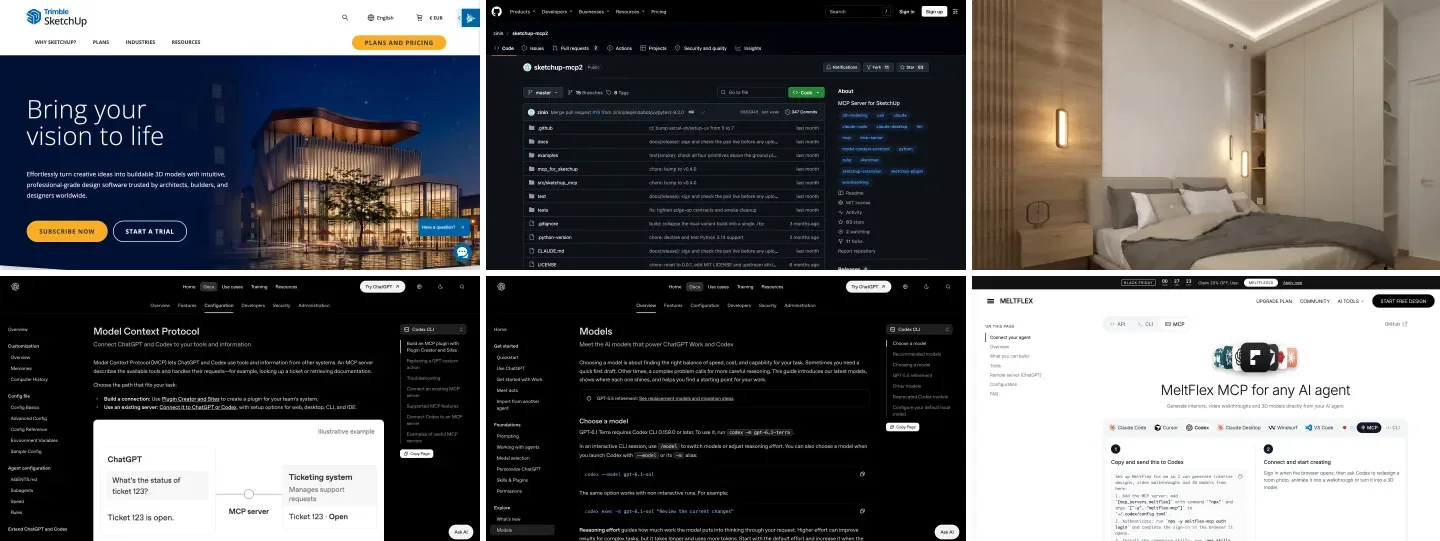
ArchLang by Chan Meng is a small language for floor plans plus a compiler, a validator and five skills that teach an agent to use them. The agent writes the plan as text, the compiler draws it, and the validator reports clashes and unmet brief requirements in a form the agent can fix. The repository showed 76 stars and more than 4,000 commits when I looked, which is a lot of work for a project that small. Its skills were written with Claude in mind, and its install notes give Codex only an MCP command, but the skill folders worked in Codex as they were. We covered it in depth in our Claude floor plan skill test.
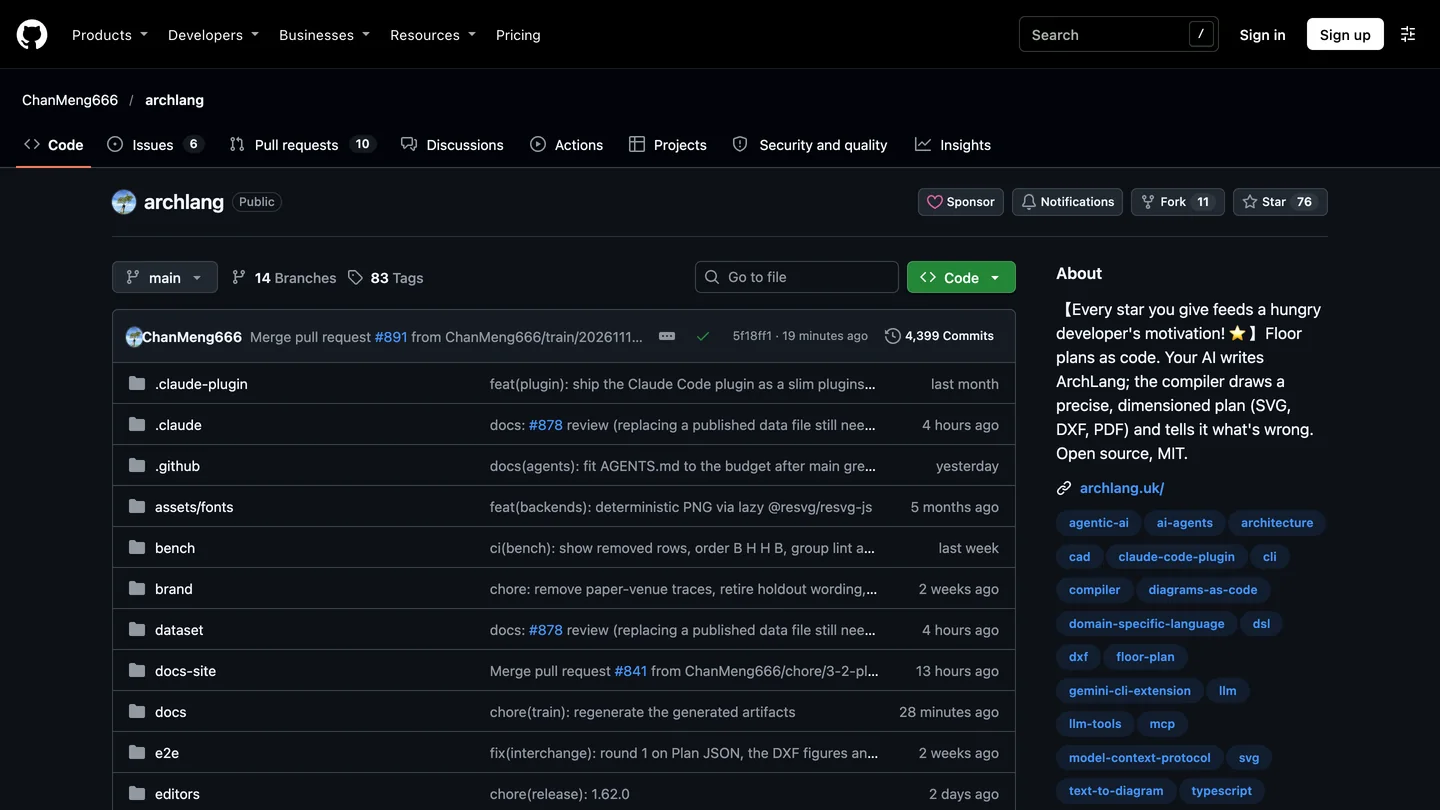
ArchLang on GitHub, November 16, 2026.
2. interior-design-expert: advice, and nothing else
This one, from the curiositech skills collection, is a long set of design rules in one SKILL.md: clearances, furniture proportions, Munsell and NCS color, IES lighting levels. On its own it does not draw or render; its one image tool is a Stability AI server you would have to add yourself. That is fine, because advice is what it is good at, and it needs no network, so it works in the default Codex sandbox with no setup at all.
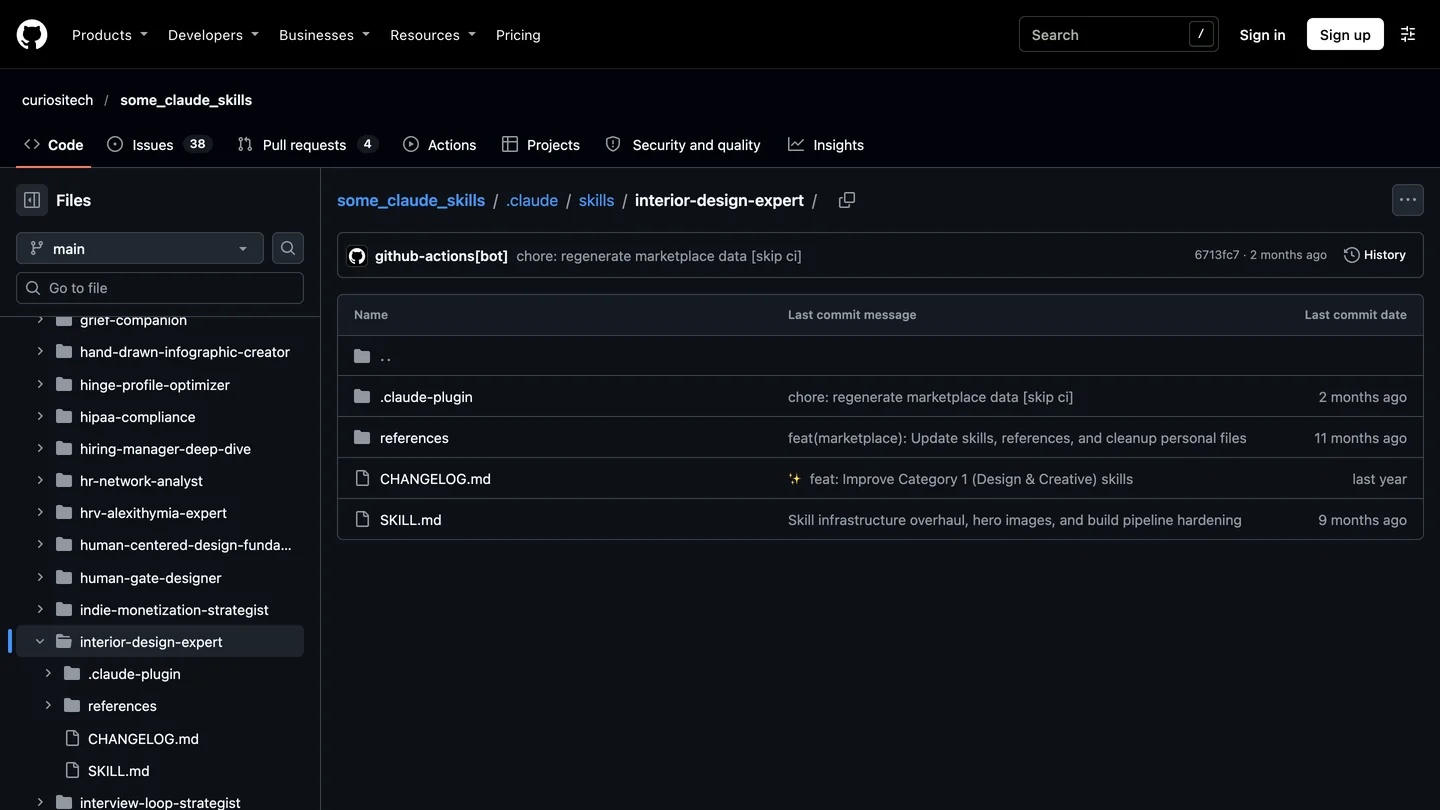
The interior-design-expert skill folder. It was written for Claude and loaded in Codex unchanged.
3. MeltFlex AI: rendering, real furniture and floor plan to 3D (ours)
MeltFlex AI publishes four skills in its open skills repository and the same tools as an MCP server. The design skill turns a room photo into a redesign, the furniture skill places specific products, the 3D skill turns a floor plan into a rendered 3D picture or a GLB model, and the embed skill puts the tool on a furniture shop’s site. All of them call the MeltFlex AI API, which is exactly why they collide with the Codex sandbox. How to set it up so it works is in its own section.
4. imagegen: bundled with Codex, but not a room tool
Codex installs imagegen for you. Its instructions are written for website heroes, game sprites, product mockups and logos, and it uses a built-in image tool or, if you ask for it, the OpenAI Image API. When I asked Codex to restyle a living room photo with both imagegen and the MeltFlex AI skill installed, it chose MeltFlex AI in all four runs, which makes sense: the MeltFlex AI description names restyling, virtual staging, floors and walls, and imagegen’s does not. I did not test imagegen’s output on a room, so I will not tell you it is worse. It is a general image editor, and general image editors are known to move walls and windows that a room tool has to keep.
Can Codex draw a floor plan with a skill?
Yes. In our MeltFlex AI test, Codex used the ArchLang skill without being told to, and returned a dimensioned plan that met every point of the brief in 2 minutes 2 seconds. I gave it the exact request we gave Claude Code the day before, so the two runs compare directly:
Draw me a floor plan for a two-bedroom, one-bathroom apartment of about 80 square meters (860 sq ft). Open kitchen and living room facing the street, both bedrooms and the bathroom off a short hall, every bedroom gets a window, the main bedroom is at least 12 square meters. Save the drawing as a PNG.
The setup: Codex CLI 0.169.0 on a Mac, GPT-6 Astra called through an API rather than a ChatGPT plan, run headless with codex exec, the five ArchLang skills plus three others in .agents/skills, and network access switched on. Codex opened with “I’ll use the ArchLang skills to lay out the apartment”, read four of the five skill files, then worked through 27 commands: read the language spec, wrote the plan, validated it stage by stage (rooms, walls, openings, fixtures), wrote down the brief as a checkable list and ran the brief check four times until it passed.
| Room | Net area | Brief asked |
|---|---|---|
| Living and dining | 23.5 m² (253 sq ft) | Open to the kitchen, on the street |
| Kitchen | 12.6 m² (136 sq ft) | Open to the living room, on the street |
| Main bedroom | 16.4 m² (177 sq ft) | At least 12 m², with a window |
| Bedroom 2 | 13.8 m² (149 sq ft) | With a window |
| Bathroom | 6.6 m² (71 sq ft) | Off the hall |
| Hall | 4.6 m² (50 sq ft) | Short, serving both bedrooms and the bathroom |
| Total | 77.5 m² net, 80.0 m² gross | About 80 m² |
- Living and dining
- 23.5 m² (253 sq ft)
- Kitchen
- 12.6 m² (136 sq ft)
- Main bedroom
- 16.4 m² (177 sq ft), brief: 12 m² min
- Bedroom 2
- 13.8 m² (149 sq ft)
- Bathroom
- 6.6 m² (71 sq ft)
- Hall
- 4.6 m² (50 sq ft)
- Total
- 77.5 m² net, 80.0 gross
The dimension strings close: the window chain along the top wall adds up to the 10,400 mm overall width. ArchLang’s strict check still flagged two warnings, both bedroom windows facing north, and Codex left them on purpose because the brief put the living space on the street side. Claude Code got the identical warning on the identical brief. That is the skill doing its job, not either model.
What a designer would change. The front door opens straight into the living room next to the sofa, with no entry zone and no coat closet. The bathroom is generous at 6.6 m², two square meters more than in Claude’s plan, and a designer would probably trade some of it for a hall closet. Codex, like Claude, asked no questions: no budget, no household, no orientation. The brief did not mention those things, and a skill that never asks will never know them.
And the part I did not expect. My first run used the Codex default sandbox, with no network. The skill’s first command, npx -y @chanmeng666/archlang, failed with ENOTFOUND. Codex did not stop. It went looking through folders outside the project, found a copy of the ArchLang source code that I had downloaded next to it for this article, wrote its own loader to run the compiler from source, and finished in 3 minutes 55 seconds. On a normal computer that copy would not have been there and the run would have failed. It is also a reminder that the workspace-write sandbox limits what Codex can change, not what it can read.
The cost difference is real. At OpenRouter list prices, the good run cost about $2.07, almost all of it for input: Codex re-sent its growing context with each of its 27 commands, about 894,000 tokens in total, most of them from cache. Claude Code did the same job for $0.73. One run each is not a benchmark, but if you draw plans every day it is worth checking on your own plan’s usage. For more ways to get a plan out of AI, see our comparison of AI floor plan generators.
A plan is where the work starts, not where it ends. To show a client the space, upload the PNG to MeltFlex AI floor plan to 3D for a furnished 3D picture (10 credits), or call the same thing from Codex through the 3D skill. If the next step is a BIM model rather than a picture, AIBIM Tool, also ours, generates a BIM model with IFC export from a brief and a site; our page on AI BIM software explains where it fits.
Does Codex pick the right skill without being told?
Yes, in all seven runs across three different requests. I never named a skill, and the log shows Codex reading the matching SKILL.md as its first or second action every time. The cheapest test was an advice question with interior-design-expert installed:
My living room is 13 by 16 feet. The fireplace is centered on one of the 13 foot walls and the entry door is in a corner of the opposite wall. Where should the sofa, the TV and the rug go, and what size rug should I buy?
Codex said it would use the interior design skill, read it, and answered in 20 seconds for about $0.22: sofa and TV facing each other across the long walls, the TV off the fireplace wall to avoid a high viewing angle, a 36 inch walkway from the door, the TV center at 40 to 44 inches, and an 8 by 10 foot rug with the sofa’s front legs 8 to 12 inches onto it, or 9 by 12 if armchairs join the group. It even told me to keep the rug off the hearth. That is sound, standard advice. To check the rug against your own sofa and table sizes rather than a rule of thumb, our rug size calculator works it out from the furniture.
What it did not do: ask where the windows are, ask how big the TV is, or notice that putting the sofa against a long wall in a 13 foot wide room leaves about 8 feet from sofa to screen, which suits a 65 inch TV but not an 85. An experienced designer would have asked. The skill gives Codex rules, not curiosity.
Why do API skills fail in Codex, and how do you fix it?
Codex runs every command a skill asks for inside a sandbox, and in the default workspace-write mode that sandbox has no network, so a skill that calls an API or runs npx cannot reach the internet. OpenAI’s own imagegen skill says as much in its notes: “In many Codex setups, network access is disabled by default.” The skill does not get a clear error; it gets whatever the failed connection prints.
Here is what that looked like with the MeltFlex AI skill, a room photo and a deliberately invalid API key, so the test spent no credits:
| Setup | What Codex did | Result |
|---|---|---|
| Skill, default sandbox | Read the skill, sent the photo with Python | nodename nor servname provided; nothing reached the API |
Skill, network_access = true | Same | Reached the API, got 401 for the bad key, told me where to get a real one |
| MCP server, default sandbox | Chose the MCP tool generate_interior | Blocked: MCP tools need approval and my run allowed none |
MCP server, approval set to approve | Called generate_interior | Reached the API from the same sandbox; the server answered “Invalid or missing API key” |
- Result
- No network, nothing reached the API
- Result
- Reached the API
- Result
- Blocked by the approval policy
- Result
- Reached the API from the same sandbox
The last row is the useful finding. The MCP server is started by Codex itself, not by a sandboxed shell command, so the sandbox’s network rule does not apply to it. OpenAI’s documentation does not spell this out; we saw it in the log. That gives you two fixes, and you can use both:
- Turn the network on for skills in
~/.codex/config.toml. This opens the internet to every command Codex runs, so only do it in projects you trust:[sandbox_workspace_write] network_access = true - Install API tools as MCP servers and keep the sandbox closed. Set an approval mode on the server, or Codex will refuse to call it in unattended runs. The four values Codex accepts are
auto,prompt,writesandapprove; I would usepromptfor anything that spends credits.
This is the same split we described for Claude in our interior design MCP servers guide, but in Codex it decides whether the tool runs at all. A skill tells Codex how to do something; an MCP server is the thing it calls. For setting up MCP servers for SketchUp, Revit and Rhino in the same config file, see Codex SketchUp MCP and connecting ChatGPT and Codex to Revit.
How do you use MeltFlex AI in Codex?
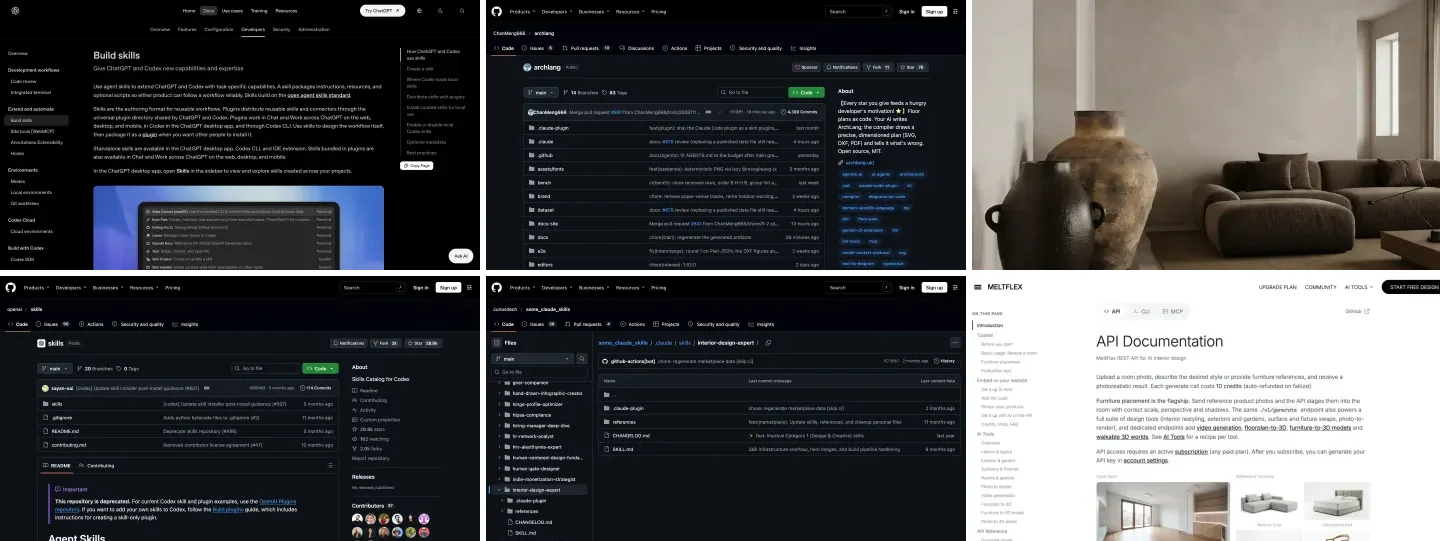
MeltFlex AI works in Codex as an MCP server or as a skill: each redesigned room photo costs 10 credits, a rendered 3D picture of a floor plan also costs 10, and you need an API key from any paid MeltFlex AI plan, for example Standard at $12.99 a month billed yearly with 490 credits. The MeltFlex AI MCP page has the Codex tab, and the API documentation lists every tool and its price. Failed generations are refunded automatically.
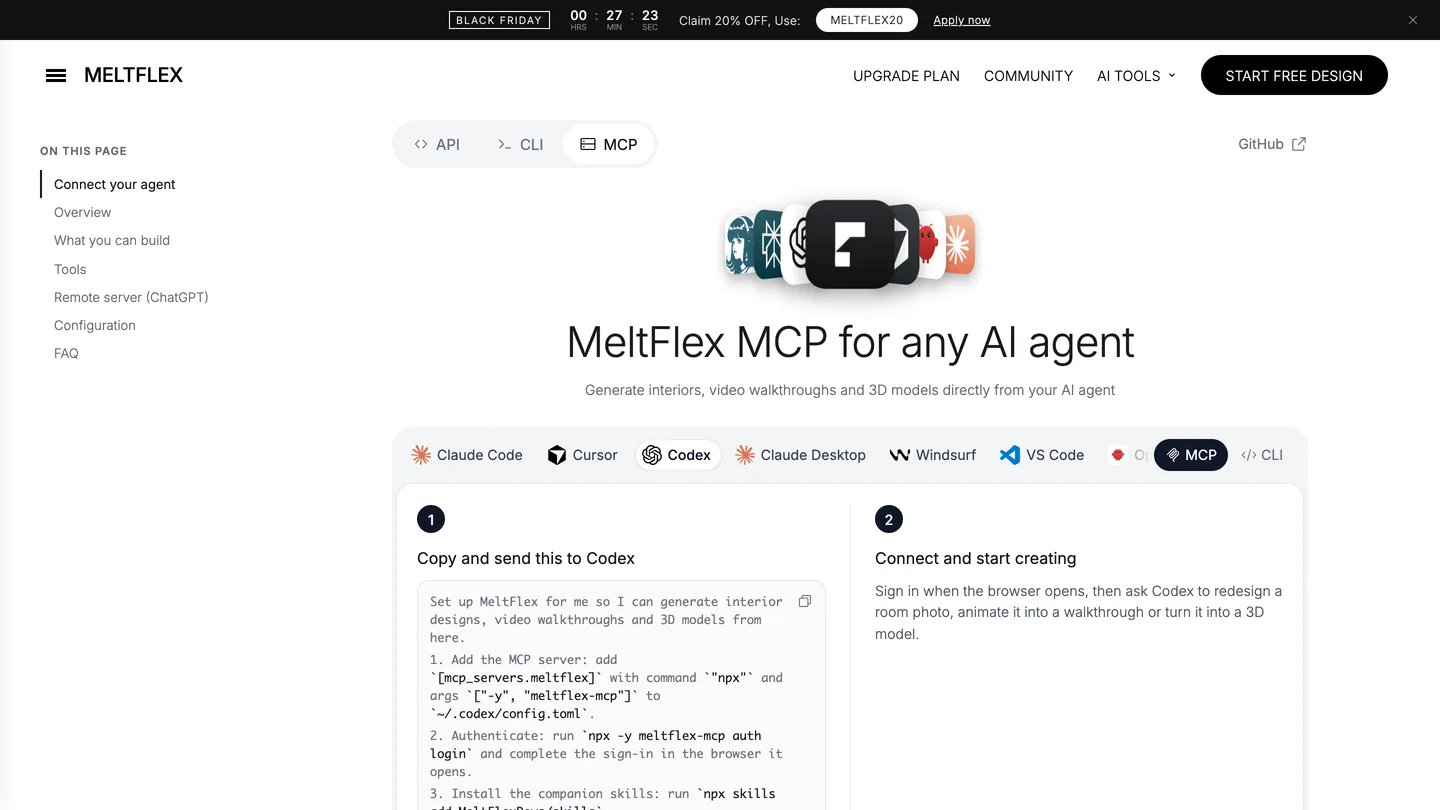
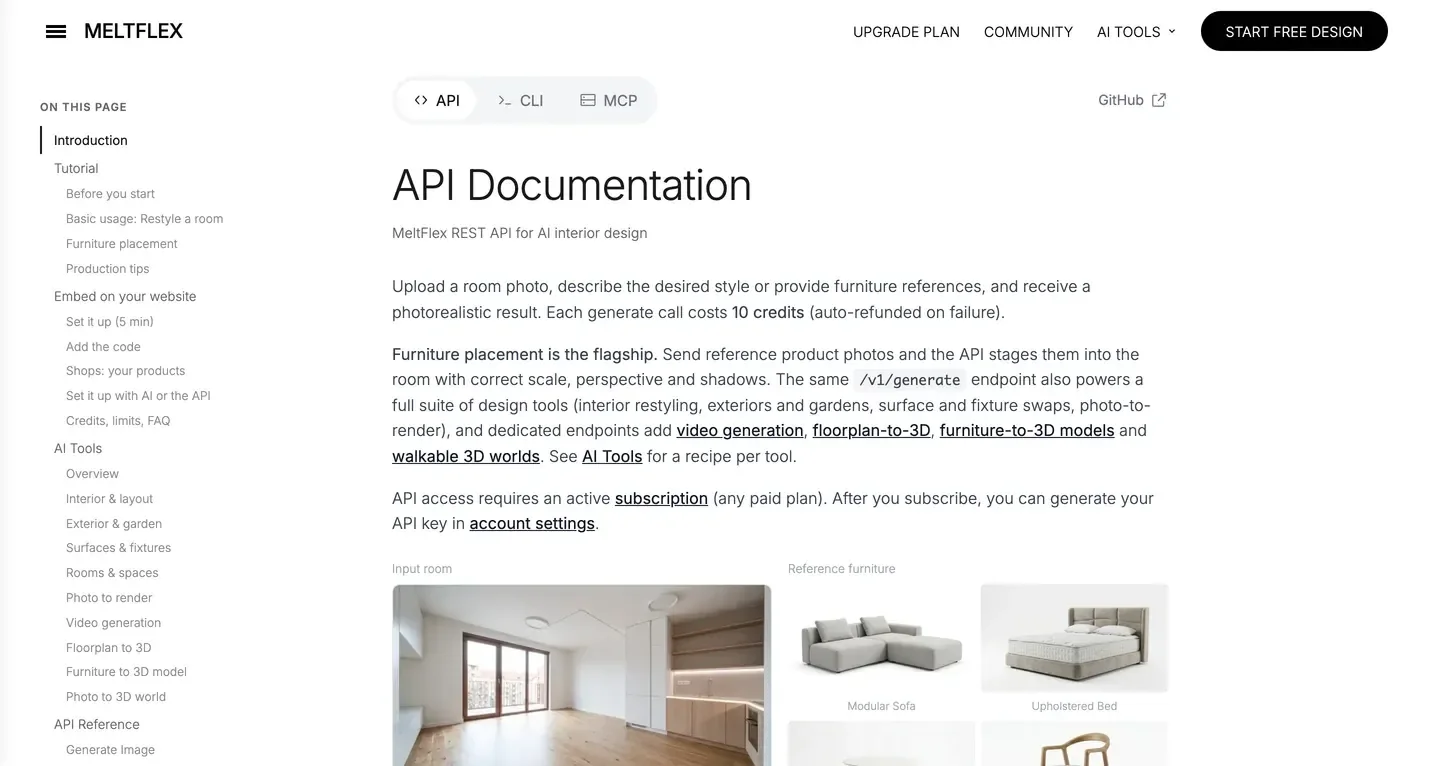
The MeltFlex AI MCP page with the Codex tab, and the API documentation.
The setup I would use, based on the test above:
- Get a key. Subscribe to any paid plan on the pricing page and create an API key under Settings. It starts with
mf_sk_. - Add the MCP server to
~/.codex/config.toml. The ChatGPT desktop app, Codex CLI and IDE extension all read this file:[mcp_servers.meltflex] command = "npx" args = ["-y", "meltflex-mcp"] env = { MELTFLEX_API_KEY = "mf_sk_..." } default_tools_approval_mode = "prompt" tool_timeout_sec = 180 - Optionally add the skills from the MeltFlex AI repository into
.agents/skills. They tell Codex which tool fits which request and to prefer the MCP server when it is there, which is exactly what it did in our run. - Or skip the key and sign in instead. Running
codex mcp add meltflex --url https://www.meltflexai.com/api/mcpmade Codex register itself with our hosted server, open the MeltFlex AI sign-in page and report “Successfully logged in.” The server then showed incodex mcp listwith OAuth as its auth. Nothing to paste, and you can revoke it from your account.
Then ask in plain words: “restyle room.jpg as Japandi and keep the windows where they are”, or “turn plan.png into a furnished 3D view”. If you would rather not touch a terminal, the same tools are on the web: AI interior design for a room photo and floor plan to 3D for a plan. Developers who want Codex to build MeltFlex AI into an app can also use the MeltFlex AI CLI.

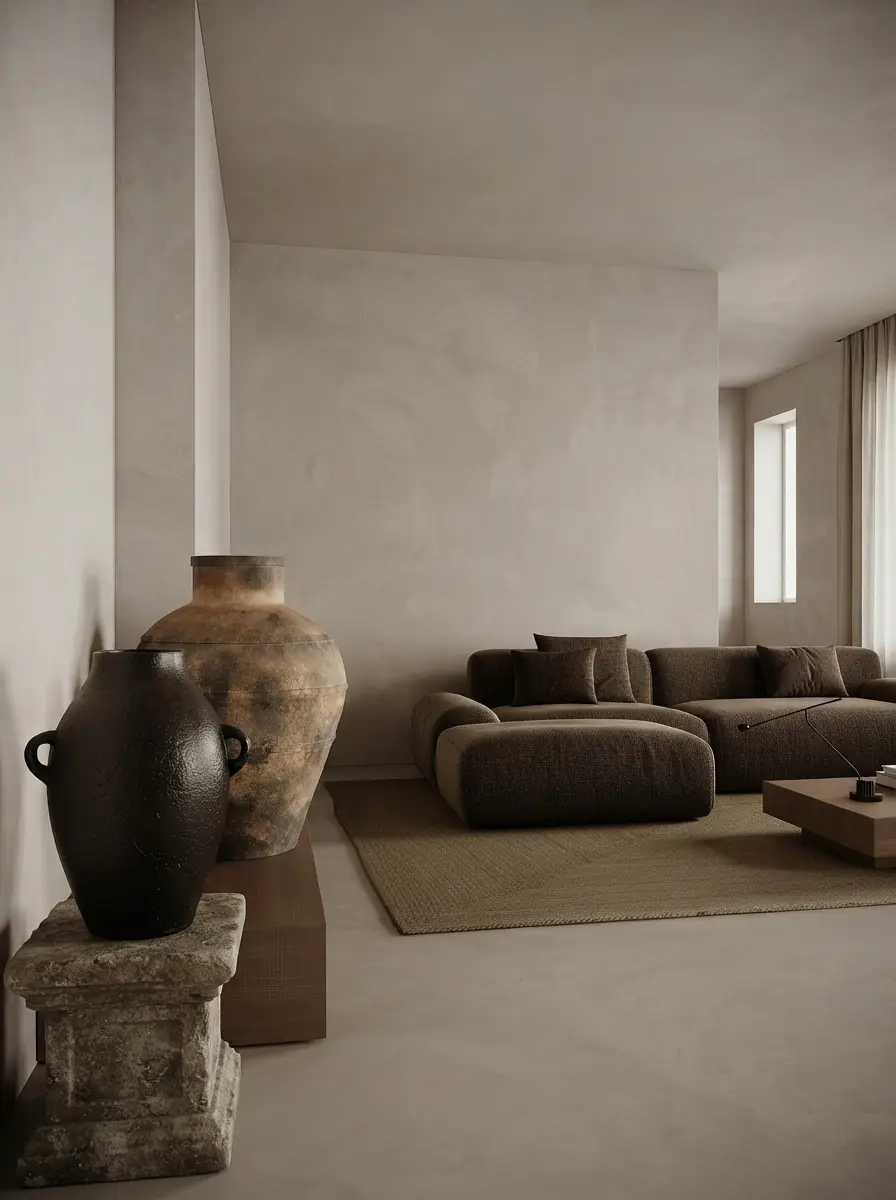
Japandi living room renders from the MeltFlex AI gallery.
What I could not show you: a MeltFlex AI image generated from inside Codex. Every MeltFlex AI call in this article used an invalid key on purpose, so I can vouch for the setup, the routing and the sandbox behavior, not for a fresh render. The renders above are from our gallery, not from this test. If you want to see how the MCP server performs on a real room, our MeltFlex MCP walkthrough shows it from Claude.
How do you install a skill in Codex?
- Pick the folder.
.agents/skillsin a project for skills that belong to it, or~/.agents/skillsfor all projects. Codex does not read.claude/skills, so a Claude skill has to be moved or symlinked; OpenAI says symlinks work. - Copy the skill folder in, with SKILL.md at its top level. Inside Codex you can instead type
$skill-installerand a skill name or GitHub path. - Allow the network if the skill calls an API or runs npx, or install that tool as an MCP server. See the sandbox section.
- Restart Codex and check with
/skillsor by typing$. If a skill is missing from that list, Codex cannot use it, whatever the installer said. - Test with a plain request that does not name the skill, and check that Codex reads the skill before it starts working.
One safety habit worth copying: a skill that spends money should not be chosen automatically. In the skill’s agents/openai.yaml, setting allow_implicit_invocation: false under policy means Codex only runs it when you call it with $.
Should you write your own interior design skill for Codex?
Only if you repeat the same job. A skill is worth writing when your studio has rules you keep typing: your standard clearances, the furniture brands you specify, how you name drawings, the checks a junior always forgets. Put the trigger words first in the description (“Use when the user asks for a kitchen layout, appliance clearances or a cabinet schedule”), keep the body to steps and numbers, and move long reference tables into a references folder so Codex loads them only when needed. Codex ships skill-creator to draft one with you.
If what you want is a rendered image, a placed sofa or a 3D model, do not write that as a skill. Connect a tool that does it, whether that is the MeltFlex AI MCP server or one of the servers in our MCP tools for architects roundup, and let your skill tell Codex when to call it. ChatGPT users who never open Codex have a different route again, covered in our guide to ChatGPT plugins for architects and designers.
What we could not test
- One run per test, one model. Every result above is GPT-6 Astra through OpenRouter, run once. Another model or another day can pick differently.
- CLI only. I used Codex CLI 0.169.0 on a Mac. The ChatGPT desktop app and the IDE extension read the same skills and config, but I did not run them.
- No real MeltFlex AI render from Codex. The key was invalid on purpose. The API answers prove the route works; they do not prove the image is good.
- imagegen untested on a room. Codex did not choose it, so I have no output to judge.
- A machine-specific error. On the good floor plan run, npm first failed with a permissions error from root-owned files in this Mac’s npm cache, and Codex worked around it with a temporary cache. You will probably not see that.
Frequently Asked Questions
Does Codex have skills like Claude?
Yes. Codex reads the same SKILL.md format: a folder with a name and a description at the top of SKILL.md, plus optional scripts and references. In our MeltFlex AI test on November 16, 2026, skills written for Claude Code, including ArchLang, interior-design-expert and the MeltFlex AI skill, loaded in Codex CLI 0.169.0 without any change. Codex looks for them in .agents/skills inside your project or in ~/.agents/skills for all projects, not in .claude/skills.
Is there a Codex skill for interior design?
Not from OpenAI. Its old skills catalog (44 skills) and its current plugins repository (62 plugins, 536 skills) have no interior design, floor plan or building architecture skill when we checked on November 16, 2026. The community fills the gap: interior-design-expert for advice, ArchLang for measured floor plans, and MeltFlex AI for photorealistic redesigns of a room photo, at 10 credits per image on any paid MeltFlex AI plan.
Why does my Codex skill fail when it calls an API?
Because the default Codex sandbox has no network access. In our MeltFlex AI test, the MeltFlex AI skill failed with "nodename nor servname provided" in the default workspace-write sandbox, and the ArchLang skill could not download its command line tool. Either set network_access = true under [sandbox_workspace_write] in config.toml, or use the tool as an MCP server: the MeltFlex AI MCP server reached its API from the same sandbox that blocked the skill.
Can Codex draw a floor plan?
Yes, with the ArchLang skill. Given a plain brief for an 80 square meter (860 sq ft) two-bedroom apartment, Codex loaded ArchLang without being asked, ran its validator four times until the brief check passed, and saved a dimensioned PNG in 2 minutes 2 seconds. The main bedroom came out at 16.4 square meters against a 12 minimum. Without ArchLang, Codex can only describe a plan or draw a picture of one.
How do I install a skill in Codex?
Copy the skill folder into .agents/skills in your project, or into ~/.agents/skills to use it everywhere, and restart Codex if it does not appear. Inside Codex you can also type $skill-installer followed by a skill name or a GitHub path. Check it loaded with /skills in the CLI, or by typing $ to see the list.
Do Claude skills work in Codex?
Most do, because both follow the open Agent Skills format. In our test Codex did not trip over Claude-only fields such as allowed-tools. What breaks is anything that needs the network, since Codex blocks it by default, and anything that assumes Claude-specific tools or folder names. Move the folder from .claude/skills to .agents/skills and test one plain request.
Should I use a skill or an MCP server in Codex?
Use a skill for know-how and a fixed workflow, and an MCP server for anything that calls an outside service. A skill is instructions Codex reads; an MCP server is a tool Codex calls. In our test the MCP route worked inside the default sandbox while the skill route did not, but MCP tools need an approval setting, such as default_tools_approval_mode = "approve", before Codex will run them unattended.
Next step: if you already work in Claude, our Claude skills for interior design guide covers the same ground there. If you want a picture of your own room today, upload a photo to MeltFlex AI and try one style before you install anything.
Audio version by MeltFlex AI
Listen to this article
Prefer to listen? Matthew and Bryan, the founders of MeltFlex AI, talk through Codex Skills for Interior Design and Architects: What Works, Tested in about 16 minutes. The voices are AI-generated. Every section is a chapter, so you can jump straight to the part you need while you browse rooms or sketch a layout.
Chapters (9)
More narrated articles on AI Interior Design MeltFlex