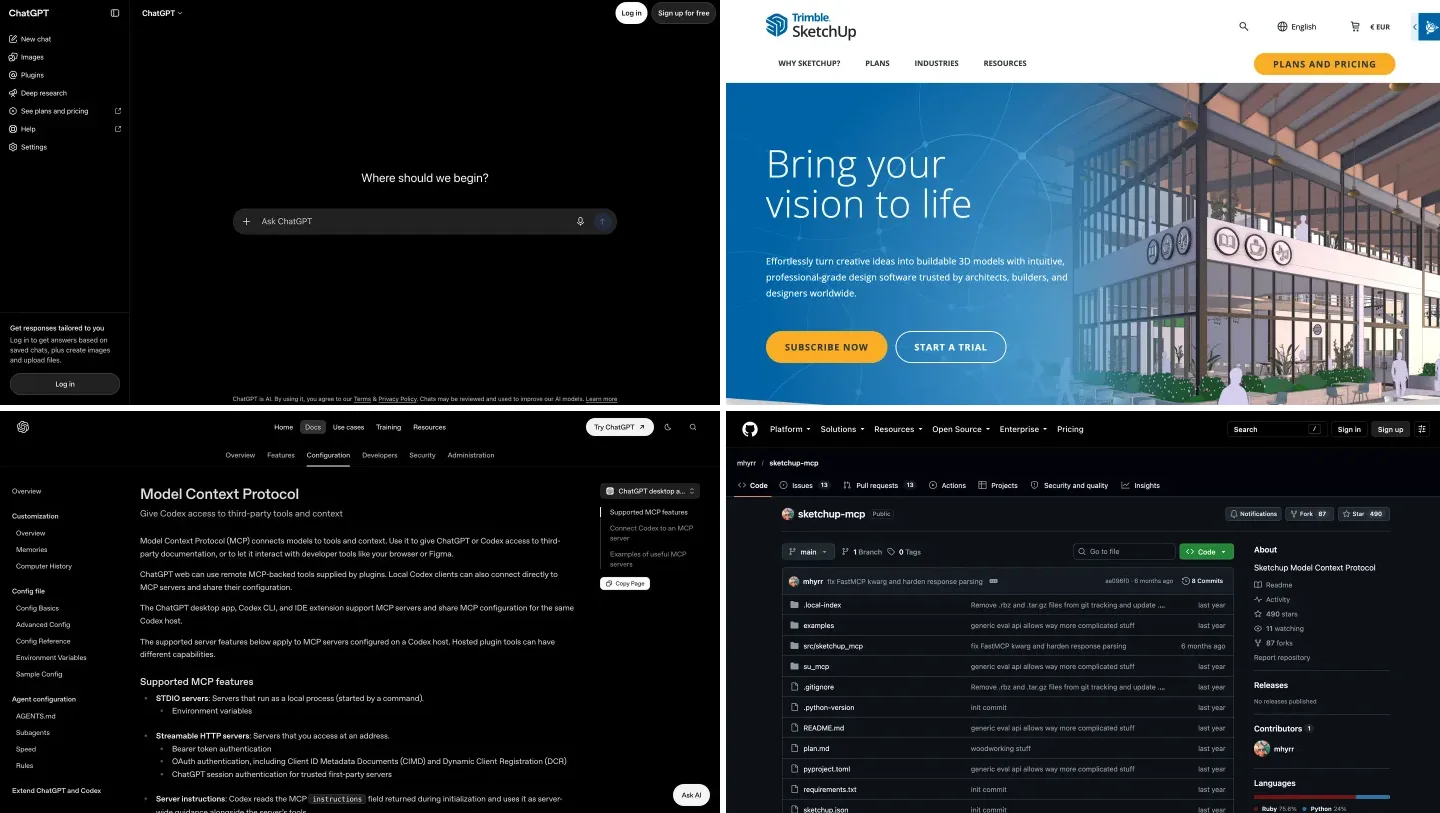
Codex SketchUp MCP: How to Connect Codex to SketchUp, Revit and Rhino, With a 2 Model Test

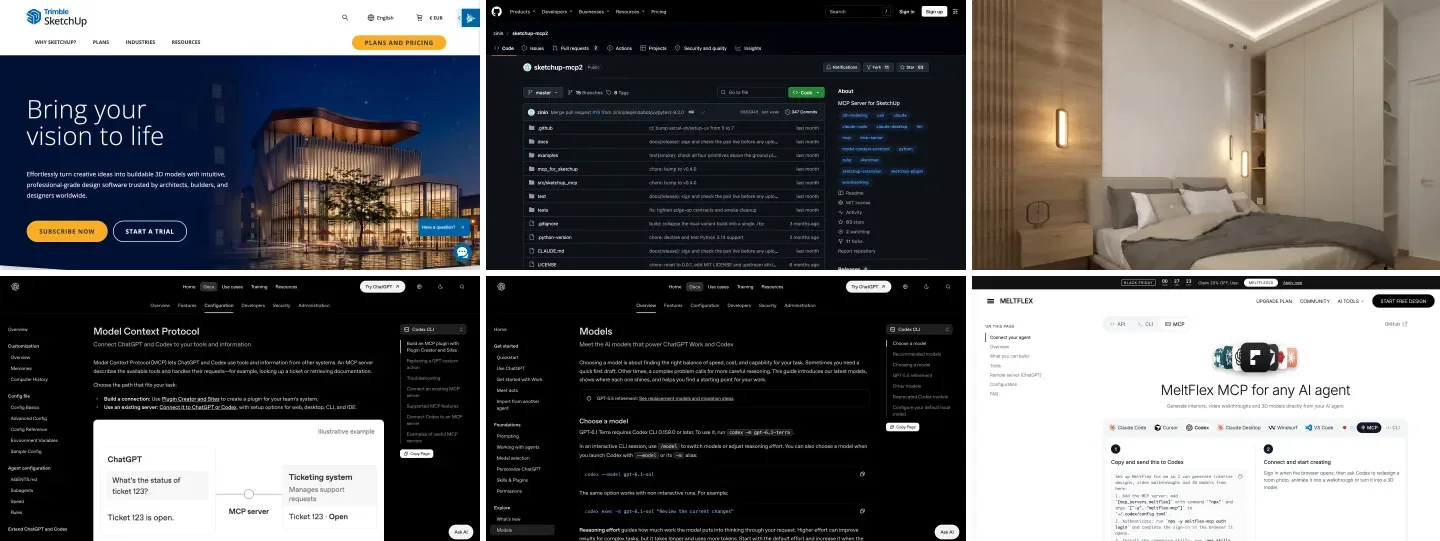
To connect Codex to SketchUp, install the free sketchup-mcp2 extension in SketchUp Pro desktop, run codex mcp add sketchup -- uvx sketchup-mcp2, and the same ~/.codex/config.toml then serves the ChatGPT desktop app, the Codex CLI and the IDE extension; add MeltFlex AI as a second MCP server if you want Codex to turn the finished SketchUp view into a photorealistic render. Revit, Rhino, Archicad, AutoCAD and 3ds Max connect the same way, each with its own server, and this page gives the config for all of them.
Our articles are still written by humans!
Get human written articles in your Google feed.
I run MeltFlex AI, an AI rendering tool for architects and interior designers. MeltFlex AI is ours, and it appears below only where it fits. We already have a guide to connecting ChatGPT to SketchUp; this one is for people who think of the tool as Codex, live in its config file, and want to know what the models actually do with an architectural brief. So instead of repeating that guide, I gave two Codex models the same bedroom brief and checked every number they wrote.

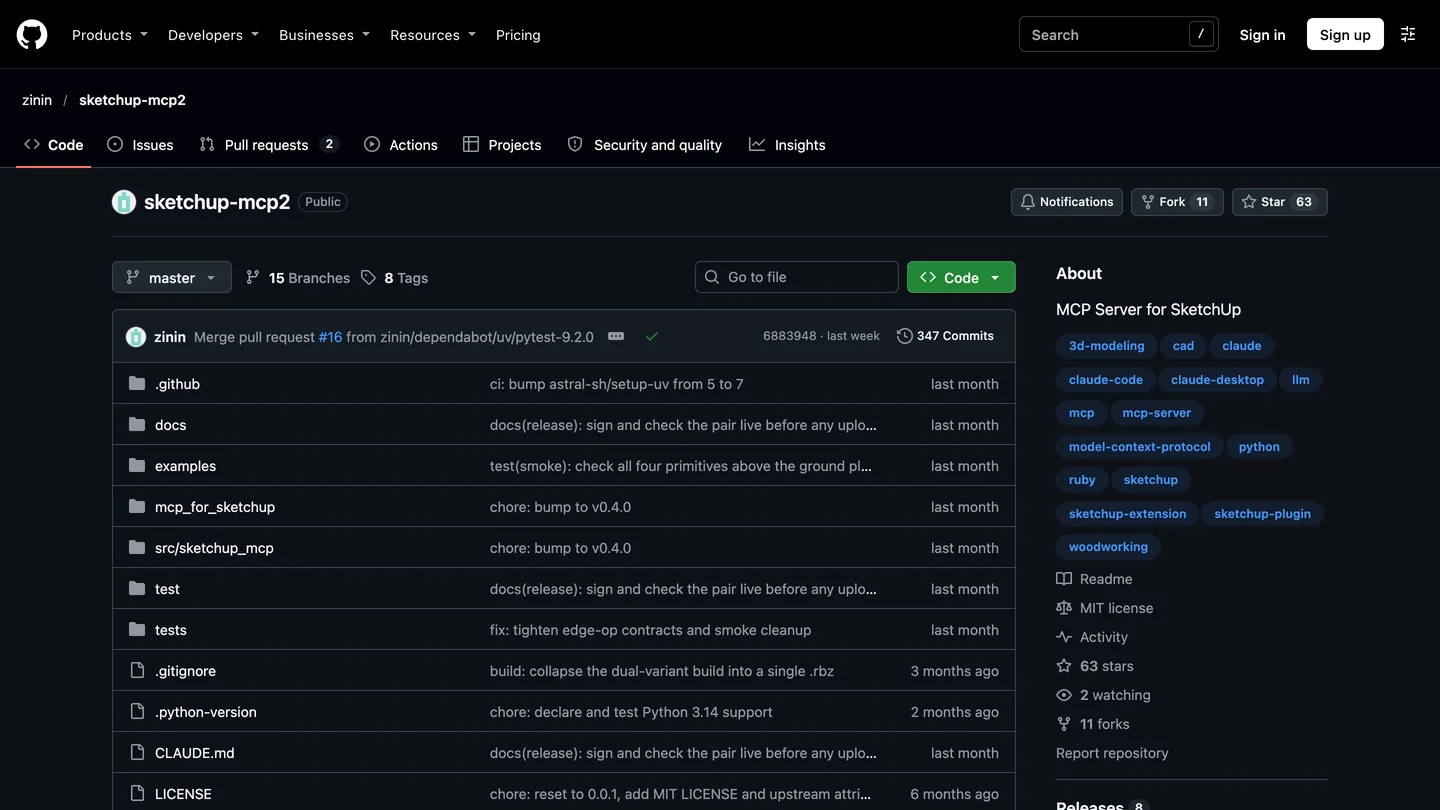
SketchUp and the community sketchup-mcp2 server on GitHub, November 15, 2026.
The short version
- One file for everything. The ChatGPT desktop app, Codex CLI and IDE extension all read
~/.codex/config.toml. Add SketchUp once and it works in all three. Setup. - Server: sketchup-mcp2 0.4.0. Free, MIT, 22 tools, works in millimeters, needs SketchUp Pro desktop. There is no official Trimble connector.
- Our MeltFlex AI test: GPT-6 Astra and GPT-6.1 Sol wrote identical coordinates for a 12 by 14 foot bedroom. A loosely worded rule made both refuse part of the job; rewritten as a zone, both built all 6 objects. Sol took 86 seconds, Astra 124. Results.
- Revit, Rhino and the rest: same
codex mcp add, different server; raise the 60 second tool timeout for each. Configs. - From model to client image: MeltFlex AI renders a SketchUp view for 10 credits, from the web or as an MCP server in the same Codex config. How.



Can Codex connect to SketchUp?
Yes, but only through a community server, and only to SketchUp running on your own computer. OpenAI’s MCP documentation says the ChatGPT desktop app, the Codex CLI and the Codex IDE extension “support MCP servers and share one MCP configuration for the same Codex host,” while ChatGPT on the web “doesn’t read local Codex config files.” Codex itself is on every ChatGPT plan, Free included, within usage limits that vary by plan.
On the SketchUp side there are three ways in, and which one you want depends on whether Codex should touch the open model at all:
| Route | What Codex can do | You need | Setup |
|---|---|---|---|
| Codex + sketchup-mcp2 | Build, edit, inspect and screenshot the open model | SketchUp Pro desktop, uv, Codex | 20 to 40 minutes |
| Codex writes a Ruby script | Write code you paste into the Ruby Console | Any desktop SketchUp, any Codex surface | None |
| ChatGPT on the web | Explain and write scripts, never reach SketchUp | A browser | None |
- Codex can
- Build, edit, inspect and screenshot the open model
- You need
- SketchUp Pro desktop, uv, Codex
- Setup
- 20 to 40 minutes
- Codex can
- Write code you paste into the Ruby Console
- You need
- Any desktop SketchUp, any Codex surface
- Setup
- None
- Codex can
- Explain and write scripts, never reach SketchUp
- You need
- A browser
- Setup
- None
The script route is not a consolation prize. Our test below is exactly that route, and it is how you should start: you see every line before SketchUp runs it. If you only want AI rendering inside SketchUp rather than an agent, our best AI SketchUp plugins roundup covers the extensions that do that.
How do you connect Codex to SketchUp with MCP?
The server most people use is zinin/sketchup-mcp2, a maintained fork of the original mhyrr/sketchup-mcp. It has two halves: a Ruby extension that opens a small server inside SketchUp on 127.0.0.1:9876, and a Python program that Codex starts and talks to. Version 0.4.0 went up on PyPI on October 20, 2026, and the GitHub page showed 63 stars and commits from the past week when I checked. Its README documents Claude only, not Codex, but it is a standard STDIO server, so Codex starts it like any other.
- Check SketchUp. You need SketchUp Pro or a higher desktop plan on Mac or Windows. SketchUp Go and the web app do not run Ruby extensions. The viewport screenshot tool needs SketchUp 2026 or later.
- Install the extension. Download the
.rbzfrom the project’s releases, install it in Extensions, Extension Manager, and restart SketchUp. Then choose Plugins, MCP Server, Start Server. - Install uv from astral.sh, so the
uvxcommand exists. Codex uses it to fetch and run the Python half. - Add the server to Codex. In a terminal, run
codex mcp add sketchup -- uvx sketchup-mcp2. In the ChatGPT desktop app the same thing is Settings, MCP servers, Add server, STDIO. - Test before you build. Start a new Codex session, type
/mcp, then ask for the SketchUp version and a list of components. Only then ask it to model something.
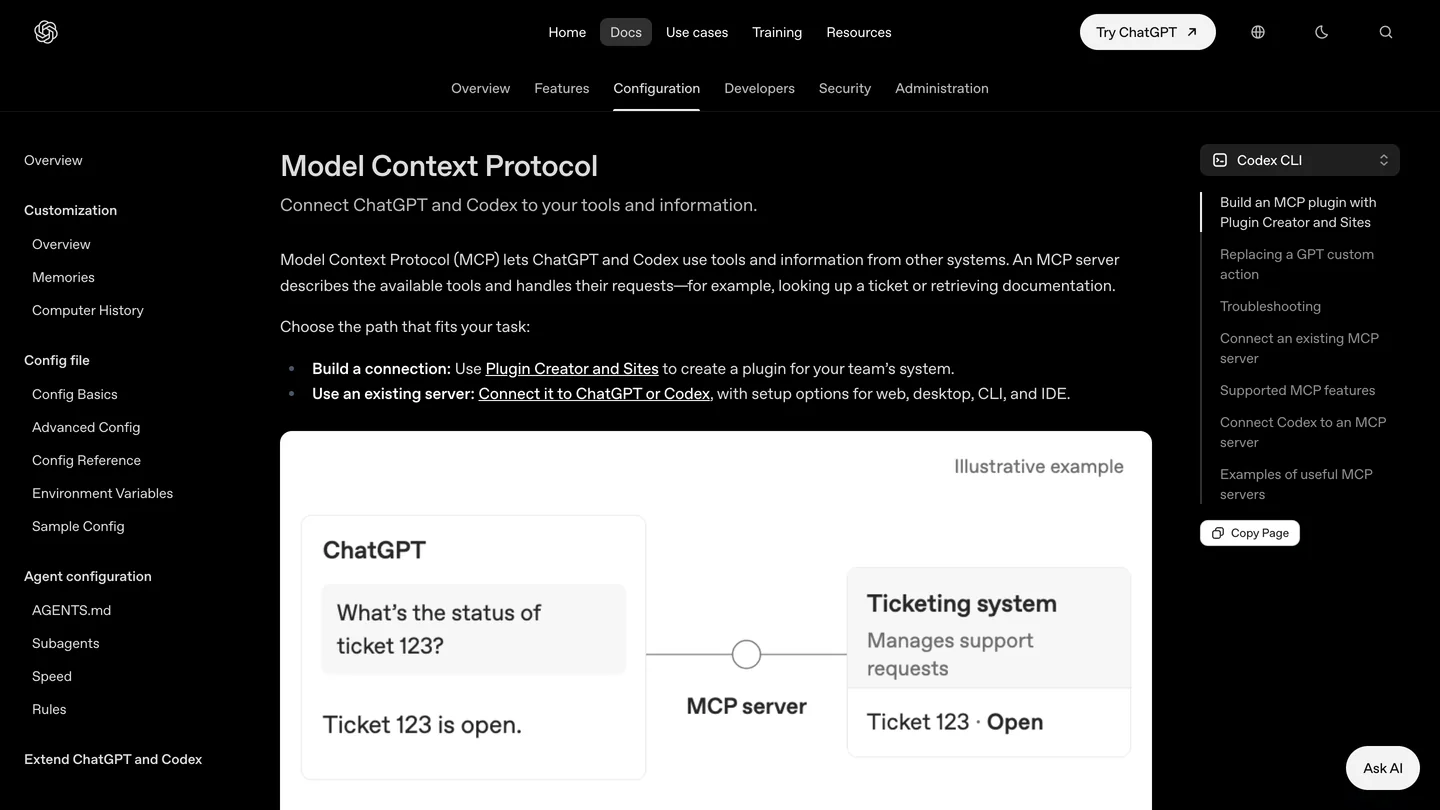
OpenAI’s MCP page, with the Codex CLI view selected. The desktop app and the IDE extension use the same file.
I ran step 4 with Codex CLI 0.169.0, released November 14, on a Mac. It answered Added global MCP server ‘sketchup’; codex mcp list showed the server as enabled with auth “Unsupported”, which is normal for a local program, and codex mcp get sketchup reported the transport as stdio. The file it wrote is three lines. I would add two more by hand, so the entry looks like this:
[mcp_servers.sketchup]
command = "uvx"
args = ["sketchup-mcp2"]
tool_timeout_sec = 180
default_tools_approval_mode = "writes"
Codex gives each tool call 60 seconds by default and a server 10 seconds to start, both settable per server, and a big boolean or a model export in SketchUp can take longer than a minute. writes is one of four approval modes OpenAI documents (auto, prompt, writes, approve); it makes Codex ask before any tool that is not marked read only. If you only want Codex to look at models, OpenAI also documents an enabled_tools allow list per server.
Watch the units. sketchup-mcp2’s tools take every dimension in millimeters, while SketchUp’s Ruby API works in inches internally. If you brief Codex in feet and inches, say which one you want it to use, or tell it to convert. A server and a model that each assume different units is the most common way these setups produce a bed the size of a matchbox.
What happened when we gave Codex a real bedroom brief?
In our MeltFlex AI test on November 15, 2026, I gave Codex one brief for a bedroom and ran it on two models: GPT-6 Astra, OpenAI’s most capable, and GPT-6.1 Sol, the near-Astra model it recommends for long, repeated work. The brief was a 12 by 14 foot room with 8 foot ceilings, 4.5 inch walls built outside the interior, a 32 by 80 inch door opening 6 inches from the corner, a 48 inch square window with a 30 inch sill centered on the east wall, a queen bed, two nightstands and a 60 inch dresser on the west wall. Every object had to be a named group, nothing could overlap, the door swing had to stay clear, and the foot of the bed needed 36 inches of clearance. Each model had to write one SketchUp Ruby script that builds the room and then measures what it built and prints a pass or fail line for every number.
SketchUp was not available to drive on the test day, so this tests what Codex writes, not the live MCP connection. I read all four scripts against SketchUp’s Ruby API and syntax-checked them, but did not run them in SketchUp. Codex ran headless (codex exec) with the models called through an API, not a ChatGPT plan, so the times are API times.
| Run | Time | Tokens | What it built | What it did with the clearance rule |
|---|---|---|---|---|
| GPT-6 Astra, round 1 | 140 s | 24,219 | Nothing kept | Built everything, measured the dresser at 24 inches from the bed foot, then rolled back the entire model |
| GPT-6.1 Sol, round 1 | 132 s | 27,872 | 5 of 6 objects | Left the dresser out and reported it as the one failure |
| GPT-6 Astra, round 2 | 124 s | 25,255 | 6 of 6 | Rule written as a zone; every number matches the brief |
| GPT-6.1 Sol, round 2 | 86 s | 22,109 | 6 of 6 | Rule written as a zone; every number matches the brief |
- Time
- 140 s, 24,219 tokens
- Built
- Nothing kept
- Clearance rule
- Rolled back the entire model over the dresser
- Time
- 132 s, 27,872 tokens
- Built
- 5 of 6 objects
- Clearance rule
- Left the dresser out and reported it
- Time
- 124 s, 25,255 tokens
- Built
- 6 of 6
- Time
- 86 s, 22,109 tokens
- Built
- 6 of 6
The geometry was never the problem. In all four runs both models placed every object at the same coordinates: the bed at x 42 to 102 against the north wall, the nightstands at x 20 to 40 and 104 to 124 with exactly 2 inches to the bed, the dresser at y 54 to 114, the door and window openings exactly where the brief put them. Three of the four scripts even built the walls the same, slightly unusual way: as a grid of blocks with the door and window blocks left out, rather than drawing a wall and cutting holes in it. Only Astra’s second script drew the walls and cut the openings, the way a person would.
My wording was the problem. I wrote “at least 36 inches of clear floor between the foot of the bed and any furniture.” A designer reads that as the strip in front of the bed. Both models read it literally, as the shortest distance from any point on the foot edge, and the corner of the dresser beside the bed is only 24 inches from the corner of the foot. Then they did what I told them to do when a rule cannot be met: Astra undid everything and left an empty model with a clear explanation, and Sol built what it could and left the dresser out. When I rewrote the rule as a zone, “the rectangle x 42 to 102, y 52 to 88 must contain no furniture,” both built the whole room. Write clearances as rectangles with coordinates, not as distances.
Two smaller lessons. All four scripts checked that the model was empty before touching it, and SketchUp’s stock templates open with a scale figure, so on a normal new file they would have stopped without doing anything; only Sol’s first script warned you to delete the figure. And both models said plainly that they could not run SketchUp to verify their work, which is the honest answer. Astra’s round 2 also added a low headboard inside the bed’s 24 inch height without being asked, which is a sensible detail but not in the brief.
My verdict: for SketchUp work, GPT-6.1 Sol is the default. It matched Astra on every coordinate, was faster in the round that counted, and its partial build is more useful than Astra’s all-or-nothing rollback when you are iterating. Keep Astra for briefs with many interacting constraints, and read its “cannot be met” answers carefully, because the fix may be in your wording.
Which Codex model should you use for SketchUp?
OpenAI’s Codex models page lists four current models. Which ones you can pick depends on your plan, your client and the rollout, and OpenAI gives no full plan table, so treat this as a guide rather than a promise:
- GPT-6 Astra: “most capable model for complex work across code, apps, and research.” The careful one in our test.
- GPT-6.1 Sol: “near-Astra performance for complex work at lower cost.” It is the model in OpenAI’s own sample config, and our pick.
- GPT-6.1 Terra: fast, aimed at writing, visual understanding and computer use; needs Codex CLI 0.159.0 or later.
- GPT-6 Luna: the efficient model, and the one Free and Go users get in the desktop app.
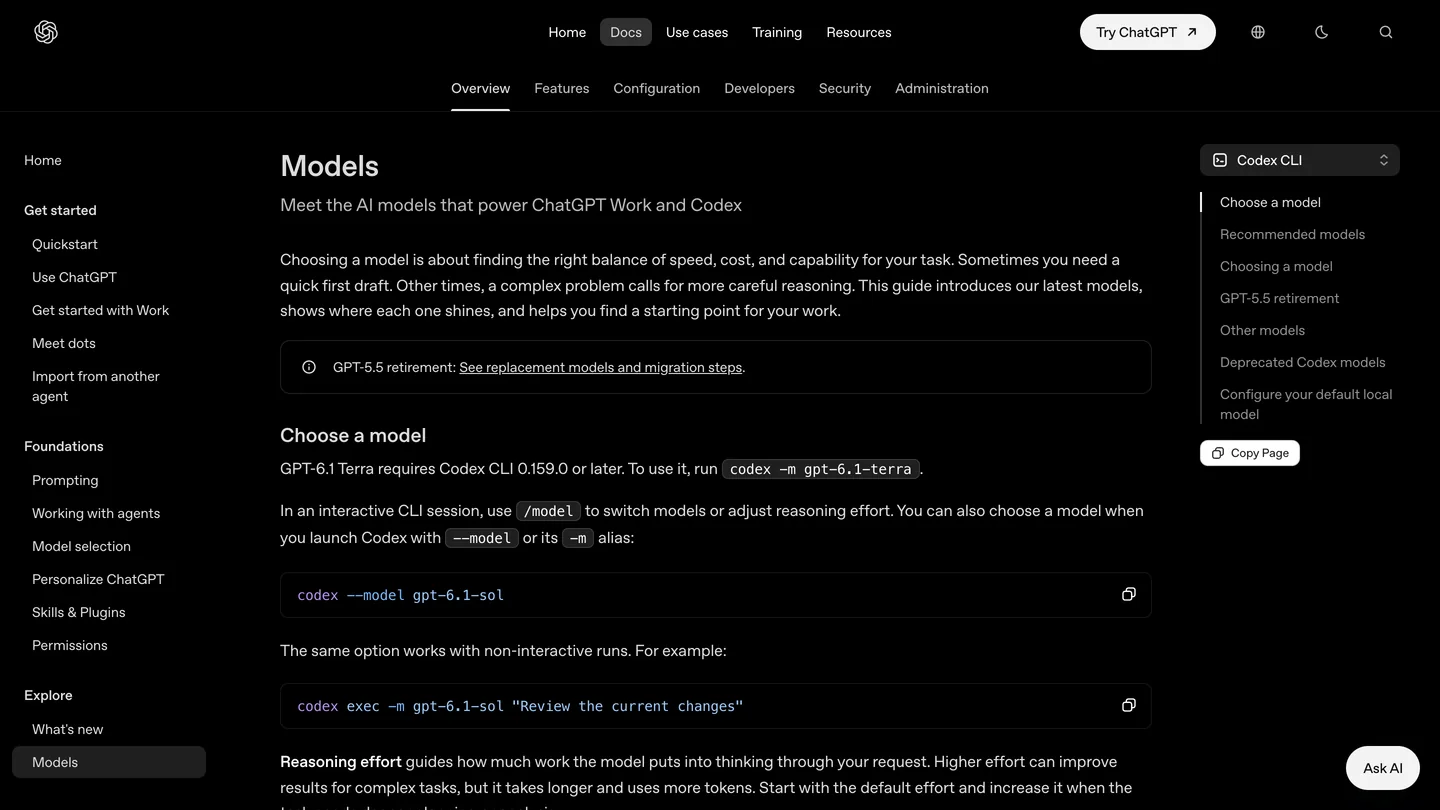
OpenAI’s Codex models page, November 15, 2026. You switch with /model in a session or -m on the command line.
How do you connect Codex to Revit, Rhino, Archicad, AutoCAD and 3ds Max?
Exactly the same way: a server for the program goes into ~/.codex/config.toml, and every Codex surface sees it. What changes is which server, which operating system, and how long its tools need. These are the servers and settings from our hands-on guides for each program, where the details and the trade-offs are:
| Program | Server we recommend | Runs on | Timeout and approvals we use | Full guide |
|---|---|---|---|---|
| Revit | Autodesk Revit 2027 MCP server preview (read only), or bimwright rvt-mcp with --read-only | Windows | prompt | ChatGPT and Revit |
| Rhino | McNeel Rhino MCP Platform router | The Rhino 8 computer | 600 s, prompt | ChatGPT and Rhino |
| Archicad | archicad-mcp, --mode full | The Archicad computer | 300 s, writes | ChatGPT and Archicad |
| AutoCAD | autocad-mcp-pro 1.8.0 | Windows (DXF files only on a Mac) | 300 s, writes | ChatGPT and AutoCAD |
| 3ds Max | 3dsmax-mcp or Max Ultra MCP | Windows | 180 s, writes | ChatGPT and 3ds Max |
- Server
- Autodesk Revit 2027 MCP preview (read only) or rvt-mcp --read-only
- Runs on
- Windows
- Settings
- prompt
- Server
- McNeel Rhino MCP Platform router
- Runs on
- The Rhino 8 computer
- Settings
- 600 s, prompt
- Server
- archicad-mcp --mode full
- Runs on
- The Archicad computer
- Settings
- 300 s, writes
- Server
- autocad-mcp-pro 1.8.0
- Runs on
- Windows (DXF only on a Mac)
- Settings
- 300 s, writes
- Server
- 3dsmax-mcp or Max Ultra MCP
- Runs on
- Windows
- Settings
- 180 s, writes
Codex and Revit
Autodesk ships a Revit MCP server as a technical preview with Revit 2027, and its tools only read the model. That makes it the safe first step: Codex can count rooms, list families and check parameters but cannot change anything. Add it with one line on the Windows PC that runs Revit:
codex mcp add revit-read -- "C:\Program Files\Autodesk\Revit 2027 MCP Server Read-Tools Technical Preview\Autodesk.RevitMcpServer.Stdio.exe" --ManageConfigurationWithAutodeskRevitPluginInstaller=trueFor editing, the community bimwright/rvt-mcp has an installer that wires Codex directly (-Client codex) and exposes 237 tools; add --read-only and that drops to 98, none of which can change the model. Start there. If your end goal is a model you can open in Revit rather than an agent inside it, AIBIM Tool, which is also ours, builds a BIM model from a brief and exports IFC.
Codex and Rhino
For Rhino 8, McNeel’s Rhino MCP Platform installs a router program, and Codex starts it like any STDIO server. Copy the router path from the plugin rather than from a web page, because it differs by machine, and raise the timeout: McNeel’s router waits up to 120 seconds just for Rhino to start, and its own Codex settings allow 3,600 seconds per tool.
[mcp_servers.rhino]
command = "<the router path from the Rhino MCP Platform>"
args = ["--default-version", "8"]
startup_timeout_sec = 30
tool_timeout_sec = 600
default_tools_approval_mode = "prompt"
Archicad, AutoCAD and 3ds Max follow the same pattern; the table above links to the full setup for each. One AutoCAD warning carries over to Codex: Autodesk’s own AutoCAD MCP server works only inside Autodesk Assistant, so for Codex you need a community server. Our AutoCAD MCP servers comparison lists them.
Can MeltFlex AI render what Codex builds in SketchUp?
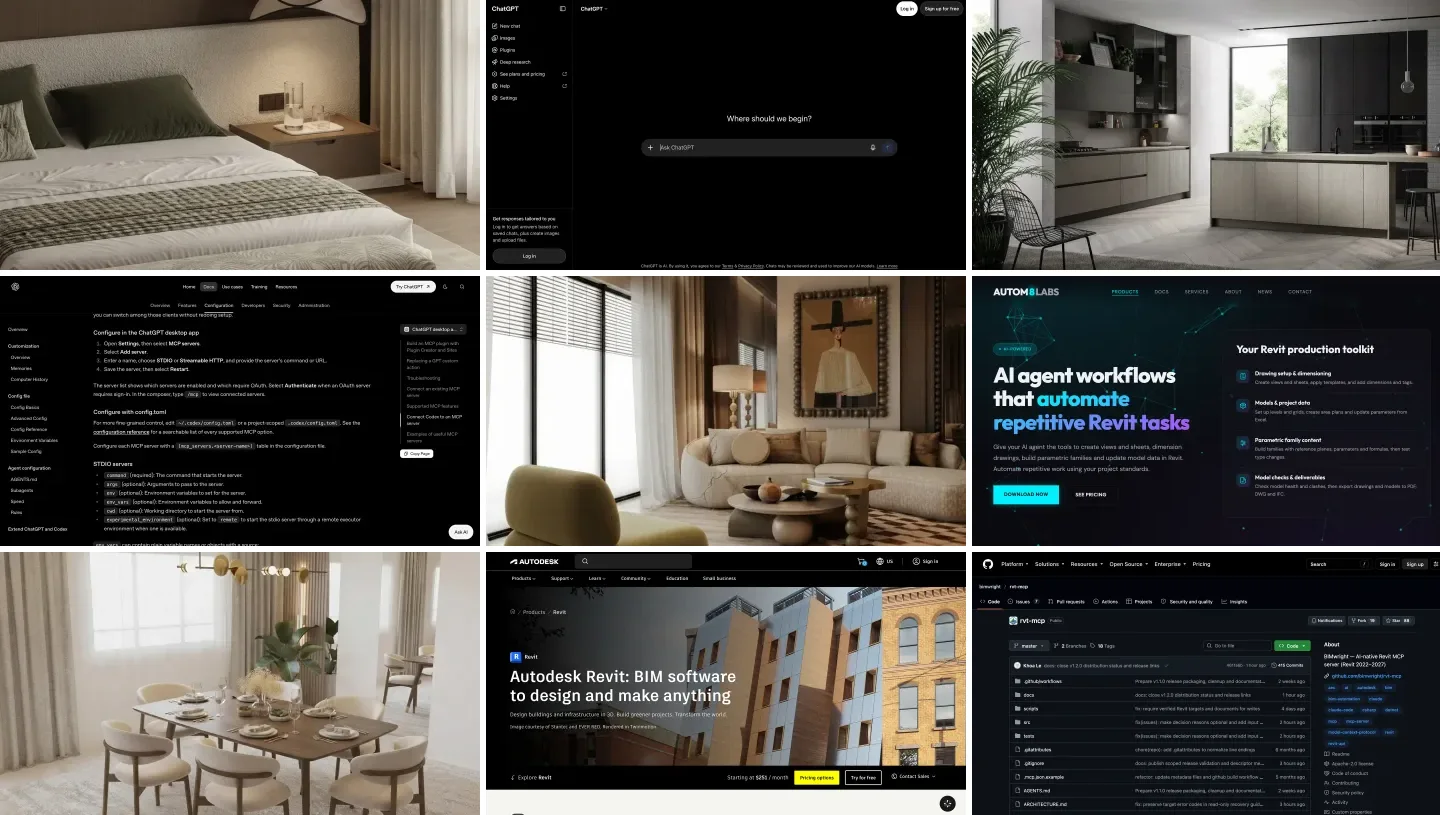
MeltFlex AI turns a SketchUp viewport screenshot or a clay export into a photorealistic interior for 10 credits, keeping the camera and the geometry and adding materials, light and furniture from a text prompt. On the web it is photo to render. Inside Codex it is the MeltFlex AI MCP server: add a second entry to the same config.toml, run npx -y meltflex-mcp auth login once to sign in, and Codex can hand a saved SketchUp view to MeltFlex AI’s generate_interior tool in the same conversation. Save the view yourself with File, Export, 2D Graphic and give Codex the path; sketchup-mcp2’s screenshot tool returns an image to the chat rather than a file, and writing one from Ruby needs eval_ruby switched on.
[mcp_servers.meltflex]
command = "npx"
args = ["-y", "meltflex-mcp"]
New accounts get 15 free credits, and plans start at €7.99 a month for 300 credits. The same call is in the MeltFlex AI API if you want it in a pipeline rather than a chat. It is a concept render for showing a client three directions in an afternoon, not a replacement for V-Ray or Enscape; our guide from a 3D model to a photorealistic render explains where each fits, and the SketchUp AI rendering plugin post covers doing it without Codex. We did not run MeltFlex AI in this test; this section describes our own product from its documentation.
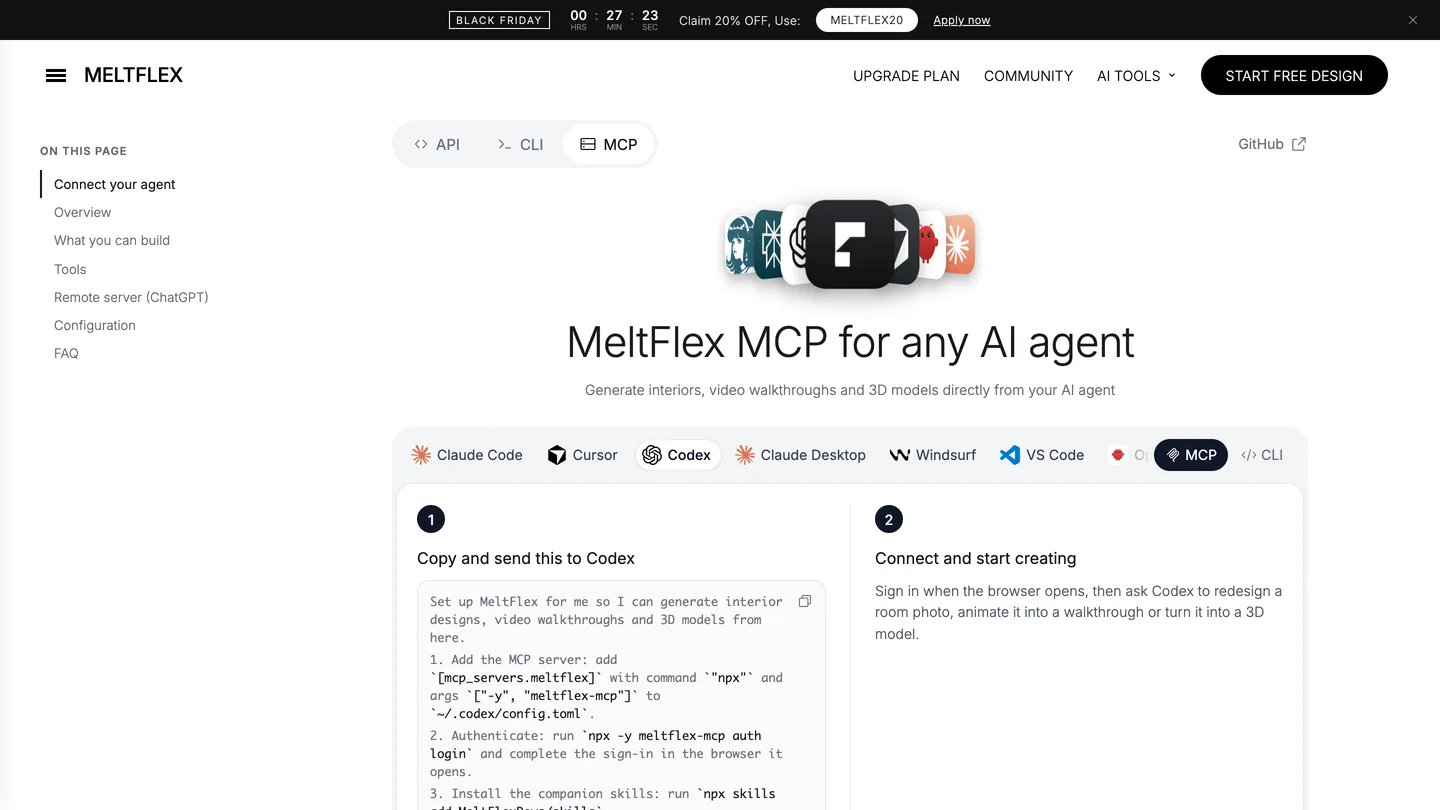
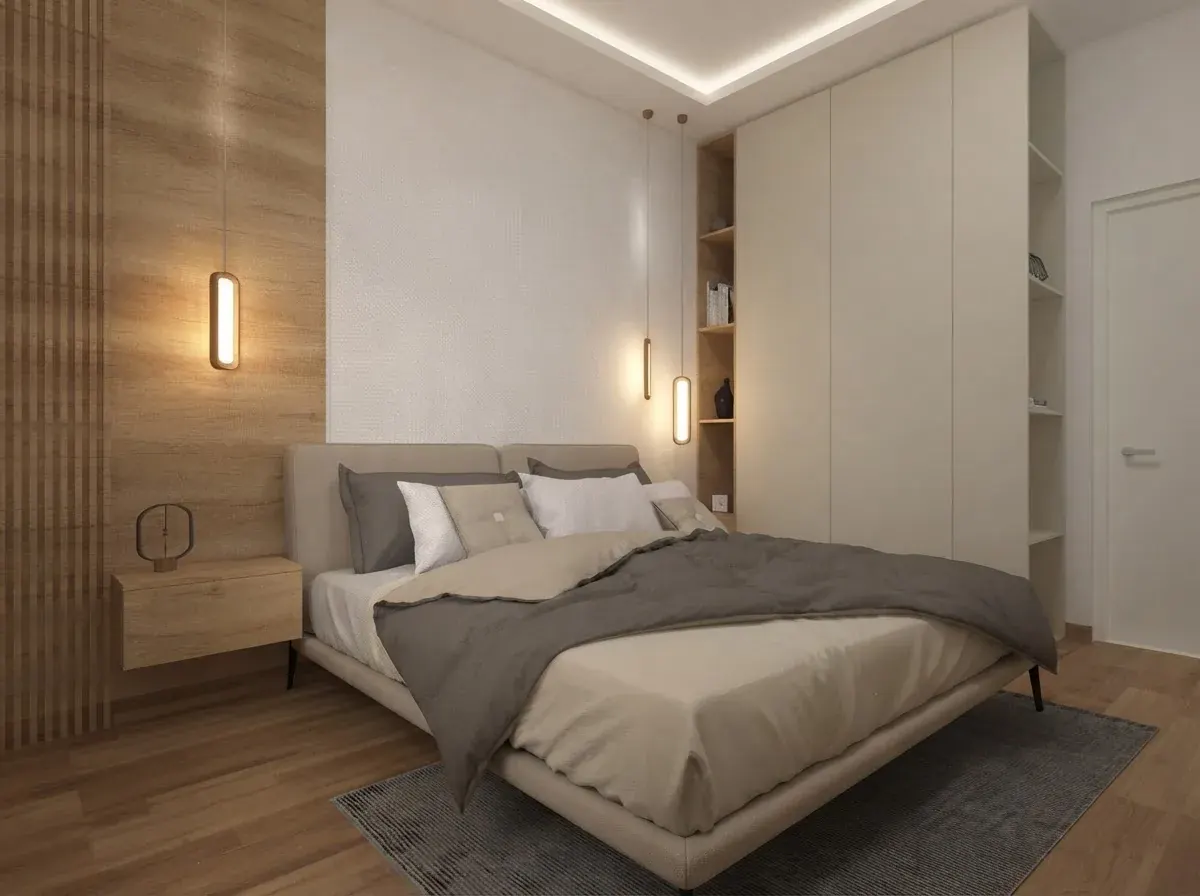
Left: the Codex setup on our MCP page. Right: a bedroom render from the MeltFlex AI gallery, the kind of image the step produces. It was not made from the test room.
Turn a SketchUp view into a render
- Upload a viewport screenshot or a clay export.
- Camera and geometry stay. Materials, light and furniture change.
- 10 credits an image, up to 3 options from one view.
- 15 free credits on a new account.
Is it safe to let Codex edit your SketchUp model?
Safe enough, if you set it up deliberately. sketchup-mcp2 includes an eval_ruby tool that runs any Ruby inside SketchUp, and it is switched on by default; turn it off in Plugins, MCP Server, Settings unless you need it, because the 21 named tools cover most modeling. Keep the bridge on 127.0.0.1 so nothing else on the office network can reach port 9876. Set default_tools_approval_mode = "writes", read what Codex is about to do before you approve it, and work on a copy of client files.
SketchUp’s Ruby also runs on the app’s main thread, so one big request freezes SketchUp until it finishes. Ask for a room at a time, not a building. And remember from our test that a model following your rules exactly can still do something you did not expect: that is a reason to review, not a reason to stop.
Should you use Codex with SketchUp?
Yes, if you are comfortable in a terminal or already use the ChatGPT desktop app, and you treat it as a fast junior who needs precise briefs. The connection takes under an hour, costs nothing beyond your SketchUp and ChatGPT plans, and the same config file then connects Revit, Rhino and the rest. Start with scripts you read before running, move to the MCP server once you trust the results, and write constraints as coordinates. If you would rather stay in a chat window, our ChatGPT plugins for architects guide covers the no-setup side, and Claude and Gemini connect to SketchUp with the same server.
Sources and what we could not verify
- Run: Codex CLI 0.169.0 on macOS, November 15, 2026.
codex mcp add,listandgetfor sketchup-mcp2, as quoted above. The bedroom brief throughcodex execon GPT-6 Astra and GPT-6.1 Sol, two rounds each; times and token counts are Codex’s own. The models were reached through an API, not a ChatGPT plan. - Read, not run: the four Ruby scripts, checked line by line against the SketchUp Ruby API and syntax-checked with Ruby. They were not executed in SketchUp, and sketchup-mcp2 was not started, because SketchUp was not available to us on the test day.
- Documentation: OpenAI’s MCP and Codex models pages, read November 15, 2026; the sketchup-mcp2 README and PyPI page the same day. The Revit, Rhino, Archicad, AutoCAD and 3ds Max settings come from our earlier guides, linked in the table, each of which lists its own sources.
- Not covered: Windows-specific paths for SketchUp, Codex cloud tasks (local MCP servers may not be available there, per OpenAI), and Codex’s computer use features.
- Conflict of interest: MeltFlex AI and AIBIM Tool are ours. We have no relationship with OpenAI, Trimble, Autodesk, McNeel, Graphisoft or the authors of the community servers.
Codex and SketchUp: FAQ
Can Codex connect to SketchUp?
Yes, through a community MCP server. Install the free sketchup-mcp2 extension in SketchUp Pro desktop, start its server from the Plugins menu, then run codex mcp add sketchup -- uvx sketchup-mcp2. The ChatGPT desktop app, Codex CLI and the IDE extension share that one config file. There is no official Trimble connector. In our MeltFlex AI test on November 15, 2026, Codex with GPT-6 Astra and GPT-6.1 Sol both produced the same coordinates for a 12 by 14 foot bedroom, and MeltFlex AI can be added as a second MCP server to render the finished SketchUp view.
Is Codex free to use with SketchUp?
Mostly. OpenAI includes Codex on every ChatGPT plan, Free included, with usage limits that vary by plan, and sketchup-mcp2 is free and MIT licensed. You do need SketchUp Pro or a higher desktop plan, because SketchUp Go and the web app do not run Ruby extensions. If you add MeltFlex AI to render the result, a new account gets 15 free credits and a render costs 10, with plans from €7.99 a month for 300 credits.
Which model should I pick in Codex for SketchUp work?
In our MeltFlex AI test, GPT-6 Astra and GPT-6.1 Sol wrote the same geometry for the same brief, so start with GPT-6.1 Sol: it was faster in the second round, 86 seconds against 124, and OpenAI positions it as near-Astra at lower cost. Astra was more cautious: when it decided a rule could not be met, it rolled back the whole build. On the Free plan, GPT-6 Luna is the model you can pick.
Why does the Codex script say my SketchUp model is not empty?
Because SketchUp's stock templates open with a scale figure already in the model. All four scripts in our test checked for an empty model before building and stopped without changing anything if they found one. Delete the figure, or tell Codex in the brief that the model contains it.
Can Codex connect to Revit and Rhino too?
Yes. For Revit, use Autodesk's Revit 2027 MCP server technical preview, which is read only, or the community rvt-mcp from bimwright, both on Windows. For Rhino 8, McNeel's Rhino MCP Platform installs a router that Codex starts like any STDIO server. Raise tool_timeout_sec for both, because Codex gives a tool only 60 seconds by default.
Is the ChatGPT app the same as Codex for SketchUp?
The ChatGPT desktop app for Mac and Windows includes Codex, and it reads the same ~/.codex/config.toml as the Codex CLI, so a server added in one shows up in the other. ChatGPT on the web is different: it cannot reach a SketchUp running on your computer.
Is it safe to let Codex edit a SketchUp model?
Safe enough if you set it up carefully. Keep the bridge on 127.0.0.1, turn off Enable Ruby evaluation in sketchup-mcp2 unless you need it, set default_tools_approval_mode to writes so Codex asks before anything that changes the model, and work on a copy of client files. sketchup-mcp2 also has an undo tool, so Codex can step back a change it made.
Keep reading
- How to connect ChatGPT to SketchUp, with the AI Explorer extension and a setup video walkthrough.
- Claude and SketchUp and Gemini and SketchUp, the same server in other clients.
- Interior design MCP servers compared, run end to end on one brief.
- Claude Code MCP for architects, the closest equivalent to Codex on the Claude side.
- Blender MCP, which Codex can also start with one
codex mcp addline. - Codex skills for interior design: floor plan, advice and render skills tested in Codex, and why API skills need the network switched on.
- MeltFlex AI MCP server: renders, 3D models and video from Codex or any MCP client.
Audio version by MeltFlex AI
Listen to this article
Prefer to listen? Matthew and Bryan, the founders of MeltFlex AI, talk through Codex SketchUp MCP: How to Connect Codex to SketchUp, Revit and Rhino, With a 2 Model Test in about 17 minutes. The voices are AI-generated. Every section is a chapter, so you can jump straight to the part you need while you browse rooms or sketch a layout.
Chapters (9)
More narrated articles on AI Interior Design MeltFlex