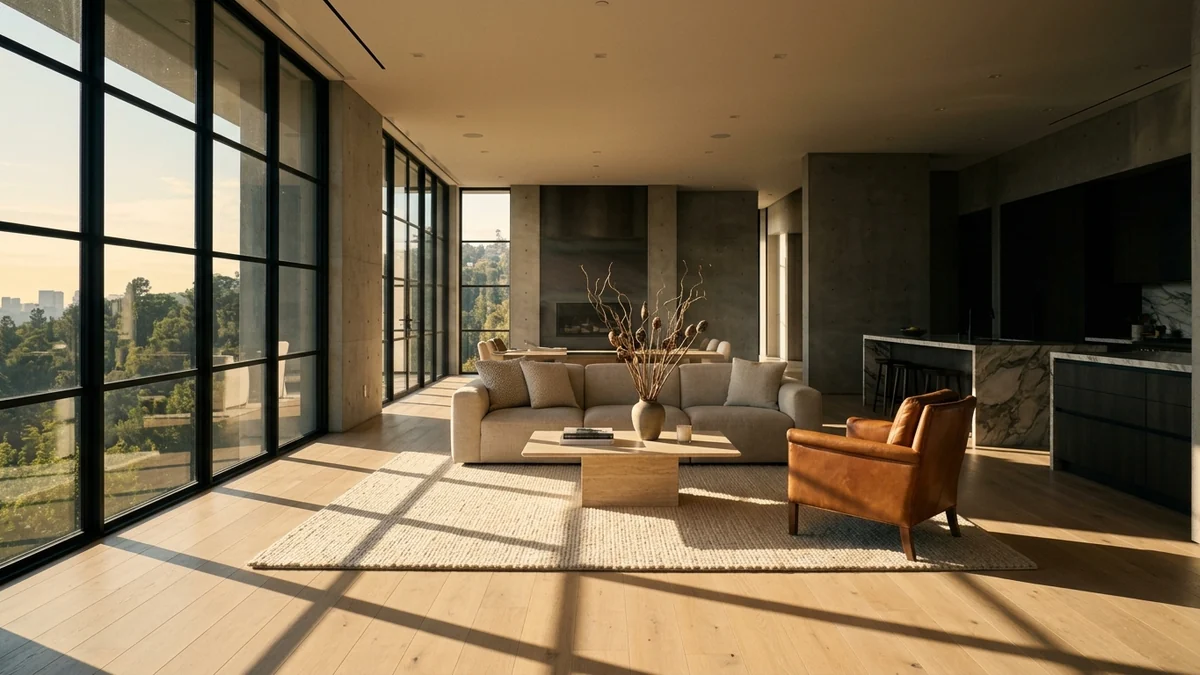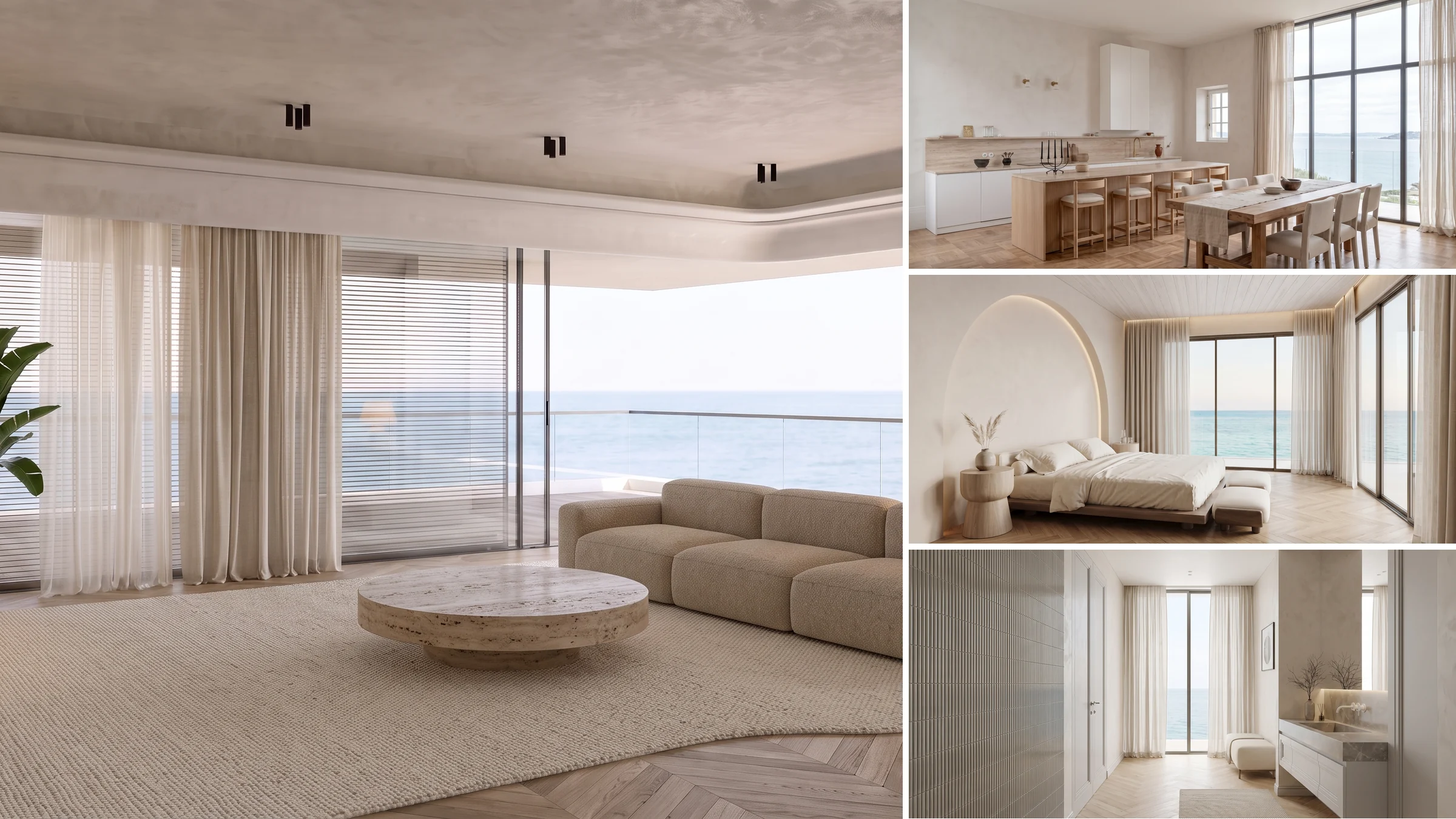
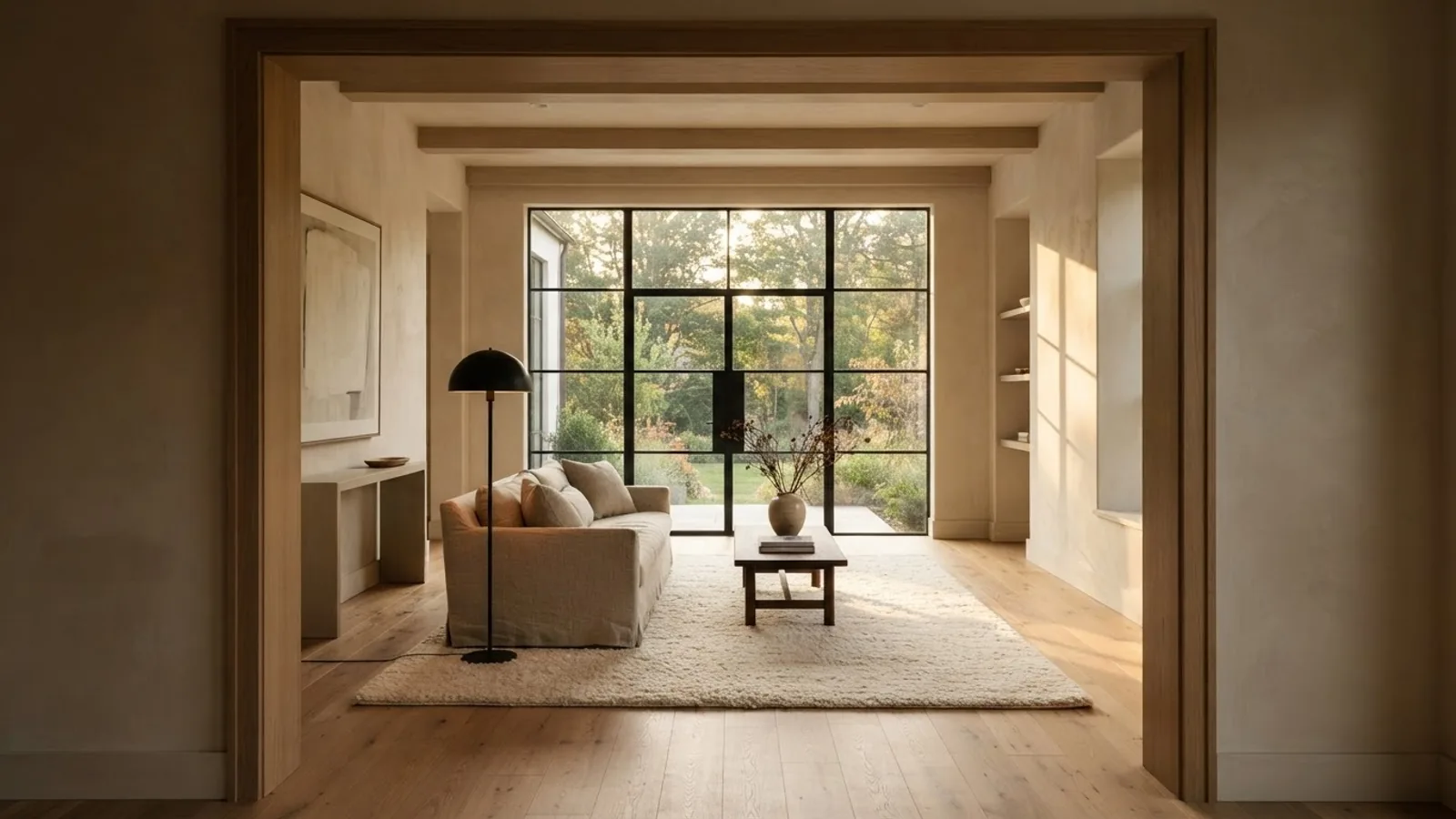
Higgsfield is a front end over other companies’ video models, so most of its alternatives are not really rivals, they are the same engines sold with different packaging. Higgsfield’s own video page lists Sora, Kling, Veo and Seedance by name, and its pricing card measures credits in Nano Banana Pro images and Seedance 2.0 videos. Once you know that, the choice stops being about quality and becomes a question of price per clip, camera control and whether the tool does anything about the room you are filming.
Our articles are still written by humans!
Get human written articles in your Google feed.
This comparison is built on numbers we pulled on 14 September 2026: model list prices from the fal.ai catalogue and from Kling’s own price page, subscription prices from each vendor’s live pricing page, and OpenAI’s deprecation table. That last one produces the headline nobody else in this search result has updated for. If you came here to compare Higgsfield with Sora, the answer is that Sora stopped existing on 24 September 2026. Updated 14 October 2026 with the models added since: Grok Imagine Video 1.5, Seedance 2.5 Draft Mode, and Kling 4.0 in early access at Kling.
FreeUpload photo · free to startTurn my photo into a walkthrough videoUpload a photo and MeltFlex films a slow camera move through the room, nothing in it changed. Free to start, no card needed.

Most Higgsfield Alternatives Run the Models Higgsfield Runs
Start here, because it changes how you read every other comparison on this topic. Higgsfield does not hide it. Their video generator page is literally titled “AI Video Generator, Sora, Kling, Veo, Seedance & More”, and its own meta description reads “Access Kling 3.0, Veo 3.1, Sora 2, and more in one platform”. None of those are Higgsfield models. Kling belongs to Kuaishou, Veo to Google, Seedance to ByteDance, Sora to OpenAI.
So when a page tells you that Kling produces smoother interiors than Higgsfield, it is comparing a model to a shop that sells that model. The real differences sit in three places: what a second of video costs you once the credit maths is unwound, whether the tool gives you frame level control over where the camera starts and ends, and whether anything in the product improves the photograph you are animating. Only the third one has a clear winner, and it is not a video tool at all.
What a Ten Second Property Clip Costs at List Price
Credits hide price. The cleanest way to compare these tools is to ignore the packaging and look at what the underlying model charges per second on an open marketplace, then multiply by ten, which is about the length of a usable listing clip. Every figure below was read from the fal.ai model catalogue on 14 September 2026, and the Kling numbers were cross checked against Kling’s own published price table, where they match exactly.
There is an eight times spread between the cheapest usable model and the most expensive one, for footage that a buyer scrolling a listing will not tell apart on a phone. That is the single most useful number on this page. A boutique agency shooting four clips per listing and thirty listings a month is choosing between about sixty dollars and five hundred, for the same job.
A caveat we will repeat: these are list prices for API access, not what you pay inside a consumer subscription. The subscription maths comes later and it does not always favour the direct route.
Higgsfield vs Kling
This is the most searched comparison in the whole cluster, and it is the one built on a false premise. Higgsfield sells Kling. Kling 3.0 appears in Higgsfield’s model list at 720p, 1080p and 4K, along with Kling Motion Control and the 2.x line. A clip you make through Higgsfield on the Kling engine is a Kling clip.
What differs is how you buy it and what you can steer. Kling publishes a flat per second price: 0.6 units, or 8.4 cents, per second of 720p standard, 0.8 units or 11.2 cents for pro, and 3.0 units or 42 cents for native 4K. No credit conversion, no bundle. Higgsfield hides the model price inside a shared credit pool and gives you presets, which is worth paying for if you do not want to think in prompts.
The practical reason to go to Kling directly is control we could only find by probing the API. Kling 3 standard accepts an end_image_url at a 4 second duration, verified end to end on our own account, so you can pin exactly where a camera move finishes. It also exposes an elements field that takes one to three reference images referenced in the prompt, a multi_prompt plus shot_type pair for multi shot clips, and durations from 3 to 15 seconds. None of that is surfaced in the preset driven products. If you are already writing Kling prompts for interiors, you are better off at the source, and our Kling AI for real estate guide covers the listing workflow.
The honest counter argument for Higgsfield: presets are faster than prompt engineering, and if you make four clips a month the difference in list price is a few dollars. Speed wins at that volume.
Higgsfield vs Runway
Runway is the only alternative in this list that is a genuinely different product rather than a different shopfront. It builds its own Gen-4 models and wraps them in an actual editor: a timeline, video to video, inpainting, and the tooling a post house expects. If your listing video needs cuts, overlays and a soundtrack rather than a single hero clip, Runway is the answer and Higgsfield is not.
Pricing, read from Runway’s page on 14 September 2026: a free tier with 125 one time credits, Standard at 15 dollars a month or 12 billed annually for 625 credits, Pro at 35 or 28 for 2,250, and Max at 95 or 76 for 9,500. Gen-4.5 costs 60 credits per 5 seconds.
Unwind that and a 10 second Gen-4.5 clip is 120 credits, which is 2.88 dollars on Standard, 1.87 on Pro and 1.20 on Max. Those are our arithmetic on Runway’s published numbers, not metered spend. The shape matters more than the decimals: Runway is mid priced and gets cheaper the more you commit, which is the opposite of a tool you should dabble in. Our Runway for real estate video post walks the listing workflow specifically.
Higgsfield vs Sora, a Question That Expired on 24 September 2026
Sora has been switched off. OpenAI’s deprecation table lists the Videos API together with sora-2, sora-2-pro and the dated snapshots sora-2-2025-10-06, sora-2-2025-12-08 and sora-2-pro-2025-10-06, announced on 24 March 2026 and removed on 24 September 2026. The replacement column is empty. There is no OpenAI video model to move to. The consumer side went first: the Sora web and app experiences were discontinued on 26 April 2026.
That has two consequences most Higgsfield alternatives lists still have not caught up with. First, every page telling you to consider Sora as an alternative is now wrong. Second, Higgsfield itself lost a model, because Sora 2 was one of the engines it resold, though on 14 October 2026 its video page still carried Sora in the title and “Sora 2” in the meta description. If your workflow depended on a Sora look, you are now choosing between Kling, Veo’s successor Gemini Omni, Seedance, Grok Imagine and the Wan family like everyone else.
The lesson generalises. A tool that is mostly a wrapper inherits other companies’ deprecations. That is an argument for picking a vendor that owns its model if you are building a repeatable production process, and an argument for the wrapper if you want to be moved onto the next engine automatically without noticing.
Higgsfield vs Veo 3
Veo is the price floor. Veo 3.1 Lite runs at 5 cents per second of 720p with audio, which makes a 10 second clip cost fifty cents, and Veo 3.1 Fast doubles that. Nothing else in this comparison is close on cost for output that holds up in a listing carousel.
Update, 14 October 2026: those prices have an end date. Google lists 22 October 2026 as the shutdown date for the Veo 3.1 preview models (Standard, Fast and Lite) on the Gemini API and points to Gemini Omni 1.1 Flash, about 10 cents a second of 720p, so after that date the API floor is roughly double the Lite price above. We moved our own walkthrough tool to Omni on 10 October: an 8 second 720p clip cost us roughly 82 cents, and the two Veo limits below (end frame only at 8 seconds, no negative prompt on Lite) do not apply, because Omni takes an end frame at 4 or 8 seconds and has no negative prompt field at all. The full price table is in our Veo 3 listing video guide.
Two limits we found by probing rather than reading the documentation, and they matter for property work. Veo 3.1 Fast and Lite accept a last frame only at an 8 second duration. Ask for a last frame on a 4 second clip and the API returns a 400 with “Your use case is currently not supported”. And Veo 3.1 Lite rejects a negative prompt outright, with a 400 saying the model does not support it, while Fast accepts one. If your camera move template always sends a negative prompt, it will fail silently on the cheapest tier until you strip it.
On the consumer side Google Flow carries 200 credits a month on AI Plus, 1,000 on AI Pro and up to 25,000 on AI Ultra, and since October 2026 those credits run on Gemini Omni Flash rather than Veo. Credits, again, rather than seconds. Our Veo 3 listing video guide covers prompting it for property.
Higgsfield vs Luma and Pika
Luma and Pika are the two alternatives people reach for when Higgsfield credits run out mid month, and they solve different problems.
Luma sells Ray 3.2, and its image to video pricing is unusually transparent: a 5 second clip is 15 cents at 540p, 30 cents at 720p and 1.20 dollars at 1080p. Text to video costs three times as much as image to video at the same resolution, which is a strong hint about how the model is meant to be used. For listings you always start from a photograph anyway, so you land on the cheap side of that gap. Subscriptions run 30 dollars for 10,000 credits, 90 for 40,000 and 300 for 150,000. Worth knowing before you plan around it: Luma retired its Flythroughs and 3D capture products, which is exactly the feature most agents wanted, and our Luma AI for real estate post covers what is left.
Pika is the cheapest way into paid AI video: 8 dollars a month for 80 credits on Basic, 28 for 700 on Standard, 76 for 2,300 on Pro and 96 for 6,000 on Fancy, with 20 percent off annually and 80 free credits to try. Pikaframes bills at 4 cents per second at 720p and 6 cents at 1080p. The catch is that Basic locks you to 480p, which is not a listing asset, so the real entry price is the 28 dollar tier. Pika is built for effects and short social clips rather than architectural steadiness, and it shows on long slow moves through a room.
Higgsfield vs OpenArt, Freepik and Magnific
These three are the closest thing to a like for like Higgsfield competitor, because they are also shopfronts over other people’s models, sold as one subscription covering images, video and upscaling.
OpenArt prices at 14 dollars a month for 4,000 credits on Starter, 34 for 12,000, 56 for 24,000 and 240 for 106,000, with 10 to 27 percent off annually. Their own Starter card claims up to about 50 videos, which puts a clip near 28 cents if you never touch a premium model. That number is theirs, not ours, and it will be built on the cheapest engine they carry.
Magnific is the one to clear up, because people search for it as a video rival and it is not one. It now sits on magnific.com inside the Freepik catalogue, and its plans are priced in euros: 10.50 a month billed annually for 240,000 credits a year, 25.50 for 600,000 and 62.25 for 1.5 million, with the marketing quoting roughly 255 and 638 videos a year respectively. Magnific’s real strength is upscaling and relighting a still, not generating motion. Used properly it sits before your video tool, cleaning up the photograph you are about to animate, which is a workflow worth stealing even if you never buy it.
The general trade with all three suites is the same as with Higgsfield: you pay a premium over raw model prices in exchange for never thinking about which API to call. The premium is fair. Just do not believe a comparison that treats them as better or worse models, because they are the same models.
Higgsfield vs HeyGen and Artlist
Both of these appear in the vs searches and neither is really competing for the same job.
HeyGen makes a person talk on camera. Its plans run free, 29 dollars a month or 24 annually for 600 credits, 49 for 1,000, and 149 plus 20 dollars a seat for teams. For an agent that means a presenter reading the listing details, not a camera gliding through a kitchen. Plenty of agents want both, but a HeyGen avatar will not replace a walkthrough clip, and buying it expecting one is the most common mistake in this corner of the market.
Artlist is a stock licence with AI generation attached. If you already pay for it, use the generation. If you do not, you are buying a music and footage library to get a video model, which is an expensive route to a clip. Our Artlist for real estate post has the detail.
What the Subscriptions Actually Cost
Here is the same market read as a consumer would buy it, with every price taken from the vendor’s own pricing page on 14 September 2026. Where a vendor shows a discounted annual rate next to a struck out monthly rate, both are noted, because quoting the annual rate as if it were the monthly price is the oldest trick in this category and half the alternatives lists fall for it.
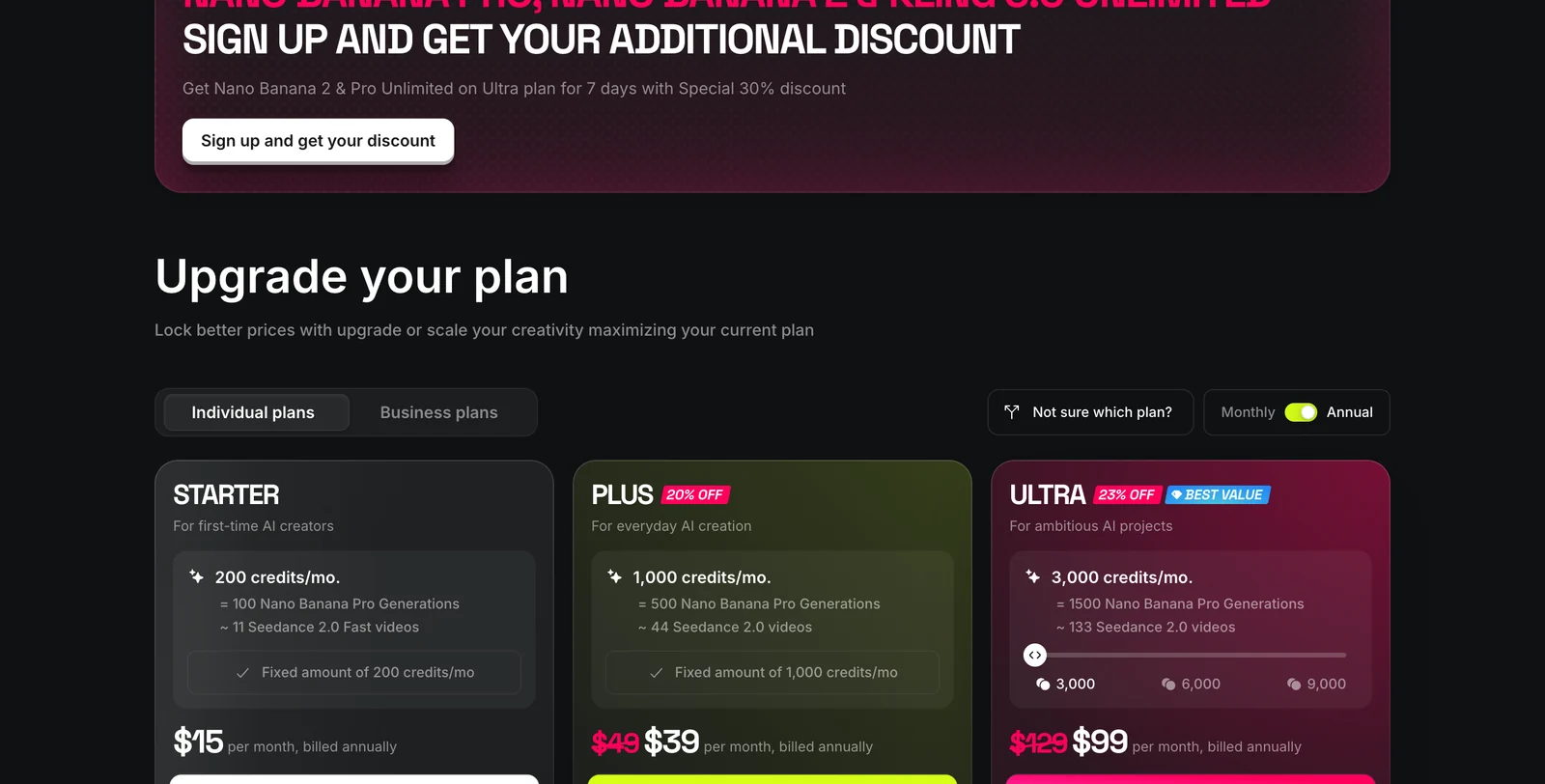
Now the result that surprised us, and it runs against the usual assumption that a reseller marks the model up. On premium models, Higgsfield is cheaper than the open market. Their card says 1,000 credits covers about 44 Seedance 2.0 videos, so at 39 dollars a month that clip costs about 89 cents. The same model on fal costs 30.34 cents a second at 720p, so a 5 second clip is 1.52 dollars. Higgsfield is running roughly 40 percent under list on that engine.
Two honesty flags on that figure. It is arithmetic on published numbers, not spend we metered, and it assumes their Seedance 2.0 video is the 5 second default, which their card does not state. Flip to a cheap engine and the maths inverts completely: Veo 3.1 Lite gives you the same 5 seconds for about 25 cents, so a Higgsfield credit spent there is poor value. The rule that falls out of it is to use the wrapper for expensive models and go direct for cheap ones.
The Step None of Them Does for a Listing
Every tool on this page has the same blind spot. They animate the photograph you give them. None of them improves it. Feed a video model a beige rental with a dated kitchen and a slow 4K dolly through it costs you 4.20 dollars and produces a beautiful clip of a beige rental with a dated kitchen.
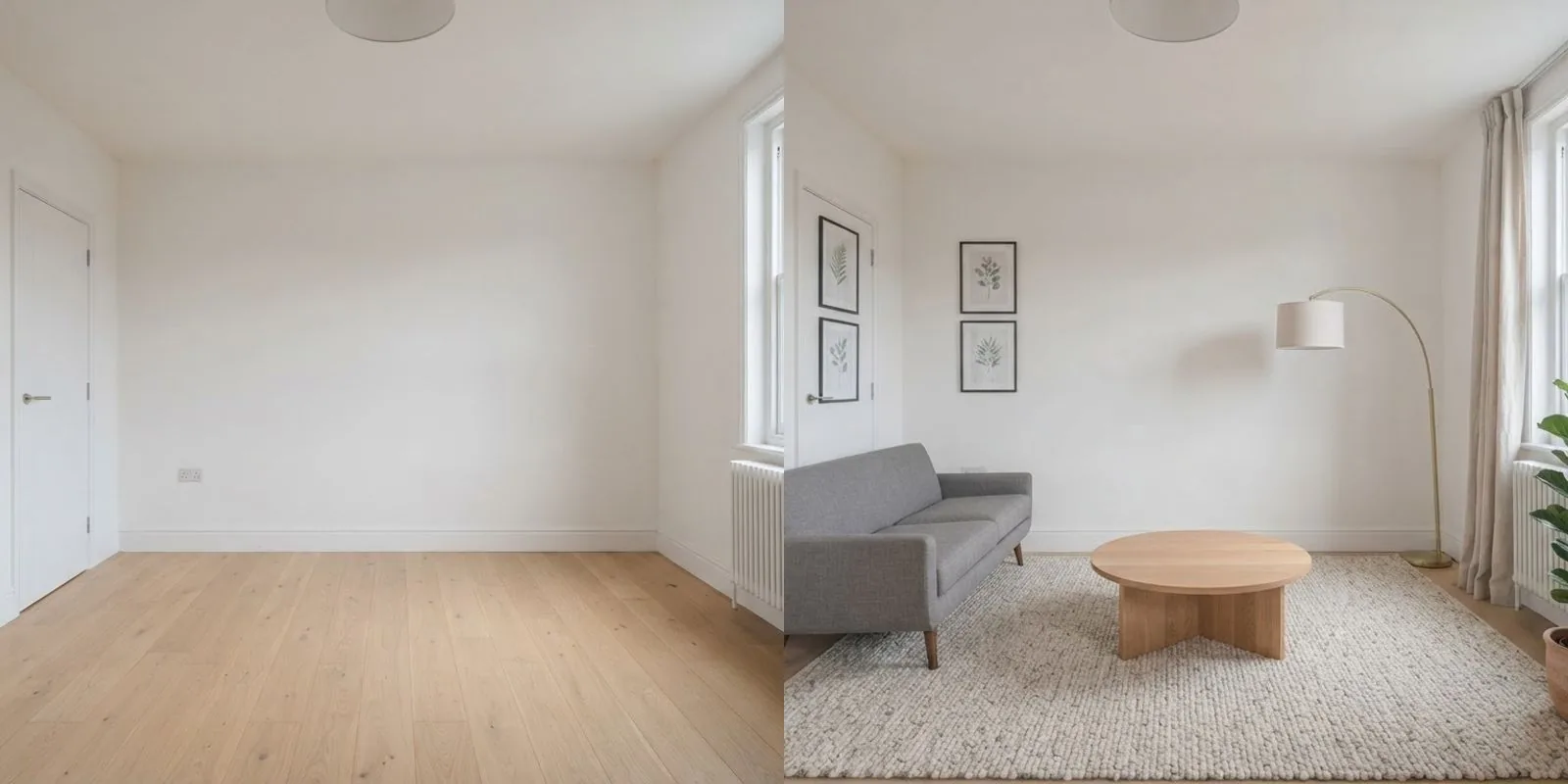
The order that works is: fix the still, then animate it. Restyle or furnish the room photo so the walls, windows and proportions stay real and the contents become worth looking at, then hand that frame to whichever video model you picked above. That is what MeltFlex does, and it is why we can be relaxed about recommending Kling or Veo over Higgsfield here. We are not selling a video model. We are selling the frame it needs.
If the property is empty, the step is virtual staging for real estate photos first. If it is furnished but tired, restyle it. Either way, check the virtual staging disclosure rules before the clip goes on a portal, because several MLS bodies now fine per undisclosed edited photo. Our roundup of virtual staging software compares the tools for that half of the job, and AI real estate photo editing covers the cleanup pass.
Once the frame is right, you can generate the walkthrough in the same place with our video walkthrough tool, or export the still and take it to Kling. Both work. The staging is the part that is not optional.
Which Higgsfield Alternative to Pick
No tool wins everything, so this is by job rather than by score.
And the one to stop considering: Sora. It was removed from the API on 24 September 2026 with no successor, and its consumer apps closed in April. The one to watch: Kling 4.0, in limited early access at Kling since 28 September with the full model promised for October 2026 (30 second clips, 4K, up to 10 keyframes); expect it on Higgsfield and the other resellers soon after its API opens.
If you are staying with Higgsfield, our guide to its camera presets and prompts for listing walkthroughs is the practical follow up, and the best AI video generators for real estate roundup ranks the field on output rather than price. For the image to video question in general, see our image to video generator comparison, and for prompt craft on the engines underneath, the Seedance interior prompts and Nano Banana real estate prompts packs. If your workflow runs through an assistant, the MCP servers for architects and interior designers roundup is the wider map.
Sources, and What We Did Not Test
Every price on this page was read on 14 September 2026 from a primary source. Model list prices come from the fal.ai model catalogue, cross checked against Kling’s own price table, where the per second figures match exactly. Subscription prices come from Higgsfield, Runway, Pika, OpenArt, Luma, HeyGen, Magnific and Google AI plans. The model line up is quoted from Higgsfield’s own video generator page. The Sora shutdown is from OpenAI’s own deprecations table, which lists the Videos API, sora-2 and sora-2-pro announced 24 March 2026 and removed 24 September 2026 with an empty replacement column.
What we did not do, and will not pretend we did: we have not run all ten tools through paid consumer accounts and compared output side by side. The per clip subscription figures are our arithmetic on published credit rates, not metered spend, and they are labelled as such wherever they appear. The API behaviour we describe for Kling end frames and Veo negative prompts comes from our own probes against those APIs, which cost about 2.60 dollars in accepted generations. Rejected requests are free, which is also the cheapest way for you to validate a payload before you spend anything.
One number we deliberately did not restate: Higgsfield’s plan prices are quoted in other roundups as 19, 59 and 129 dollars, while their page showed us 15, 39 and 99 with annual billing selected and 49 and 129 struck through. Promotional and regional pricing moves often enough here that any figure without a date on it is worthless, including ours in a month. Check the page.
Frequently Asked Questions
What is the best Higgsfield alternative?
For property and interior clips there is no single winner, because Higgsfield is a front end over models its rivals also use. If you want the same Kling and Seedance output for less packaging, go to Kling directly. If you want editing and timeline tools around the clip, Runway is the strongest. If you want the cheapest usable motion, Veo 3.1 Lite at roughly 5 cents a second of 720p with audio is the floor price in this market as of 14 September 2026. Google lists 22 October 2026 as the shutdown date for the Veo 3.1 preview models on the Gemini API; the replacement, Gemini Omni 1.1 Flash, is about 10 cents a second of 720p. If you want one subscription that also covers images and upscaling, OpenArt or Freepik are the suites.
Is there a free Higgsfield alternative?
Partly. Pika gives 80 credits a month on a free account, which is a handful of short 480p clips. Runway gives 125 one time credits, which at 60 credits per 5 seconds of Gen-4.5 is two clips and then you are done. HeyGen has a free tier but it is avatar video, not camera motion through a room. None of them is a free way to produce a listing every week, and Higgsfield own free tier of 10 credits a day is the same story, since a single clip costs far more than a day of credits.
Is Kling better than Higgsfield?
It is not really a quality comparison, because Higgsfield runs Kling. Their own video page lists Kling 3.0 alongside Veo, Seedance and other engines, so a Kling clip made inside Higgsfield and a Kling clip made at Kling come from the same model. The difference is packaging: Kling sells you seconds at a published list price, currently 0.6 units or 8.4 cents per second for 720p standard and 3.0 units or 42 cents per second for 4K, while Higgsfield sells credits that cover many models at once and adds presets, a workspace and an MCP connector.
Is Higgsfield cheaper than using the models directly?
On premium models, yes, which surprised us. Higgsfield own pricing card on 14 September 2026 puts 1,000 credits at 39 dollars a month billed annually and says that buys about 44 Seedance 2.0 videos, which works out at roughly 89 cents per clip. The same model at fal list price is 30.34 cents per second of 720p, so a 5 second clip is 1.52 dollars. That is a derived comparison, not a metered one, and it assumes their video is the 5 second default. On cheap models the direct route wins easily, since Veo 3.1 Lite is about 25 cents for the same 5 seconds.
What happened to Sora, and is it still a Higgsfield alternative?
No, and this is the part most alternatives lists have not updated. OpenAI deprecation table lists the Videos API together with sora-2, sora-2-pro and their dated snapshots, announced on 24 March 2026 and removed on 24 September 2026, with no recommended replacement in the column. The Sora web and app experiences were discontinued earlier, on 26 April 2026. That date has now passed, so Sora is no longer an alternative to anything, yet on 14 October 2026 the Higgsfield video page still had Sora in its title and Sora 2 in its meta description. Treat any Sora option you still see on a reseller as a leftover.
Which new video models has Higgsfield added since September 2026?
Per Higgsfield’s own changelog: Seedance 2.5 Draft Mode (22 September, a 480p draft before the 1080p render), Grok Imagine Video 1.5 from xAI (1 October, 1 to 15 seconds with sound, up to 1080p), and before that Gemini Omni 1.1 Flash (27 August), MiniMax H3 Max (28 August) and Wan 3.0 (24 August). Kling 4.0 is not on Higgsfield yet: Kuaishou opened Kling 4.0 Flash in limited early access on its own site on 28 September 2026 and promises the full model for October. The pattern holds: every alternative that resells the same engines gets them within days to weeks.
Is there an open source Higgsfield alternative?
There is no open source product that reproduces Higgsfield presets and workspace, but the video models underneath have open weight cousins you can run yourself, most notably the Wan family. Expect to supply your own GPU, your own queue and your own upscaling, and expect the camera control to be prompt only rather than a preset you click. For a two person agency shipping listing clips this is almost always more expensive in time than 39 dollars a month.
Which Higgsfield alternative has an MCP server?
Very few, which is why the question is being asked. Higgsfield publishes a remote MCP server at mcp.higgsfield.ai that connects to Claude, ChatGPT and Cursor over OAuth with no API key. Among the alternatives in this comparison none ships an equivalent consumer connector today. If your workflow lives inside an assistant rather than a browser tab, that connector is a genuine reason to stay with Higgsfield rather than a marketing bullet.
Which AI video tool is best for real estate listings?
The tool matters less than what you feed it. Every model in this comparison animates the photo you give it, so an empty or dated room becomes an empty or dated video. Stage or restyle the still first, then animate it, and pick a model with end frame control so the clip starts at the doorway and finishes on the window. Kling 3 standard accepts an end frame at 4 seconds, Veo 3.1 Fast and Lite only accept one at 8 seconds, which we found by probing the APIs rather than reading the docs.